


In the landscape of product lifecycle management (PLM), the task of editing Bill of Materials (BOM) structures has long been synonymous with navigating a complex web of integrations and procedures. While tools like Excel offer a semblance of simplicity, they often fall short when it comes to handling the intricacies of comprehensive structure editing. Consequently, users frequently find themselves resorting to a convoluted process of exporting data from traditional PLM systems, such as Teamcenter, manipulating it in Excel, and then painstakingly importing it back into the system. Recognizing this challenge, OpenBOM has been focused on its commitment to bridging this gap by offering a combination of a robust product data model with an interface that mirrors the familiarity and ease of use of a spreadsheet.
Today, I’m thrilled to introduce a cool new feature that promises to revolutionize your experience with OpenBOM – the ability to seamlessly add new items to your BOM with instant integration into the catalog and classification system. Let’s delve deeper into the problem at hand, explore our innovative solution, and witness firsthand how it transforms your workflow.

The Problem: Cumbersome Item Creation
The conventional approach to adding a new item to a BOM typically entails a multi-step process. Users are required to first navigate to one of the associated catalogs, create the item, and then proceed to insert it into the BOM. This cumbersome workflow not only disrupts productivity but also introduces opportunities for errors and inconsistencies.
The Solution: Instant Catalog Integration
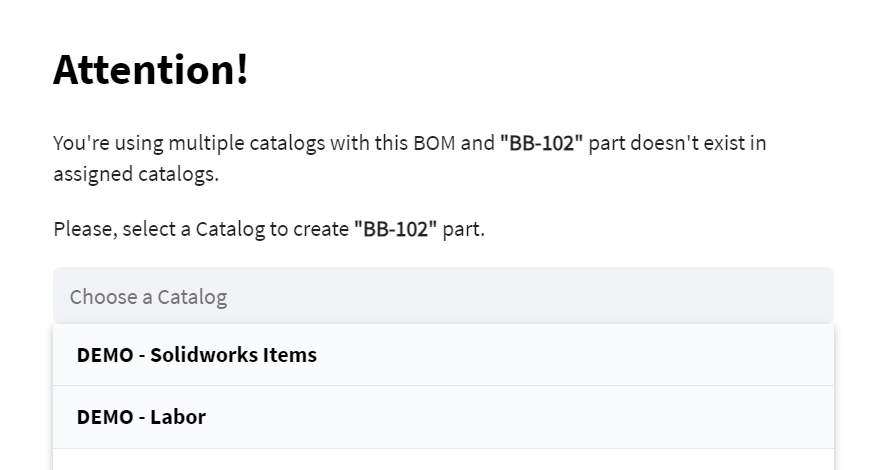
With the latest release of OpenBOM, we’re proud to unveil a seamless solution to this age-old problem. Now, when the need arises to add a new item to your BOM, a user-friendly dialog promptly appears, presenting you with a comprehensive list of catalogs associated with the BOM.
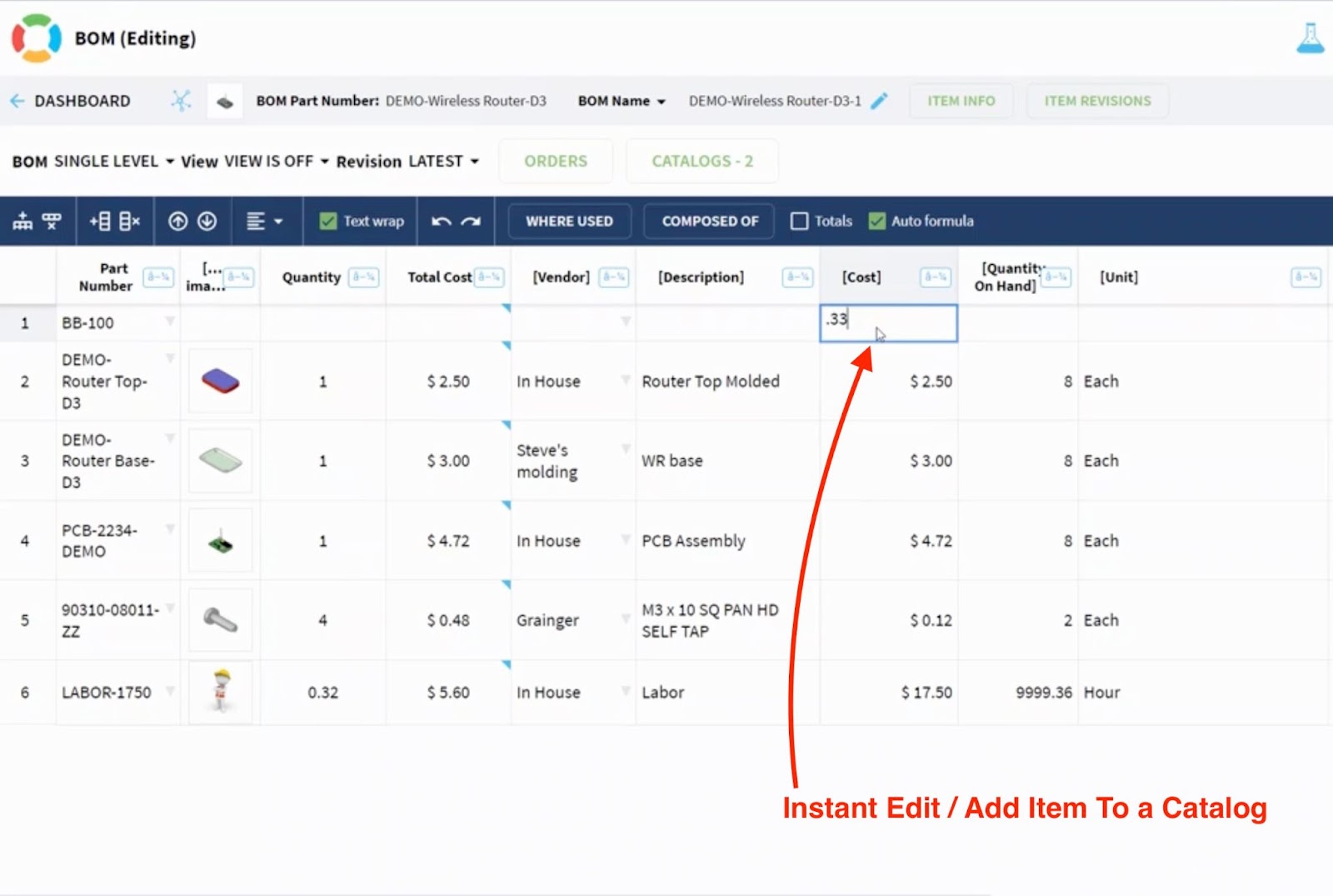
From there, you can effortlessly select the appropriate catalog and proceed to create the item – all within the confines of a streamlined, intuitive workflow.
A Video Demo
To truly grasp the transformative power of this feature, I invite you to explore our demo video. Within minutes, you’ll witness firsthand the simplicity and efficiency of our new workflow. With just three straightforward steps, you can seamlessly add an item to your BOM while simultaneously creating a corresponding catalog record – a testament to the elegance of our design philosophy.
Conclusion: A Leap in User Experience
At OpenBOM, we understand that user experience is not just a priority – it’s a guiding principle. From the outset, our vision has been to provide a user interface that is as intuitive as it is powerful, empowering users to navigate and manipulate complex product structures with ease. With each iteration, we’re inching closer to realizing this vision. Today, as we unveil this latest enhancement, we take yet another significant step forward in our quest to redefine the user experience in PLM.
Experience the transformative potential of OpenBOM for yourself – register for free and embark on a journey towards unparalleled efficiency and productivity.
Best regards,
Oleg
Join our newsletter to receive a weekly portion of news, articles, and tips about OpenBOM and our community.








