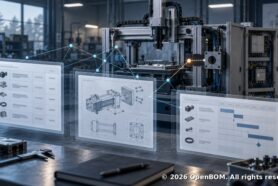
Product information is a foundation of design, planning, and manufacturing. How to manage it efficiently?
You can easily export data from CAD to Excel, but you will spend a lot of time making updates, especially if you will add more data such as cost, suppliers, planning, and other pieces of information.
Data sharing is another challenge. Send emails with Excels is easy, but finding the right Excel is hard. You will make mistakes and your team will end up using the wrong Excel.
Think about counting unique parts in multiple CAD assemblies. It is tons of work. And if you add more items added outside of CAD, you can spend hours doing it and you will make mistakes. Rollup cost is another level of complexity, translating unit of measures used in BOM to purchasing units will turn you in chief excel officer.
Manual product’s life cycle tracking of change history, revisions, and managing change approvals will slow down processes and will lead to mistakes.
So, you end up with wrong parts, purchase orders with mistakes, delays, additional cost, hard time to forecast, lost opportunity to use volume orders, and many other problems. Sending wrong information to contractors can be even more expensive and disruptive for business. Your team working with the wrong information will spend more time working on the wrong design and product planning.
The root cause of all problems I described above is inefficient data management. To organize and manage data in a modern distributed environment is a challenge that cannot be solved using traditional database systems or file servers. OpenBOM provides a uniquely flexible and scalable approach in data organization. These are the top 5 things that create a unique value proposition of OpenBOM:
1- Product record and a single version of the truth. OpenBOM creates unique data records for all items and corresponding information – Part Numbers, descriptions, revisions, cost, manufacturer, suppliers, lead time, etc. BOMs are using items and extend it with usage information (eg. Quantity, Project). OpenBOM data model is flexible and you can extend it at any time. The extension is a big deal as it allows to every company to be different, yet provides a way to organize the data.
2- Automatic BOM creation and updates from any CAD systems. You won’t count manually anymore. A single click on the button will create BOM and update it when you do it next time. All changes are tracked and revisions can be created.
3- Automatic quantity calculation, formulas, and custom rollups. You can combine multiple assemblies into a single multi-level BOM and automatically calculate everything you need for planning and purchasing.
4- Instant data sharing mechanism with a click of the button or automatic role-based sharing using team views. OpenBOM instant share and Google-sheet like collaboration and simultaneous editing will guarantee you have all information up to date shared with everyone.
5- Out of the box purchasing planning process. OpenBOM creates an Order BOM (planning BOM), which can scale the quantity to the level of the order, keep track of stock level (quantity on hand), and automate the process of purchase order creation.
Conclusion
Excel or spreadsheets is the wrong way to manage product information and changes. Having data spread between multiple Excel files and CAD files. OpenBOM gives you a robust and easy way to organize data, manage changes, and sharing information instantly with anybody in the world. It is a way out from Excel mess to organized product lifecycle management processes.
Check out OpenBOM by registering for free and creating 14 days free trial today. Navigate here to create an account here. Check our how OpenBOM helps thousands of users and manufacturing companies to manage data and consider to contact OpenBOM consultants and partners about custom import projects.
Best, Oleg.
Want to learn more about PLM? Check out my Beyond PLM blog and PLM Book website
Read OpenBOM customer reviews on G2 Crowd to learn what customers are saying about OpenBOM.
Join our newsletter to receive a weekly portion of news, articles, and tips about OpenBOM and our community.