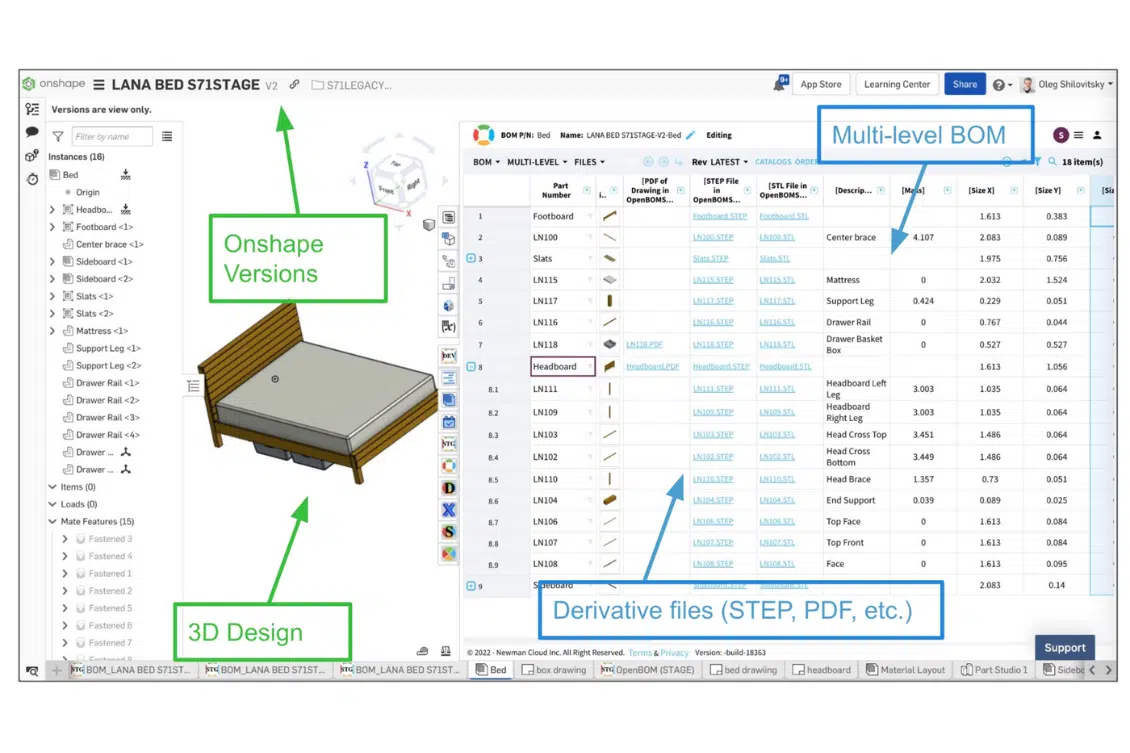
Are you using Onshape and looking for an effective way to streamline your CAD downstream process? If so, then OpenBOM for Onshape is the perfect solution. OpenBOM is a powerful native-cloud platform that enables efficient collaboration and data exchange between engineering teams using Onshape CAD teams and other teams’ stakeholders. OpenBOM for Onshape helps CAD users quickly create bills of materials (BOMs) and seamlessly integrate them into their 3D models. It also enables them to easily manage their data and collaborate with other members of their team. OpenBOM provides a way to help you quickly and easily manage all of your product data and organize a seamless output of all CAD data into derivative file formats such as STEP, STL, and PDFs.
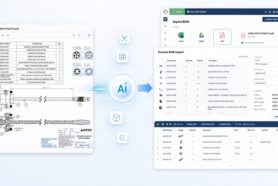
I’m super pumped to share some latest enhancements in OpenBOM for Onshape helping to get CAD file derivatives easily managed with OpenBOM. Let’s take a closer look at how OpenBOM can improve your workflows and increase your productivity. In particular, let’s check how OpenBOM new features allow you to get CAD files converted to PDF files and automatically attached to OpenBOM Items and BOMs.

OpenBOM for Onshape Collaborative Process
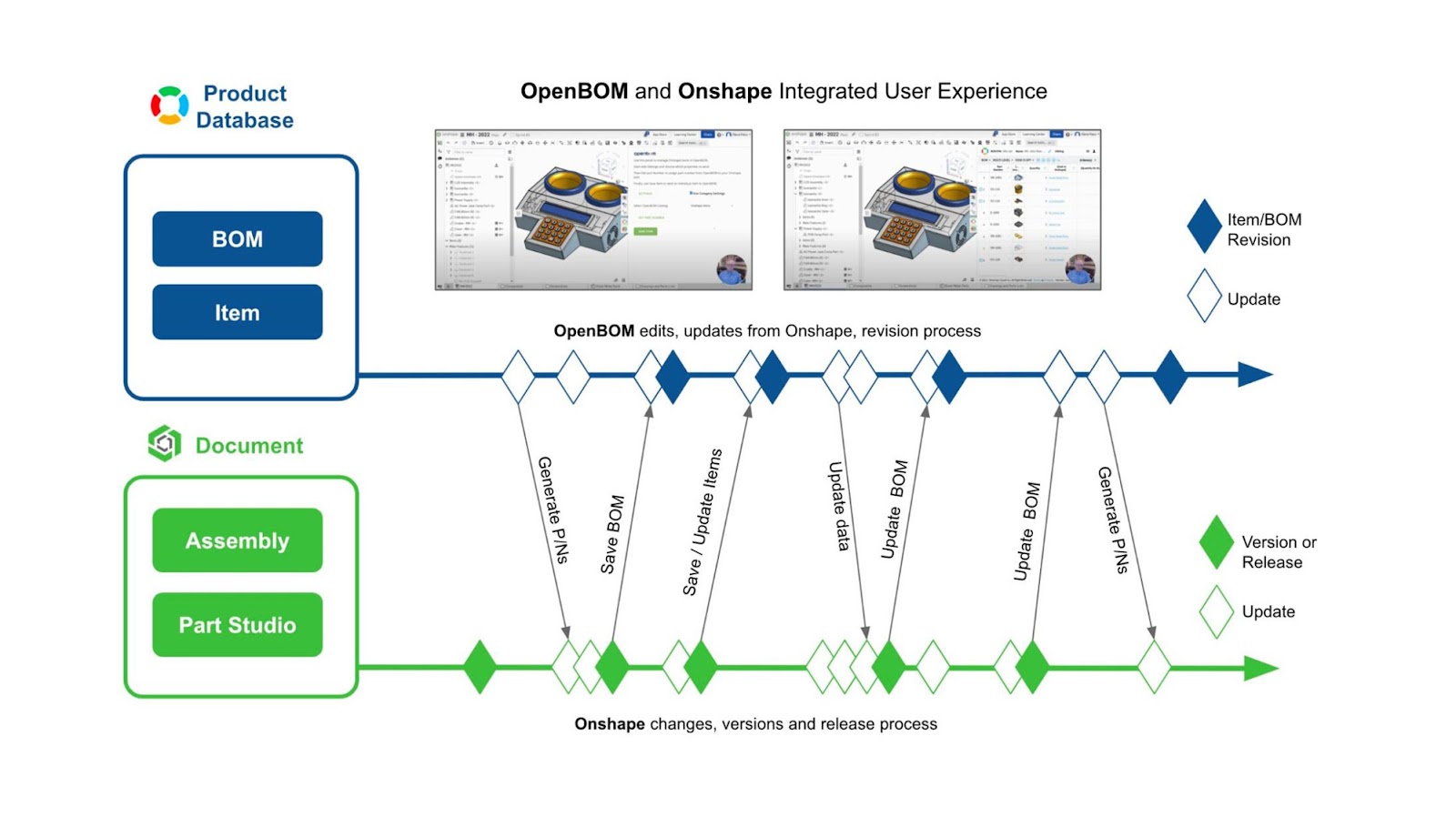
OpenBOM supports a truly collaborative process between the design team using Onshape and the rest of the organization managing multi-disciplinary product structure and performing simultaneous collaborative working with bi-directional updates.
In the following diagram, you can see the overall picture of how both the design data management and release process is integrated with OpenBOM data management, multi-disciplinary BOM, and change management process.
Downstream Workflow
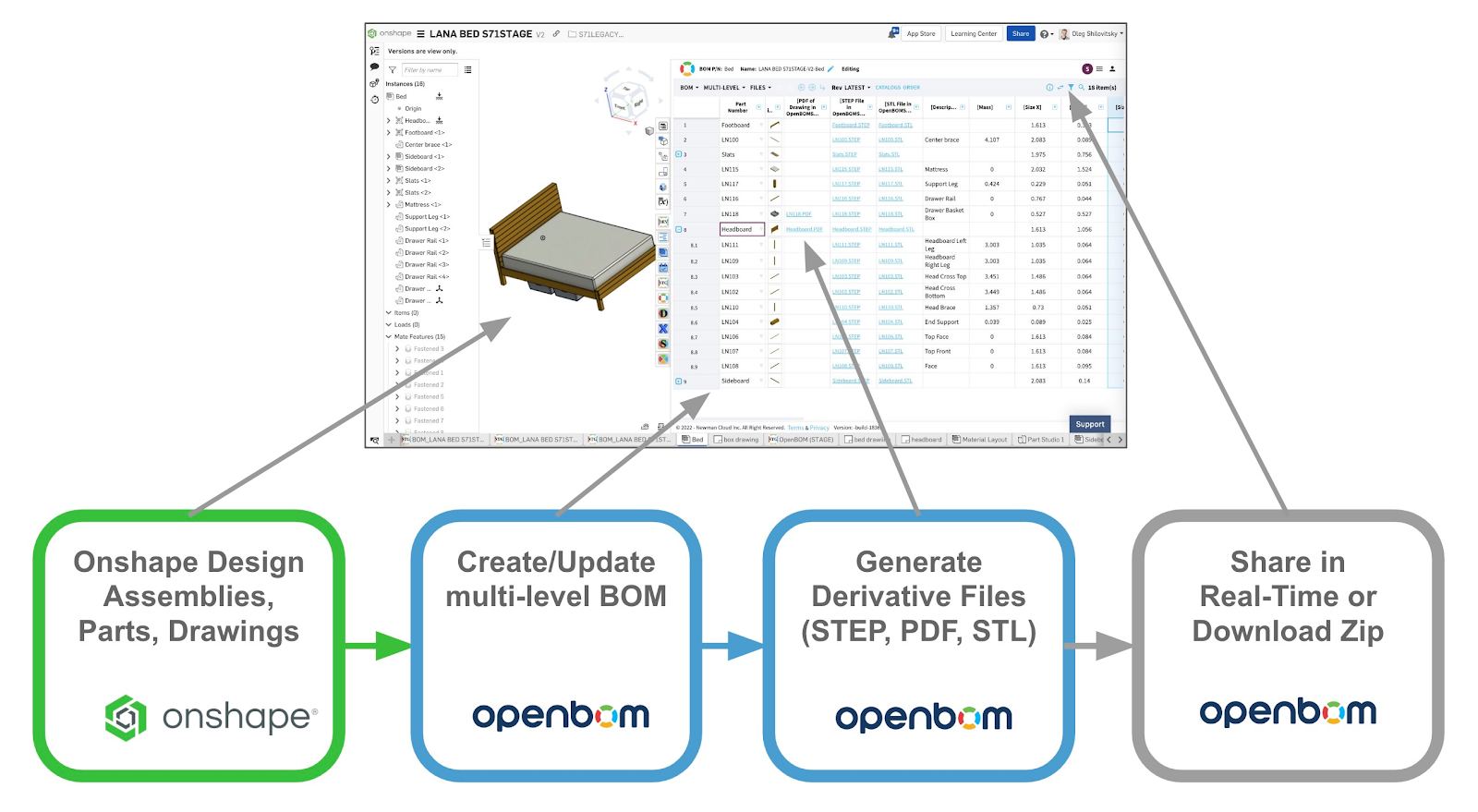
OpenBOM allows you to organize a flow of information from the initial design creation in Onshape downstream to the creation of the Bill of Materials, organizing product structure, and adding data and files. Check the entire process below:
The Benefits of OpenBOM for Onshape
OpenBOM offers a range of features that make it easier to streamline downstream processes. Here are some of the benefits that this software provides:
- Automated BOM Generation: Generate BOMs in minutes rather than hours or days using the one-click BOM function. With OpenBOM, you can automatically generate BOMs from your Onshape models, eliminating tedious manual work. OpenBOM captures any property from Onshape and organizes the data on the OpenBOM side.
- Easy Collaboration: With OpenBOM for Onshape, it’s easy to share your data and collaborate with other members of your team in real-time. OpenBOM patented BOM collaboration method and technology allows one to access data seamlessly, add comments and have discussions about projects without having to switch between multiple applications.
- Data Management & Security: OpenBOM allows you to store all your project information securely in one place, making it easy to access anytime and from any device. It also includes advanced security measures so you can rest assured that your data is safe at all times. Data is available globally and can be instantly shared with any user in the world.
- Cost Savings: By automating many of the manual tasks associated with creating BOMs and managing data, OpenBOM saves you time and money—which translates into cost savings for your business as a whole.
OpenBOM enables CAD users to get more done faster while also reducing costs—which is why it’s such a great solution for optimizing downstream processes.
Video Demo
Watch the demo with the demonstration of the OpenBOM to Onshape downstream scenario.
Conclusion:
If you’re using OpenBOM and looking for an easy way to streamline your downstream processes from design to contract manufacturing and procurement, look no further than OpenBOM for Onshape.
OpenBOM helps CAD users quickly create bills of materials (BOMs) and streamline the process of accessing information in a variety of forms and formats. It also makes collaboration easy, allows for secure data storage & management, and saves both time & money over manual methods—allowing businesses to get products out faster while staying within budget constraints!
So if you’re ready to take control of your downstream process optimization, give OpenBOM a try today! REGISTER FOR FREE to start your 14-day trial today.
Best, Oleg
Join our newsletter to receive a weekly portion of news, articles, and tips about OpenBOM and our community.