

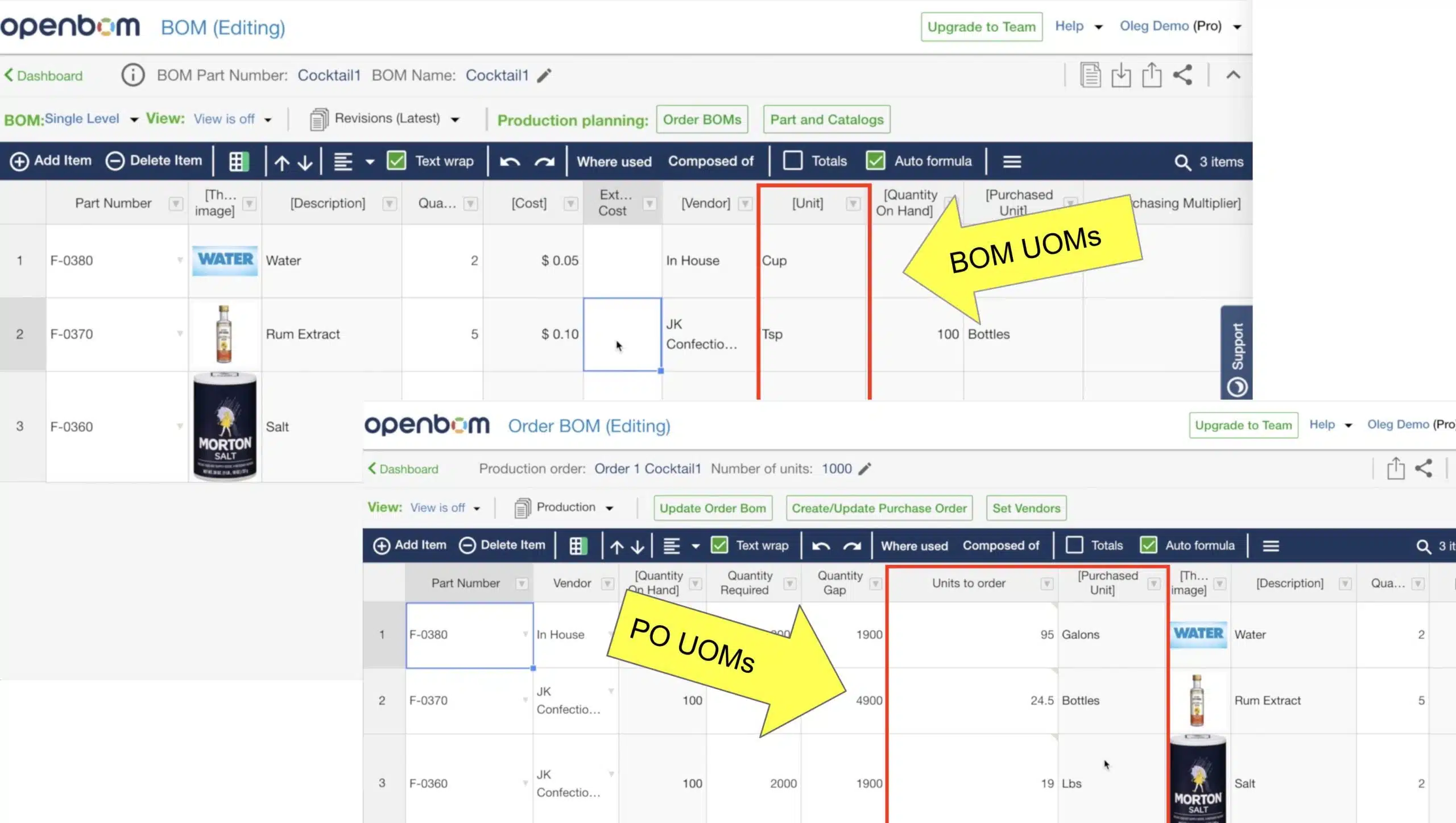
In this video, I will show you how to use different units of measures in BOMs and purchasing orders (POs) using OpenBOM. This situation is usually happening with materials and consumables (eg. wood, pipes, metal, food ingredients, etc. A typical scenario is a BOM with a unit of measures (eg. tsp) is different from the purchasing unit of measures (eg. gallons).
In my example, I will create a BOM for a cocktail, which has three ingredients. Each of these ingredients is included in the recipe with a BOM unit of measures (Eg teaspoon). However, in the ordering, I would like to use bottles and gallons.
To implement it, you need to follow these steps:
1- Add purchasing unit of measure to the catalog (for description) and multiplier to define relationships between two units of measure.
2- Create a BOM with its unit of measure.
3- Create an Order BOM for a batch (I use 1000 units of cocktail in my case). Add a property to calculate the number of units to order and add a formula there.
Watch the video.
Conclusion
Flexibility is the key to systems used for product data and lifecycle management, BOMs, and purchasing. OpenBOM gives you a high level of flexibility by allowing to add additional information, formula and make calculations. A combination of these two factors ( data management flexibility and formulas) gives you unique OpenBOM capabilities.
Check what OpenBOM can do for you – REGISTER FREE
Best, Oleg @ openbom dot com.
Want to learn more about PLM? Check out my Beyond PLM blog and PLM Book website. Read OpenBOM customer reviews on G2 Crowd to learn what customers are saying about OpenBOM.
Join our newsletter to receive a weekly portion of news, articles, and tips about OpenBOM and our community.








