Product lifecycle management software works only when a team can distinguish an Item’s identity from the meaning people may want to encode in its number. A part number can be intelligent, carrying category or material codes, or simple, serving as a stable identifier. The better choice is the one that keeps identity stable while making the rest of the product data easy to find, review, and use across engineering, manufacturing, purchasing, and suppliers.

Why the part-number decision matters in product lifecycle management software
A part number travels through design, BOMs, change control, purchasing, manufacturing, and service. When the number carries many attributes, a change to one attribute may force a new number and ripple through product structures. When the number is simple, the team must keep the related attributes connected to the Item and easy to retrieve. In both cases, the numbering policy and the product-data system work together.
The question is not whether one format is universally correct. It is whether the identifier remains useful as the product, suppliers, and people around it change.
Intelligent part numbers: meaning inside the identifier
An intelligent part number encodes meaning. A company might combine a family code, material code, size, or other property into the identifier. This can make a number familiar to the people who use it and may help a person recognize an Item before opening its record.
- Benefit: a person can infer selected attributes from the identifier.
- Cost: the numbering policy needs maintenance, documentation, and governance as new categories appear.
- Risk: a change to an encoded attribute can make the identifier look like a new identity even when the team would rather preserve continuity.
Simple part numbers: stable identity with richer metadata
A simple part number such as 100245 carries little meaning by itself. That is intentional: the next identifier can be assigned without redesigning the numbering scheme for every new product family or property.
- Benefit: the identifier can remain stable while descriptions, classifications, supplier references, and other properties change.
- Requirement: the product-data system must make those properties searchable, governed, and available to the people who need them.
- Risk: a sequence without organized metadata becomes difficult to understand and easy to duplicate or misuse.
A worked example: keep identity separate from use
Illustrative example: a machine builder creates a reusable Item for a drive motor and assigns it the simple part number DRV-1042. The Item record carries the manufacturer identifier, supplier mapping, electrical properties, CAD representation, and review history. A conveyor BOM uses that Item at a quantity of two. The quantity belongs to that Item’s use in this BOM; it is not a property of the Item itself.
If the team changes the motor’s physical definition, it reviews the applicable revision and the change decision for the product structure. It does not let an automatic suffix in the part number decide whether the change is a new identity. The people responsible for the product determine the identity and approval, while the product-data system keeps the records and relationships visible.
How product lifecycle management software should connect Items and BOMs
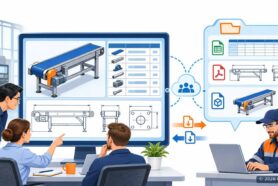
OpenBOM keeps reusable Items and related product information connected to BOM structures and revision context. A CAD file is a representation of product information, not the Item itself. A BOM quantity belongs to a specific use, and a revision applicable to a build is not the same thing as a file version or an approval.
That model lets engineering and purchasing work from related records: an Item and its properties, a BOM and its usage quantities, a revision and its change context, and supplier or ERP identifiers that may need mapping. CAD and other integrations publish mapped data, so the receiving result still needs to be verified in the connected system.
For a broader view of how OpenBOM organizes product lifecycle information, see Product Lifecycle Management in OpenBOM. For a related part-number perspective, read Part Numbers: Best Practices and Future Improvements.
A practical part-number policy for engineering and manufacturing teams
- Decide what the identifier must preserve: identity, not every attribute that may change.
- Keep descriptions, classifications, manufacturer identifiers, supplier identifiers, and ERP mappings in managed product-data fields.
- Define how a team reviews a change, selects the applicable revision, and communicates the result to purchasing and suppliers.
- Test the policy on one real product structure before expanding it across the catalog.
- Make search and duplicate review part of the workflow, whether the numbers are intelligent or simple.
For the record-level view of Items, BOM usage, and revisions, see Item Master Management for Growing Manufacturers.
Conclusion: let the identifier stay stable
Intelligent numbers can make selected attributes visible, while simple numbers can reduce the maintenance burden of the numbering scheme. Neither approach replaces the need for organized product data. The durable decision is to keep Item identity, metadata, BOM use, revisions, and approvals distinct enough that a change in one does not silently rewrite the others.
Join our newsletter to receive a weekly portion of news, articles, and tips about OpenBOM and our community.