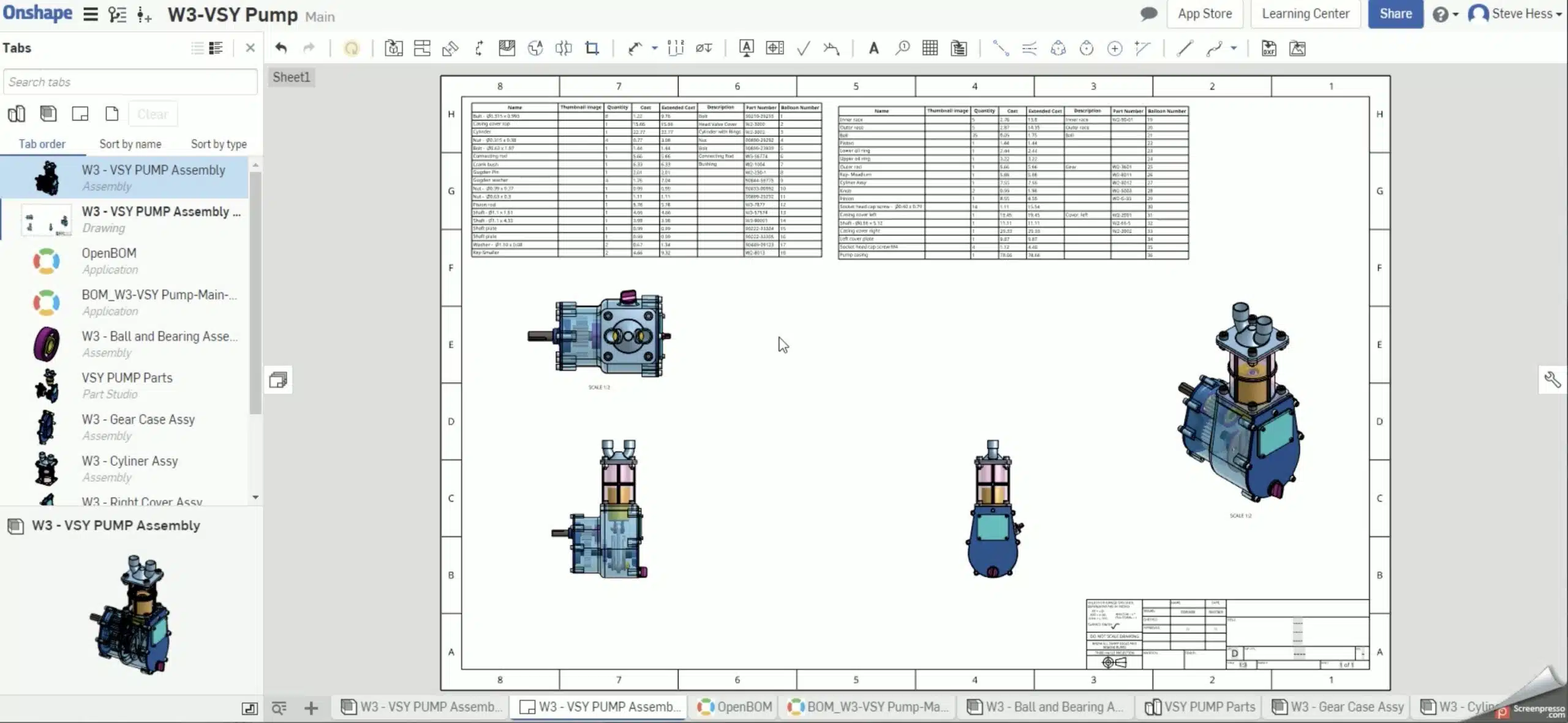
It is 21st century outside and digital transformation is one of the most visible trends outside. However, many companies are still relying on drawings as the main media to pass engineering and manufacturing information between departments. And when it happens, Bill of Materials in the drawing is a critical element of this information.
So, it is not a surprise to see how Onshape is focusing on improving Onshape drawing capabilities.
What’s new in Onshape, May 3rd, 2019 update brings a function that was requested by many Onshape users – split BOM in the drawing. The function is simple – you can split BOM :).
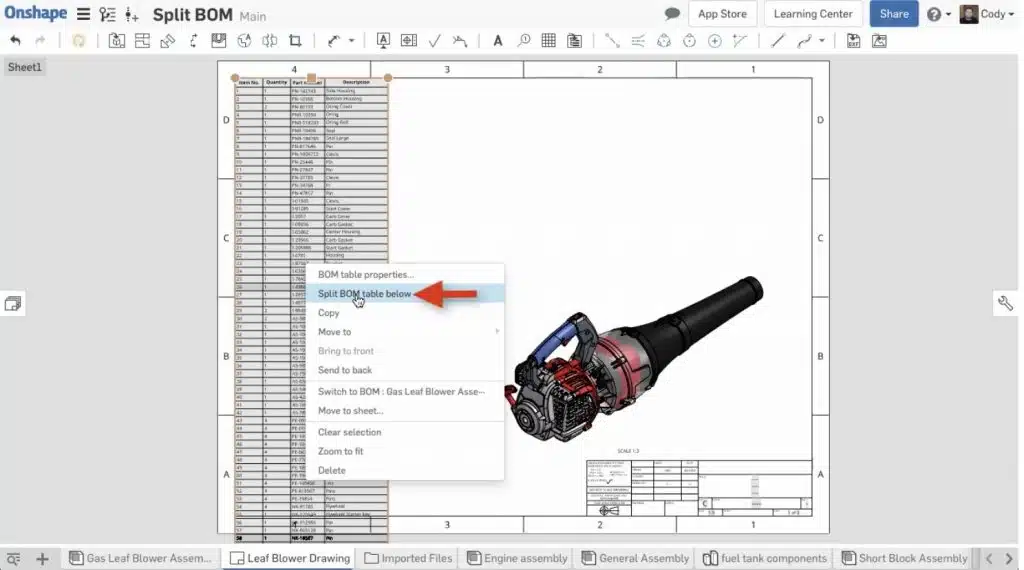
OpenBOM application is fully integrated with Onshape providing a unique way also to insert OpenBOM BOM in Onshape Drawing. In the following video, you can see how BOM created using OpenBOM in Onshape can be split using new Onshape split BOM command.
Conclusion
Drawings are still very important when it comes to passing product information from engineering to manufacturing, contractors and suppliers. Having them properly organized is critical. OpenBOM is natively integrated in Onshape drawing module and can leverage all improvements Onshape does with drawings.
Try out OpenBOM for Onshape today. It is free and available on Onshape app store.
Best, Oleg
PS. Let’s get to know each other better. If you live in the Greater Boston area, I invite you for a coffee together (coffee is on me). If not nearby, let’s have a virtual coffee session — I will figure out how to send you a real coffee.
Want to learn more about PLM? Check out my Beyond PLM blog and PLM Book website
Join our newsletter to receive a weekly portion of news, articles, and tips about OpenBOM and our community.