


I’m super excited to share the news about introducing OpenBOM integrations with PTC Creo. OpenBOM is partnering with PTC and will provide integration for industrial companies and engineers using Creo as their mechanical CAD system to support their data management efforts to organize files, bill of materials, and catalogs of items and manage inventory, vendors, and purchasing processes. If you are still using the Creo files without proper data management and PLM system, OpenBOM is clearly the first choice to try. Also, if you’re looking for how to replace your legacy PLM system with a modern SaaS PLM option, you must check OpenBOM PLM as well.

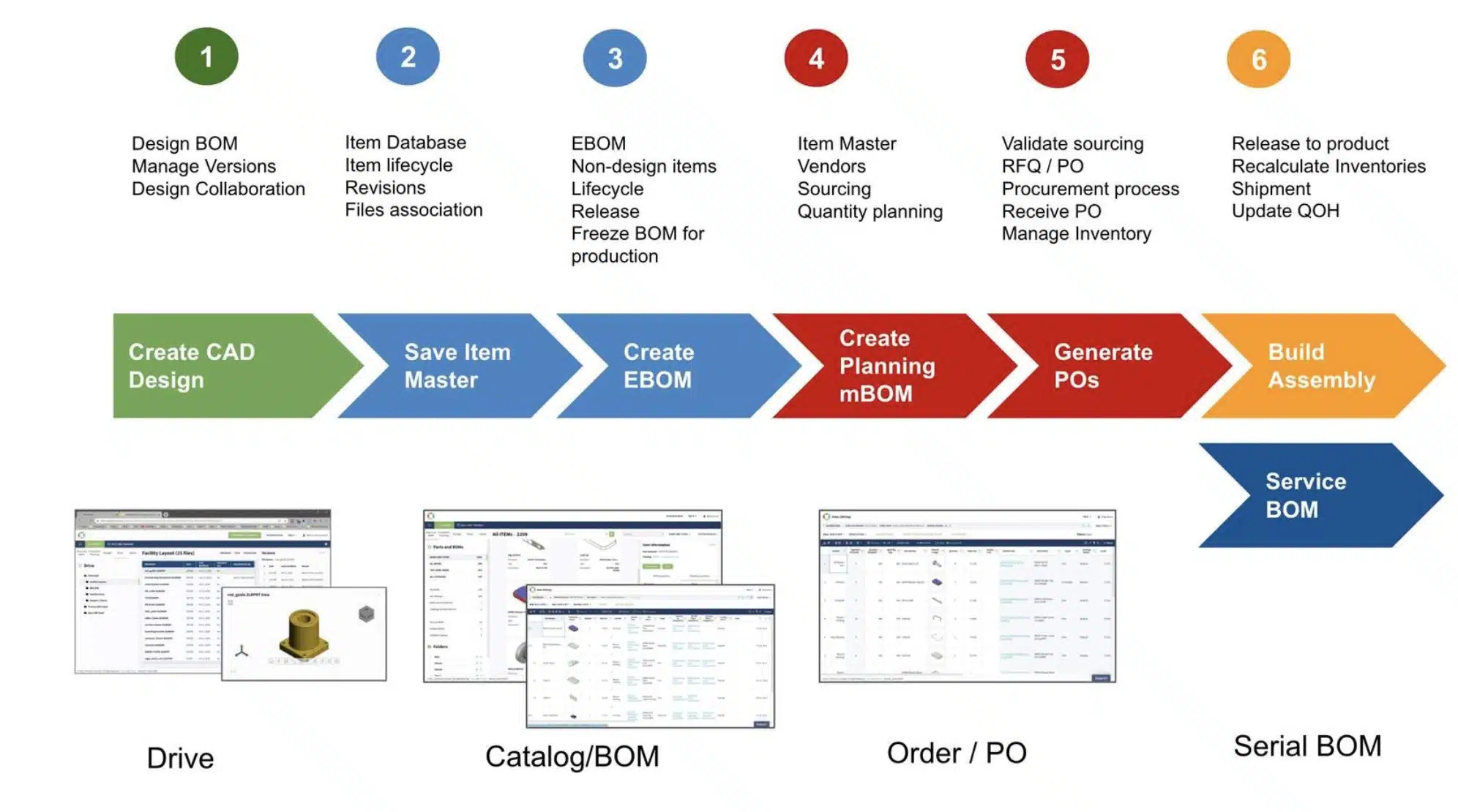
A Big Picture: Design To Manufacturing Business Flow
Managing files, items, and BOMs is not all that OpenBOM does. It goes beyond typical PDM and PLM functions by allowing the management of inventory and planning BOM, vendors, orders, RFQs, and POs. With OpenBOM you can manage a full process to go from initial design to purchasing and assembly connected between design contractors, full multi-disciplinary Bill of Materials structure, and procurement.
Check the following diagram to understand the full business process flow.
OpenBOM for Creo Add-in
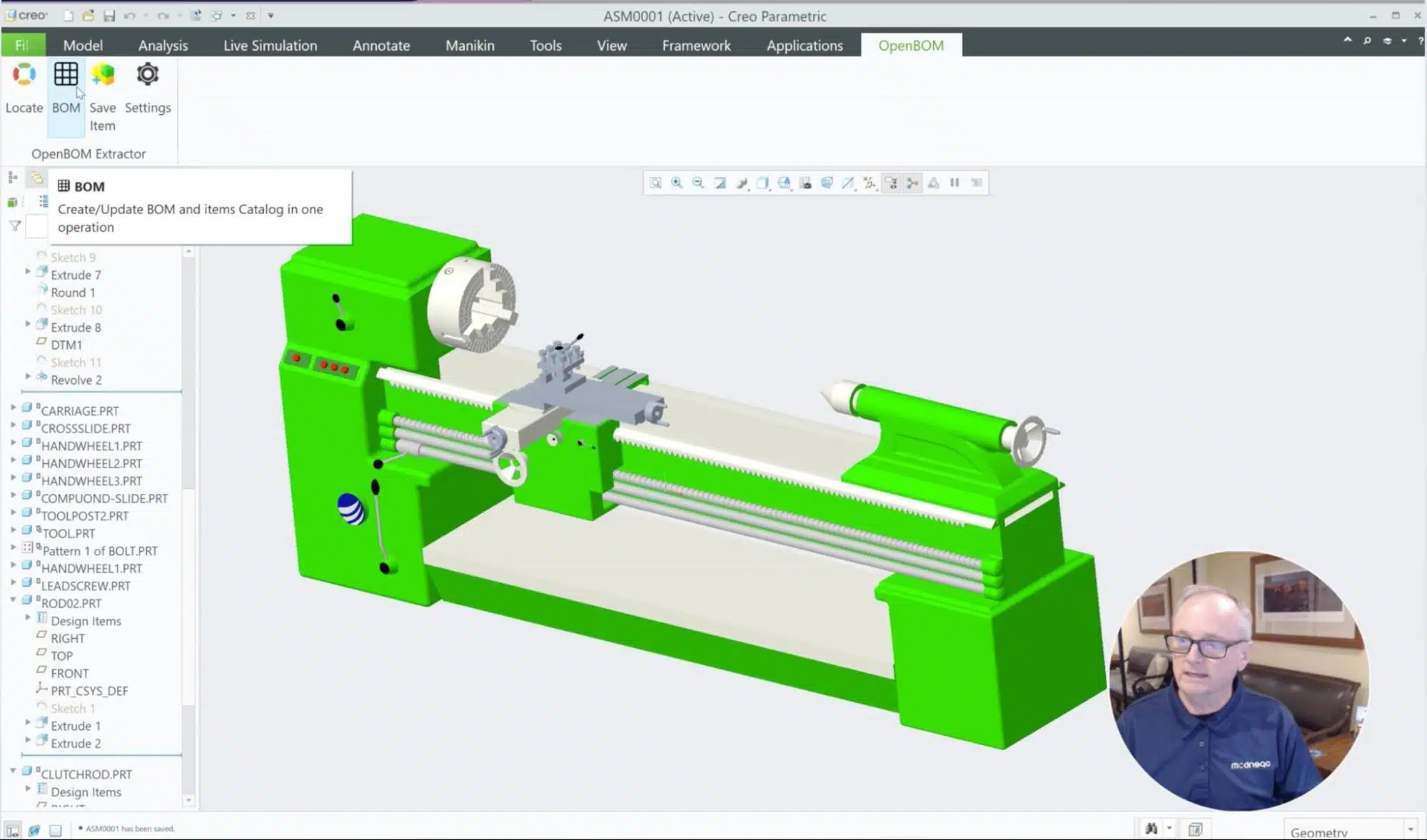
A foundation of OpenBOM for the PTC Creo solution is OpenBOM CAD Add-in, which is embedded into Creo and allows you to perform main functions to manage items, and BOMs, to extract and update information and files from Creo.
After a quick setup, you can use OpenBOM for PTC Creo seamlessly connected to your OpenBOM account.

Here is the list of all available OpenBOM features for Creo Add-in currently available.
- Embedded Creo Parametric add-in
- Create multi-level indented BOM of product structure including hi-rez thumbnail images
- Automatic generation of PDFs for Parts, Assemblies and Drawings
- Automatic generation of STEP/STL for Parts and Assemblies
- Save Creo models, PDFs and Drawings to cloud storage and put link in BOM
- Create Vendor Lists and assign component Vendors
- Rollup Costs, Mass and other properties from Sub Assemblies to Top Level
- Create Planning BOMs and Purchase Orders with a single click
- Extend BOM by adding Rows and Columns on-the-fly
- Easily include and manage non-modeled items like glue and tape
OpenBOM Drive
In case you still have all your Creo files in your local or network folders, you can take advantage of using OpenBOM Drive to manage file versions, check-in/out, 3D Viewer, and support collaboration between engineers working on the same project together.

Video: OpenBOM for PTC Creo
Check out this video with the first demo of OpenBOM for PTC Creo.
Conclusion
OpenBOM gives you an easy way to manage your Creo projects, to organize your files, items, and bills of materials. In addition to these basic functions, OpenBOM also opens the door for an agile and fast NPI process, which includes an integrated process taking your design directly to manufacturing and procurement planning. Speed and agility are two main characteristics of the OpenBOM solution, which is available as a SaaS platform with no need to manage servers, IT, and all system overhead that is usually belonging to legacy PDM and PLM solutions.
REGISTER FOR FREE and start a 14-day free trial, and test how OpenBOM can help your Creo projects today.
Best, Oleg
Join our newsletter to receive a weekly portion of news, articles, and tips about OpenBOM and our community.








