

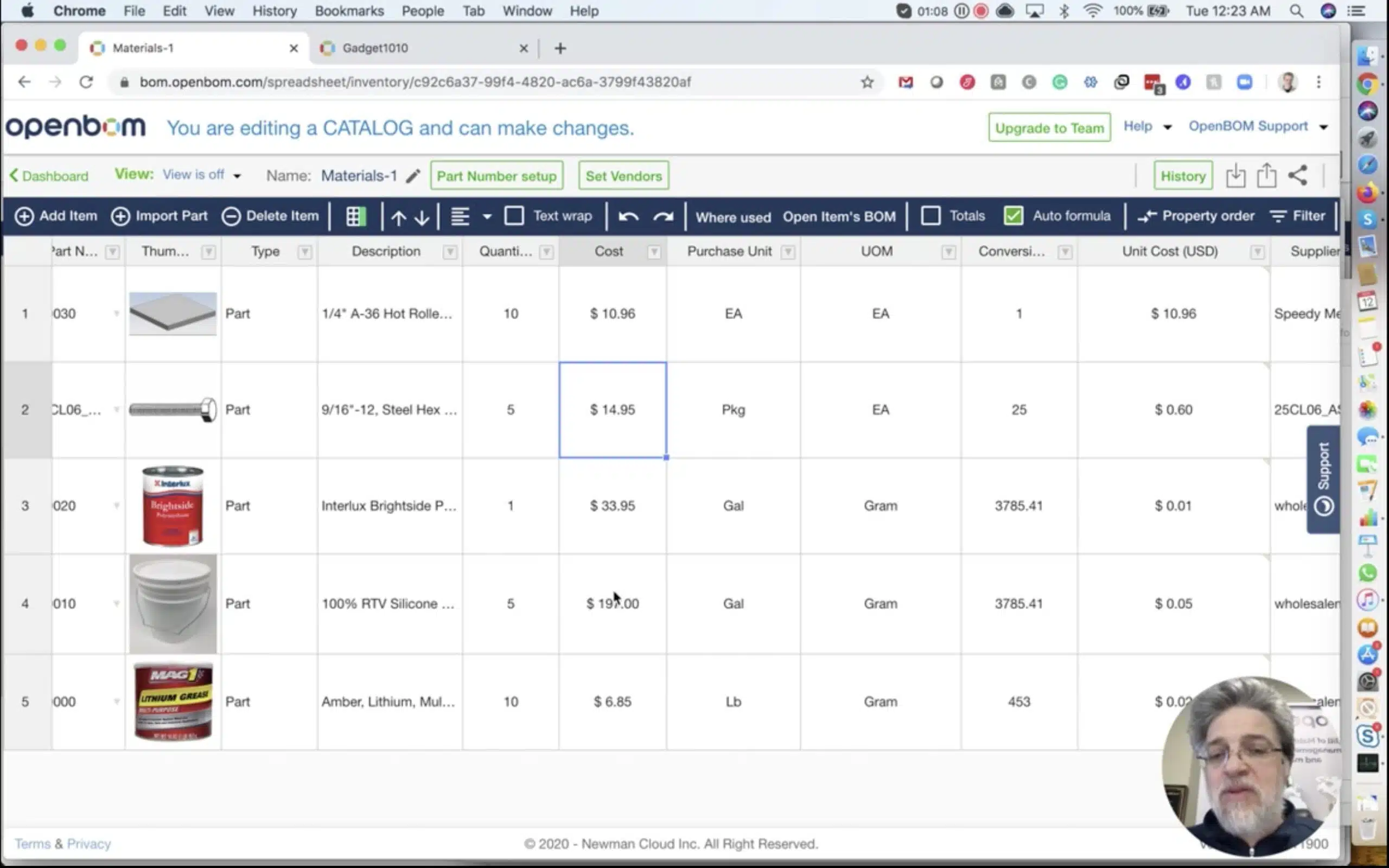
In this article, I will explain how to manage a situation in which you’re buying materials in one unit and consume it in different units of measures. This is one of the most demanding scenarios and it is very often happening in manufacturing companies. A very typical situation. You buy paint in gallons and consume it in BOMs in grams. Another example – you buy screws in boxes, but consuming it in BOMs in EA units.
So, how to manage it in OpenBOM? Since we have now Formulas in OpenBOM catalog(s), it is very simple to solve the problem.
You can create a catalog and have purchasing costs there together with unit of measure and conversation factor. Once it is done, you create a formula in the OpenBOM catalog to calculate the unit of measure based on packaging prices and the conversion factor. Once it is done, the remaining work is to create a typical cost rollup quantity in BOM (eg. Extended Cost = Unit Cost * Quantity).
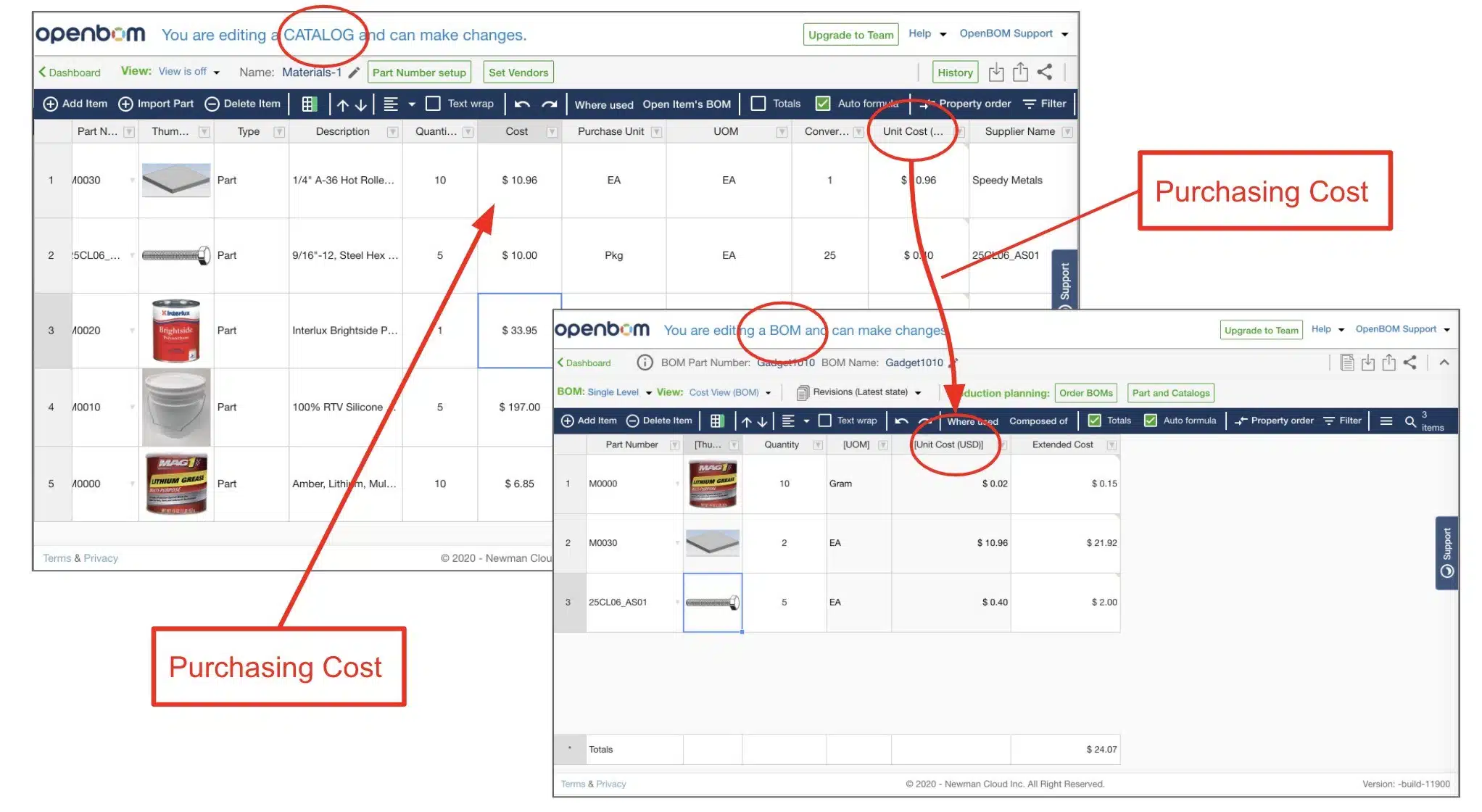
One the picture above, you can see how it works. Change packaging cost for any product leads to a recalculation of BOM cost automatically. Watch the video for more details.
Conclusion
In this article, you learn about how to manage materials and purchases in one unit (packaging price) and convert it to the Bill of Materials unit of measures using catalog formulas. This is one of the most typical scenarios you can think about in BOM cost management.
Check OpenBOM now by registering an account here.
Best, Oleg @ openbom dot com.
Want to learn more about PLM? Check out my Beyond PLM blog and PLM Book website
Read OpenBOM customer reviews on G2 Crowd to learn what customers are saying about OpenBOM.
Join our newsletter to receive a weekly portion of news, articles, and tips about OpenBOM and our community.








