


The Digital Transformation Era is more than just a buzzword; it’s a paradigm shift in the way we work. While many industries are leaving behind manual methods and cumbersome Excel files, engineering still grapples with time-consuming processes. As businesses race to streamline, engineers, too, search for ways to maximize efficiency.
Enter the world of OpenBOM with its innovative data management solution and tight integration with CAD systems using CAD add-ins—a solution designed to save hours of time for time-strapped engineers. Also, engineers are not happy to do this work. Generating STL, STEP, PDF, DXF, and X_T files can be a messy process with many mistakes. It is time for an upgrade. There is a better way to do so – OpenBOM!

A Look at OpenBOM’s Data Model & File Storage
OpenBOM isn’t just another tool—it’s a robust and scalable data management platform with a flexible data model at its core. What makes it stand out?
- Multi-file Attachment: With OpenBOM, every record—be it an item, BOM, order, and beyond—can be enhanced with multiple files. This isn’t just about numbers; it’s about versatility and depth. Thanks to the OpenBOM Reference Property, you can enrich records with diverse files, offering a more comprehensive view of each record.
- Manual vs. Automatic: While the manual attachment is straightforward, the real magic lies in automation. OpenBOM’s CAD add-ins are tailor-made for this, capable of identifying and processing specific file formats without manual intervention.
The Power of CAD Add-ins: More Than Just Plugins
Each CAD add-in is crafted to extract data with specific characteristics of each CAD system. Here are a few examples:
- Solidworks Settings: Far beyond basic integrations, it ensures that files are processed and attached, keeping them in sync with the latest designs.
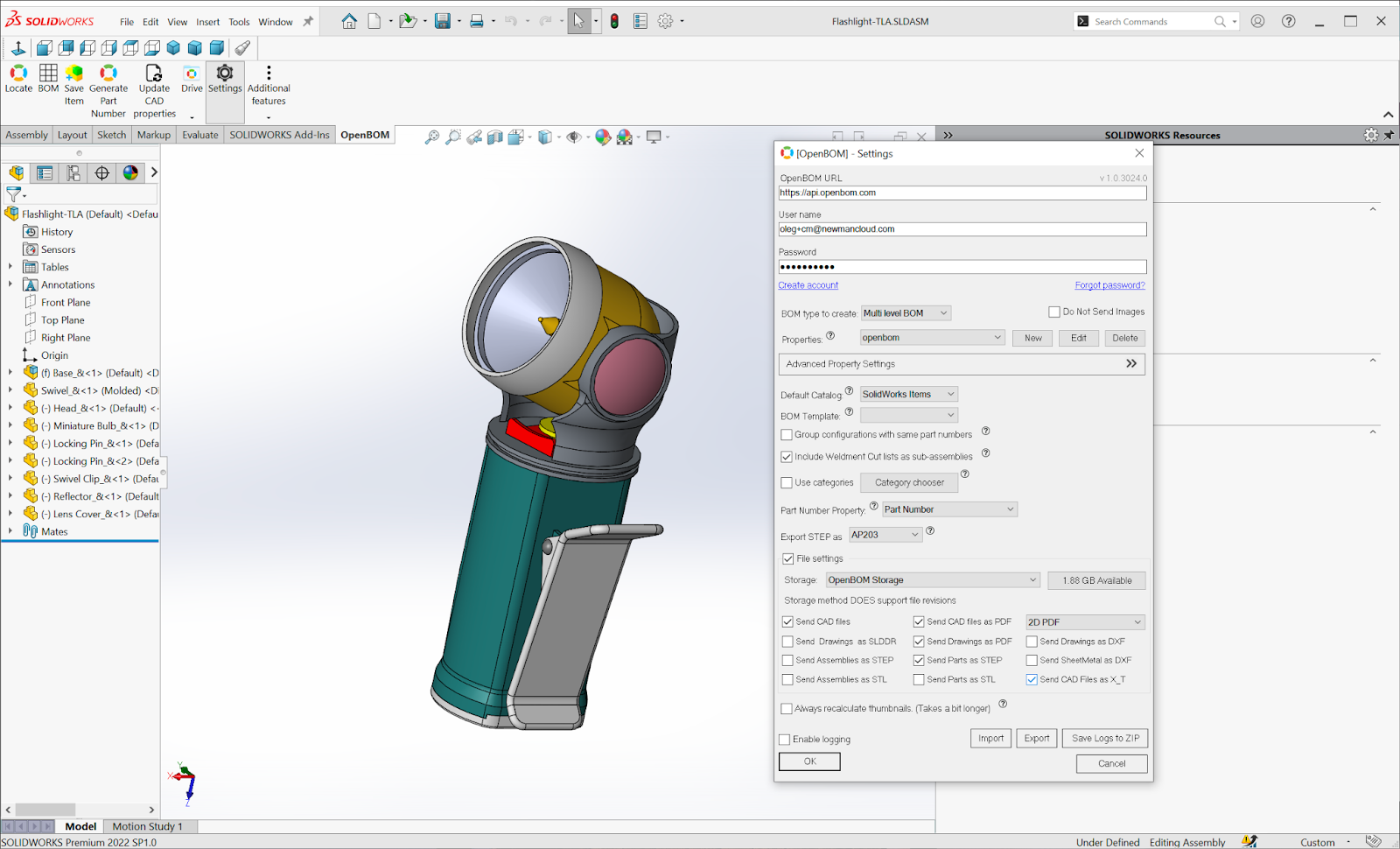
- Onshape: With its intuitive settings, it offers seamless connections between design data and OpenBOM’s cloud repository.

- Autodesk Fusion360: It’s not just another integration; it’s a pioneering browser-based platform service that stands as a testament to the future of CAD integrations.
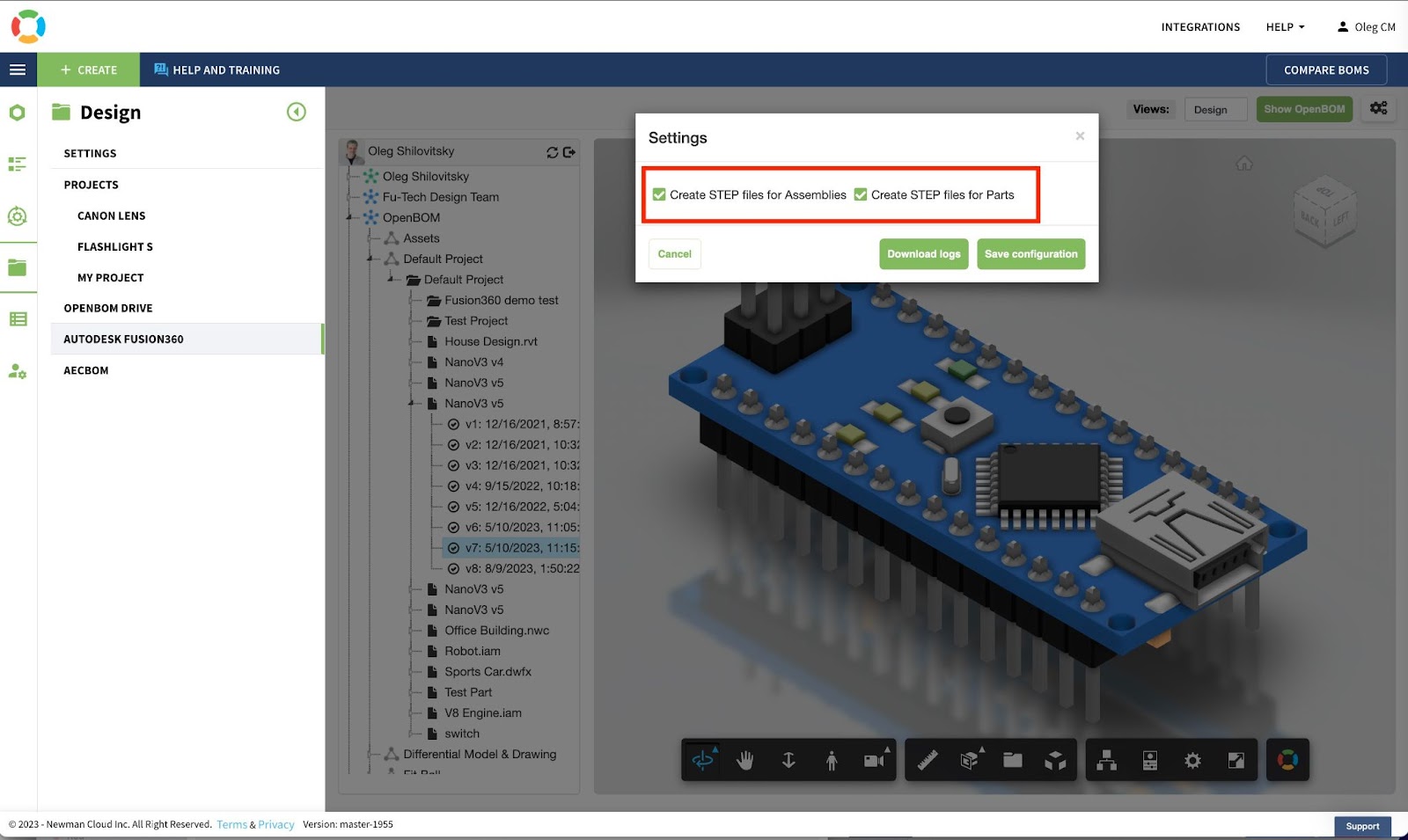
These CAD add-ins are more than utilities; they’re silent workers, diligently processing, generating, and attaching derivative files to OpenBOM’s secure cloud ecosystem.
Showcasing the Final Product: Rich BOMs with Attached Derivative Files
The result? A comprehensive data-rich BOM. But it’s not just about having files attached; it’s about accessibility and efficiency. With OpenBOM:
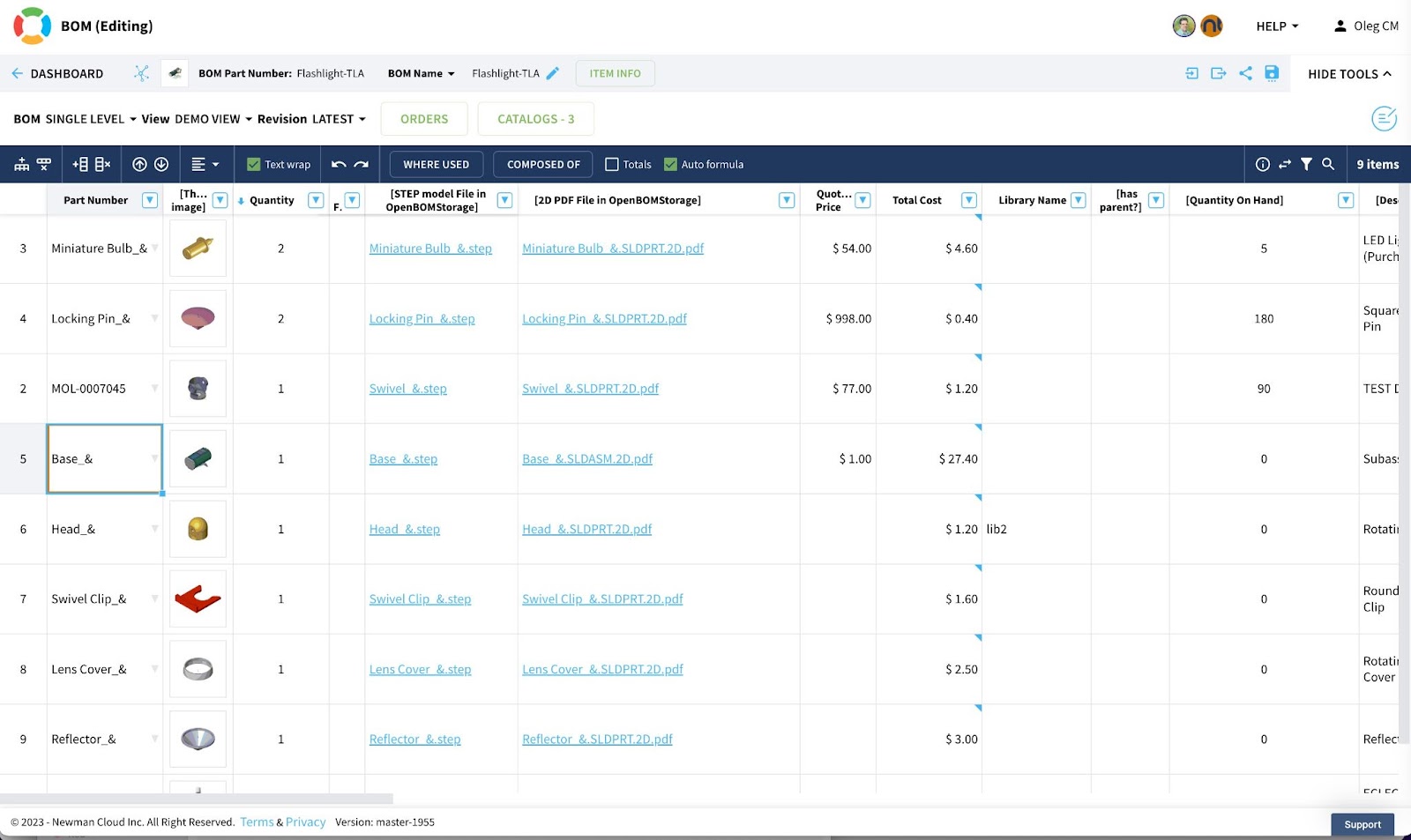
- Every team member can access crucial files, ensuring collaborations are seamless and informed.
- Customized Access: Maintain a granular control over who accesses what, ensuring sensitive data remains protected, while general information is widely accessible.
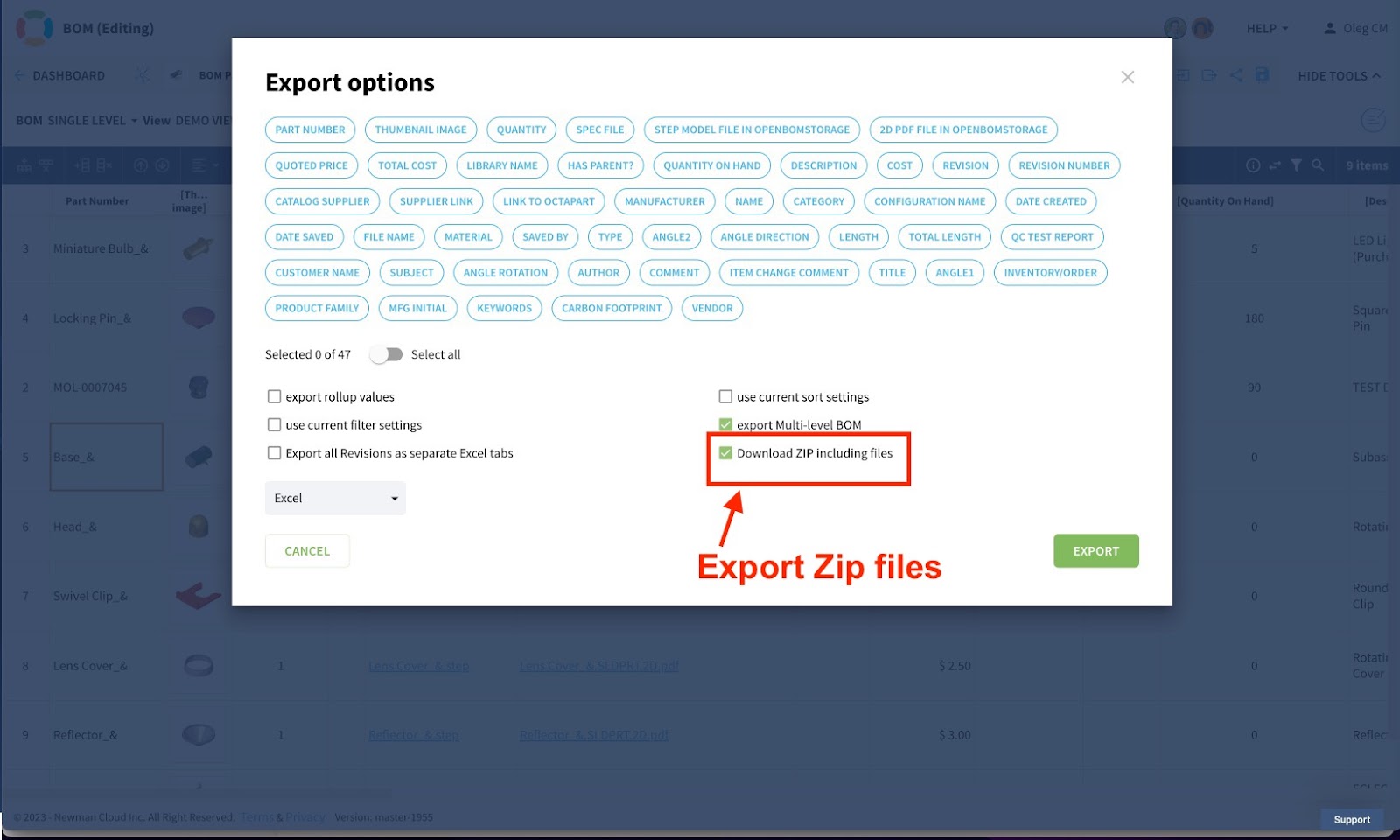
Zip Archive: The Ultimate Export Feature
Think of it as OpenBOM’s pièce de résistance. With a single click, your BOM—with all its derivative files—can be compactly stored in a zip file, ready for sharing or archiving.
Conclusion:
OpenBOM gives you the power to save 100s of hours of engineering time and reduce the amount of mistakes that happen when derivative files are produced. Robust file storage with file attachment to ensure dynamic file updates and regeneration, it’s set to be the indispensable tool for modern engineers. Manual exports and attachments? They’ll soon be relics of the past. With OpenBOM, the future of efficient engineering is now.
Experience the transformation. REGISTER FOR FREE and let OpenBOM usher you into a new age of engineering.
Best regards,
Oleg
Join our newsletter to receive a weekly portion of news, articles, and tips about OpenBOM and our community.








