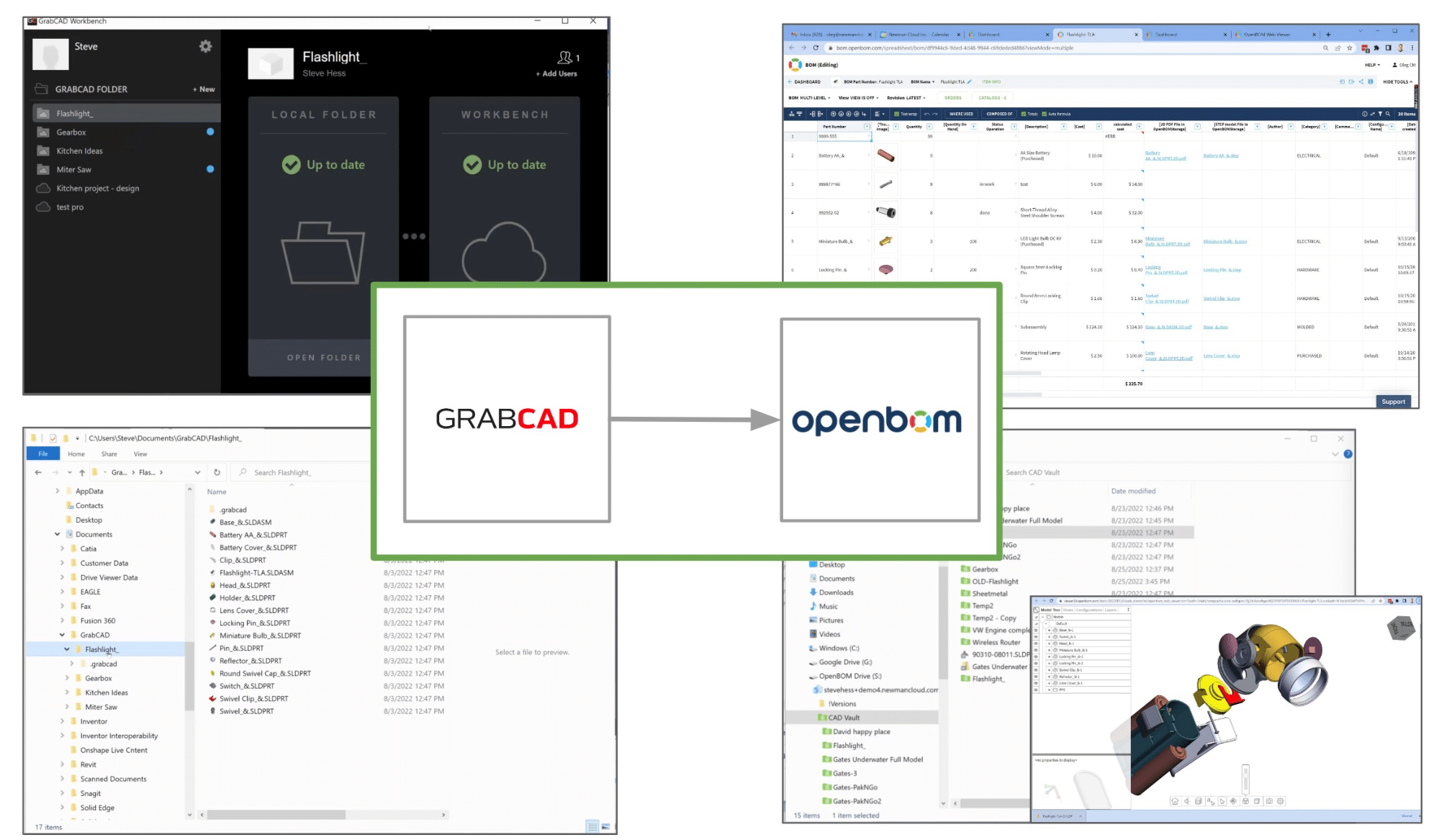
In my article yesterday, I was talking about OpenBOM as an alternative to GrabCAD Workbench. Check this out. Stratasys is sunsetting the GrabCAD Workbench service next year. At OpenBOM, we are here to help to all GrabCAD Workbench customers with an excellent opportunity to migrate to OpenBOM using special licensing conditions. You have a fantastic opportunity not only to replace Workbench but also to transform your digital product development workflow with the advanced services of OpenBOM.

OpenBOM Digital Product Development Workflow
Modern manufacturing companies are looking at the SaaS model as a new product development paradigm. GrabCAD Workbench was pioneering some of these services (for cloud PDM functions to manage CAD files), but never provided a software platform to manage all the data and connected solutions for a company designing and manufacturing products.
OpenBOM SaaS applications bring up the concept of a digital thread capable of managing connected pieces of information during multiple stages of product development. The digital thread seamlessly connects information from design to engineering BOM, MBOM, and purchasing process. Below you can see a more detailed version of the OpenBOM engineering process.
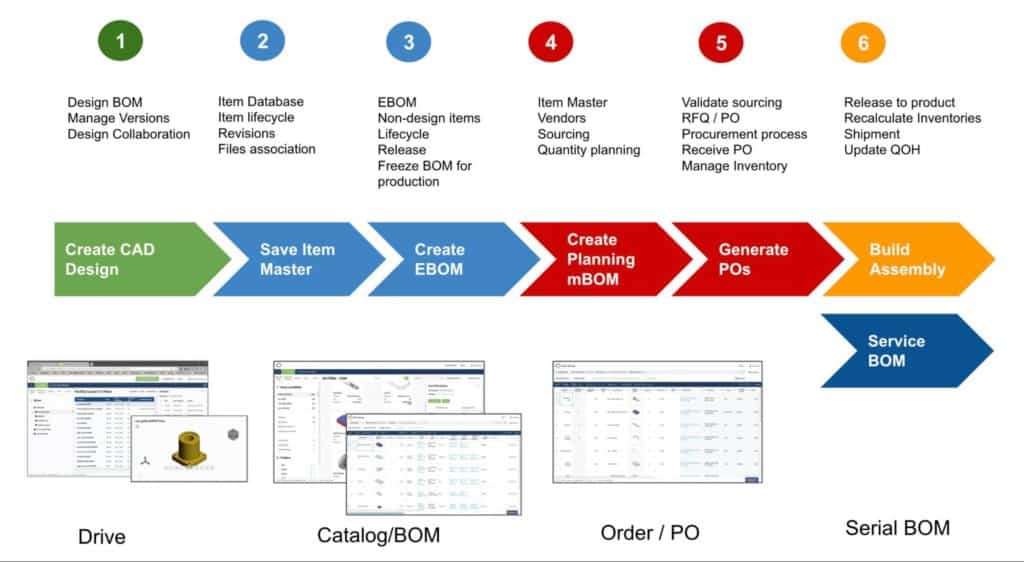
OpenBOM allows you to organize an entire product development process including
- design data management using OpenBOM Drive
- Item, Bill of Materials, and lifecycle (including change processes)
- Inventory, RFQ, and purchasing process
All these processes are seamlessly integrated and connected allowing you to share data with the internal team as well as with contractors and suppliers.
Moving from GrabCAD Workbench to OpenBOM
It is very easy to move your data from the GrabCAD workbench to OpenBOM. You can use the GrabCAD Sycnhonization service to bring data to your desktop. A detailed description of how to do it can be found in the GrabCAD blog article. Once the data is out, you can copy folders and files to OpenBOM Drive and then use OpenBOM CAD Add-ins to manage item catalogs, bills of materials, vendors, orders, RFQ, and PO.
Watch the following short video that demonstrates how you can move a Solidworks project from GrabCAD workbench to OpenBOM.
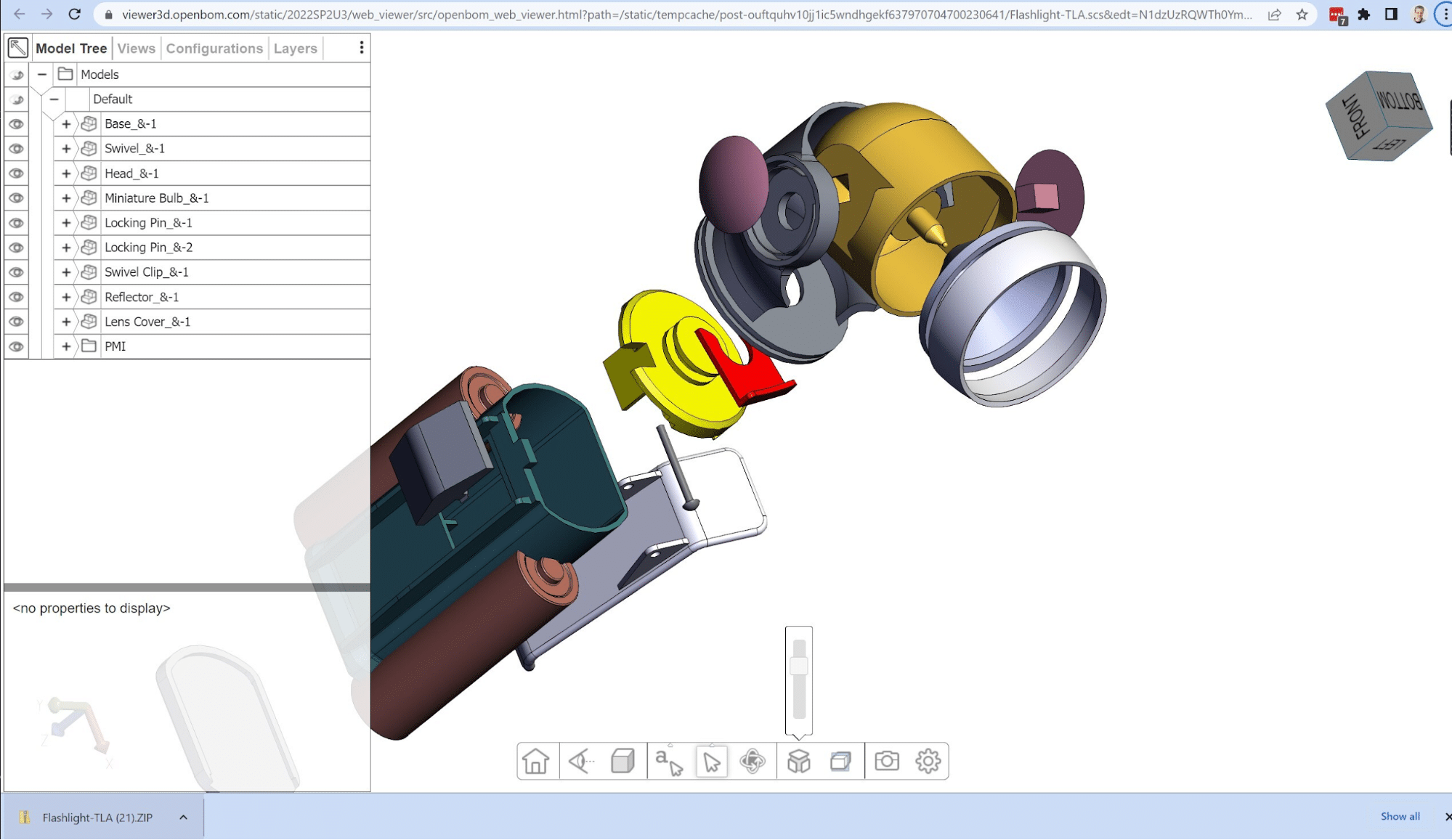
OpenBOM Drive provides a 3D viewer, which can be used by all engineers and other people in your organization to work with 3D CAD data.
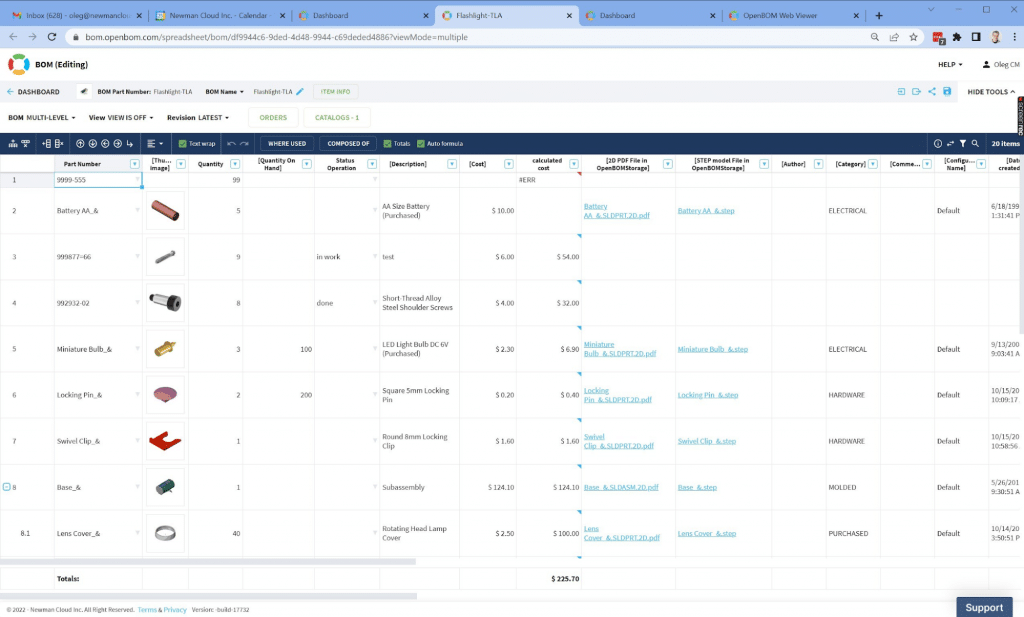
OpenBOM visual collaborative Bill of Materials allows you to share data, manage costs, and perform many other functions, including managing inventories and procurement planning.
OpenBOM Licensing For GrabCAD Workbench Users
We are inviting GrabCAD Workbench users to contact us and discuss a special licensing schema for existing GrabCAD Workbench customers to migrate to OpenBOM. More details will
be available later. Please contact our support (via support @ openbom dot com).
Conclusion
OpenBOM SaaS platform provides a wide range of functions to manage product information including CAD files, Parts, Bill of Materials, Orders, and Purchases to support full product development activities. GrabCAD Workbench users can easily export CAD files from GrabCAD and import them to OpenBOM. At OpenBOM, we will provide special licensing for existing GrabCAD Workbench users. You can register to OpenBOM and get a free 14-day trial to explore what OpenBOM can do.
REGISTER FOR FREE and start your GrabCAD Workbench migration process. We got you covered and we will support you with all that you need for a smooth migration.
Best, Oleg
Join our newsletter to receive a weekly portion of news, articles, and tips about OpenBOM and our community.