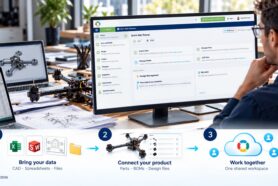
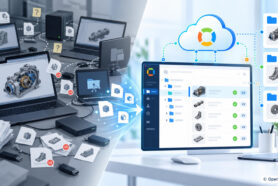
In my video today, I will explain to you what is OpenBOM in less than two minutes and five sentences. I talk about what is OpenBOM and how OpenBOM can help you to stop using Excel and Spreadsheets to manage Bill of Materials in your company.
1- OpenBOM is an online (SaaS) application.
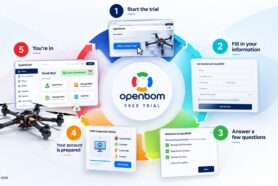
Old on-premise PLM applications must be installed. Their hosted siblings require time to set up and a contract for a few years. OpenBOM is different. You can create an account online in less than a minute, get a free trial, and use it immediately. OpenBOM is available via a risk-free monthly subscription. Everything you need is this URL – openbom.com.
2- OpenBOM is flexible, configurable, and customizable.
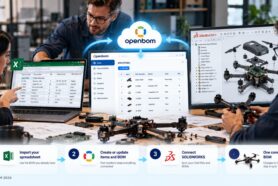
OpenBOM has a flexible data model allowing you to import any existing data you might have. You can import existing Excels or Google Sheets. OpenBOM 1-click CAD add-ins allow you to integrated with CAD data directly and keep CAD data in sync with OpenBOM. It eliminates a lot of manual work and mistakes that always happen during manual data import, copy/paste and retypes.
3- Out-of-the-Box functionality BOM, Parts, Vendors, and Purchasing
OpenBOM comes with out of the box functions tuned to manage Parts, Bill of Materials, changes, vendors and purchasing process. A unique Design to the Purchase process keeps all information connected and streamlined. At the same time, because of flexibility, you can modify all information, introduce new data properties, and configure OpenBOM for your unique needs. OpenBOM tracks relationships and allows you to manage product structure and other related information.
4- OpenBOM track changes, manage revisions and change requests
An embedded automatic function track every single change you perform at OpenBOM. All changes in BOM, catalogs, orders, and other data elements are automatically captured and you always have access to this information. On top of this, OpenBOM manages revisions, revision history, and provides an advanced change request and change approval process.
5- OpenBOM Real-Time Collaboration
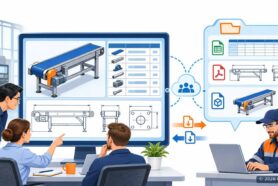
OpenBOM provides a powerful paradigm of data sharing you’re familiar with from applications like Google Docs. You can share BOM, catalogs and other information objects with a single button click and simultaneously edit the data with your team members, contractors, and suppliers. At the same time, OpenBOM is protecting the data access – you can granularly control who has access to the information and what level using OpenBOM Team Views.
Conclusion
Instead of chasing the last version of your BOM in Excel, you can get on the same BOM with your team, contractors, and suppliers. The power of OpenBOM is one-click from you. Just navigate to openbom.com, register an account online, get the free trial and start planning your escape from messy spreadsheets to the well-organized single version of the truth about product information, Bill of Materials structure, where used, revisions, relationships, changes, and other product-related processes.
Best, Oleg.
Want to learn more about PLM? Check out my Beyond PLM blog and PLM Book website
Read OpenBOM customer reviews on G2 Crowd to learn what customers are saying about OpenBOM.
Join our newsletter to receive a weekly portion of news, articles, and tips about OpenBOM and our community.