


In various industries such as woodworking, sheet metal fabrication, and beyond, extracting accurate sizes of components is an essential function in bill of materials (BOM) management. However, obtaining precise measurements, especially for rotated components, can often be challenging. This is where the integration of OpenBOM with Fusion 360 comes to the rescue, offering a seamless solution to this common problem.

Introduction
Obtaining component sizes is a frequent requirement in BOM extraction across diverse industries. Whether for design, cost estimation, or procurement purposes, having accurate dimensions is indispensable. OpenBOM’s integration with Fusion 360 simplifies this process by extracting data directly from CAD models, enabling users to effortlessly incorporate size data into their BOM structures.
If you’re unfamiliar with how OpenBOM’s data model operates, it’s worth exploring the basics outlined in the OpenBOM Bill of Materials Basics.
Getting Sizes of a Component Using Bounding Box
OpenBOM traditionally utilizes a bounding box feature to derive maximum dimension sizes from CAD models. This method typically provides length, width, and thickness along the X, Y, and Z axes.
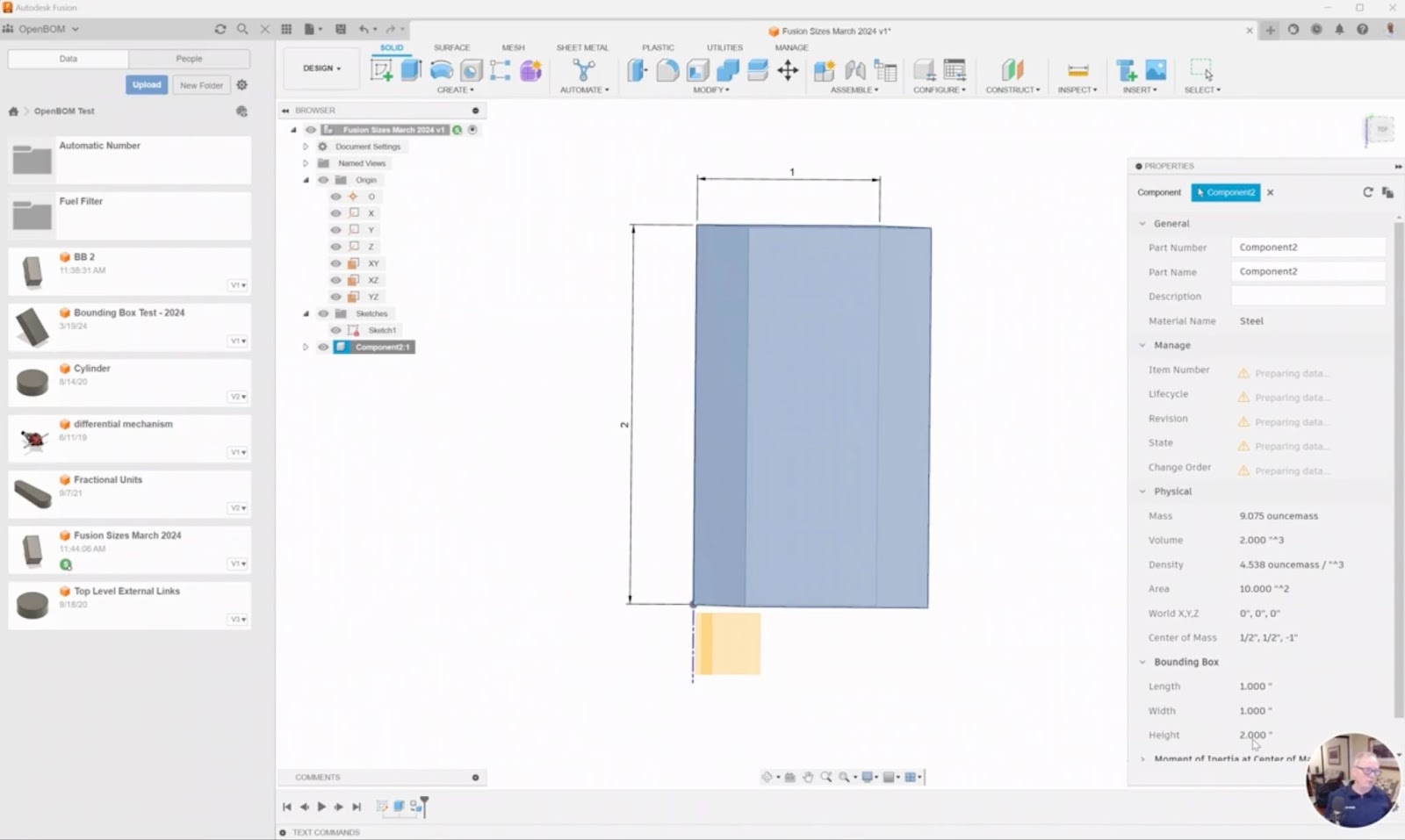
However, challenges arise when dealing with rotated components, as some CAD systems might not support bounding box rotation.
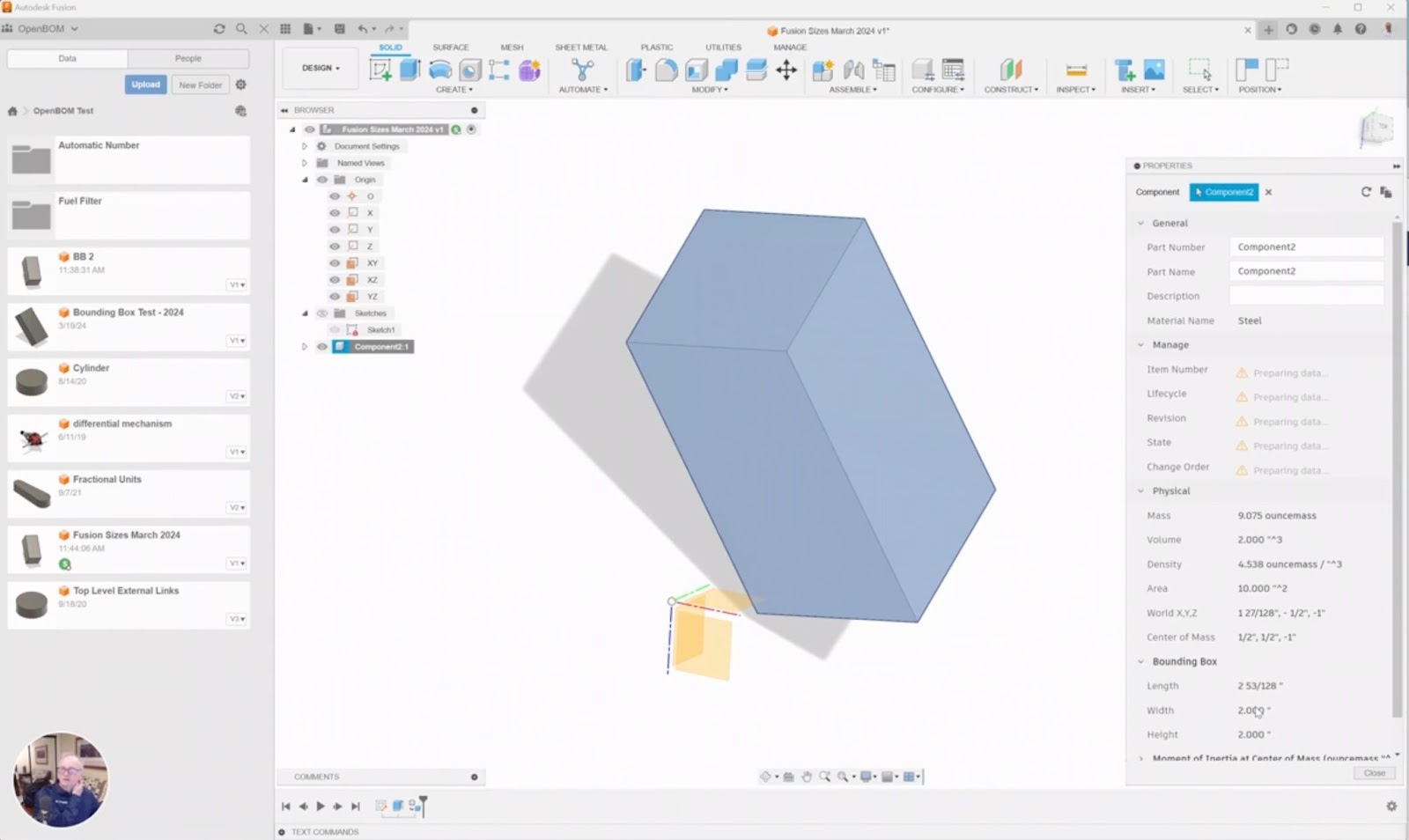
Removing Rotated Bounding Box Limitations in Fusion360
Exciting news! With the Fusion 360 rotated bounding box API integration, OpenBOM has been updated to overcome the limitations associated with rotated components. This enhancement ensures that users can now obtain accurate sizes, even for components that have been turned and rotated within the CAD environment.

Video Demo
For a visual demonstration of how OpenBOM for Fusion 360 operates seamlessly with the updated sizing functionality, check out the following video – OpenBOM for Fusion 360 Demo.
Conclusion
In the quest for a comprehensive digital BOM, capturing all pertinent product information is paramount. Dimensional data plays a crucial role in this endeavor, and OpenBOM simplifies the process by seamlessly integrating with Fusion 360 to extract accurate component sizes. Whether it’s for cost calculation, purchase ordering, or any other application, OpenBOM empowers Fusion 360 users to effortlessly leverage size data for their needs.
Take advantage of OpenBOM’s capabilities by registering today for a 14-day trial. If you’re a hobbyist utilizing Fusion 360 for personal projects, rest assured that OpenBOM offers free access for non-commercial use. Streamline your BOM management process with OpenBOM and experience the difference firsthand.
Best Regards,
Oleg
Join our newsletter to receive a weekly portion of news, articles, and tips about OpenBOM and our community.


