A bill of materials (BOM) is a structured product definition: the items, quantities, relationships, and revision context needed to describe a product or assembly. It is more useful than a parts list because it shows how each item belongs to a parent assembly and gives engineering, purchasing, manufacturing, and service a common structure to review.
BOM types describe a product’s lifecycle purpose. BOM formats describe how people view or calculate that structure. For example, an engineering BOM can be shown as a multi-level hierarchy, while a flattened rollup can help purchasing review total quantities. Keeping those concepts separate makes it easier to choose the right view without changing the underlying product definition.
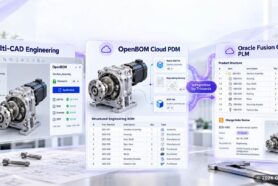
This guide explains what a bill of materials includes, how to make a BOM, which BOM template fields are worth standardizing, and how eBOM and mBOM support different work. It also shows where OpenBOM can connect item records, BOM relationships, revisions, and collaboration, while leaving execution in connected systems where that is required.
How to Make a Bill of Materials
Start with the product or top-level assembly, then create a controlled structure that another person can identify, source, review, and revise.
- Define the top-level item. Name the product or assembly and give it a stable item or part number.
- Create the item records. Add each part, material, subassembly, or purchased component as an identifiable item. Do not treat a file name or spreadsheet row as the item itself.
- Build the parent-child relationships. Place each item under the assembly that uses it and record the quantity per parent, not only a total quantity for the finished product.
- Add the fields the workflow needs. Standardize units of measure, revision or release reference, make-or-buy status, supplier or manufacturer reference, and notes or drawing links where relevant.
- Review the structure with the next team. Engineering, purchasing, manufacturing, and service should be able to identify the same items and understand which revision applies to the work at hand.
- Release and share the applicable structure. Treat an export as a snapshot and verify the receiving result when another system or supplier receives mapped BOM data.
The exact steps vary by product and system. A team can create a BOM manually, import a spreadsheet, or import from a supported CAD integration. The important result is a traceable product structure with clear ownership and revision context. Learn how to create BOMs and catalogs.
What Is a Bill of Materials?
A bill of materials is a structured list of all parts, materials, components, and sub assemblies required to make a product. More than a simple list, it defines the relationship between assemblies and parts, the quantities needed, and often key details such as revisions, units of measure, procurement sources, and references to the production process.
A good BOM becomes the single source of truth across the organization. The engineering team uses it to define the product as designed. Procurement uses it to buy the components required and raw materials. Manufacturing uses it to guide the assembly process and shop-floor execution. Service teams use it to identify spares and replacement items. Finance and operations use it for accurate cost estimation, unit costs, and visibility into associated costs.
In other words, a BOM supports much more than design documentation. It supports materials management, inventory control, production scheduling, and broader supply chain coordination. If the BOM is incomplete or wrong, teams face production delays, expensive rework, sourcing issues, and confusion on the production line. If the BOM is current and structured well, it becomes the foundation for better collaboration, better planning, and more reliable delivery of both the finished product and service parts over time.
For a manufacturing company, the BOM is also essential to efficient resource planning. It helps answer practical questions such as:
- What components needed must be purchased now?
- Which packaging materials are needed before shipping?
- What is the expected lead time for long-lead parts?
- How do changes in design affect manufacturing operations?
- How do we avoid excess inventory while still meeting customer demand?
These are not abstract questions. They are daily operational decisions, and they depend on a well-managed BOM.
What Does a Bill of Materials Include?
A useful BOM gives every participant enough information to identify the item, understand where it is used, and act on the applicable revision. The required fields depend on the product and workflow, but a practical baseline includes:
- Item or part number and plain-language description
- Quantity per parent and unit of measure
- Parent-child relationship or assembly level
- Revision, release reference, or lifecycle state used by the workflow
- Make-or-buy status and supplier or manufacturer reference when relevant
- Specification, drawing, reference designator, compliance, or note fields when the product requires them
- Cost, inventory, or procurement fields only when they are part of the team’s defined process
A BOM is complete only when the structure and required fields are defined for the people who use it. Completeness is not the same as readiness to build, purchase, or service; those decisions also depend on approvals, applicable revisions, receiving-system results, and the organization’s process.
BOM Template: Fields to Standardize
A BOM template is a repeatable set of fields and rules for creating structures consistently. It should standardize the information people must review without pretending that every product needs the same columns.
| Field | Why it belongs in the template |
|---|---|
| Item or part number | Gives the item a stable identifier across descriptions and files. |
| Description | Lets a reviewer recognize the item without opening a drawing or CAD file. |
| Quantity per parent | Preserves how many units are used in a specific assembly relationship. |
| Unit of measure | Makes quantities interpretable for purchasing, inventory, and assembly. |
| Revision or release reference | Shows which approved product definition applies to the work being reviewed. |
| Make or buy | Clarifies whether the organization expects to make or source the item in this workflow. |
| Supplier, manufacturer, or specification reference | Connects the item to the sourcing or technical information the workflow actually uses. |
| Notes and document references | Captures constraints, drawings, or instructions without turning a note into the product definition. |
Use the template as a starting structure, then adapt it to the product and process. In OpenBOM, a BOM template can be used as a repeatable setup for BOM properties and initial data; the fields and downstream process still depend on the organization’s model. Read more about best practices for defining a BOM template.
Here is a simple materials template style example of what a BOM table might contain:
| Part Number | Description | Qty | UOM | Buy/Make | Revision | Notes |
|---|---|---|---|---|---|---|
| ST-001 | Seat panel | 1 | pcs | Make | A | Birch plywood |
| ST-002 | Stool leg | 4 | pcs | Make | A | Hardwood |
| ST-003 | Screw | 12 | pcs | Buy | A | Zinc plated |
| ST-004 | Wood glue | 1 | tube | Buy | A | Assembly use |
| ST-005 | Protective finish | 1 | can | Buy | A | Final coat |
This kind of structure makes it easier to see all the materials, materials needed, and the components required to build the product. Even a small materials sample like this shows why a BOM is more than a note in a spreadsheet. The same structure can scale from a simple stool to a complex machine with multiple components, variants, and deeper parent-child relationships.
Bill of Materials Example for a Simple Product
A useful bill of materials example shows the product structure, the quantity per parent, the unit, the revision, and whether each item is made or purchased. For manufacturing teams, it should also make clear how a component moves from engineering definition to purchasing and assembly. The following control-box assembly is illustrative, but the fields reflect the information teams commonly need to review a product structure.
Sample BOM for a Small Control-Box Assembly
| Level | Part Number | Description | Qty per Parent | UOM | Buy/Make | Revision | Manufacturing Note |
|---|---|---|---|---|---|---|---|
| 0 | ASSY-100 | Control-box assembly | 1 | ea | Make | A | Final assembly |
| 1 | ENC-110 | Enclosure | 1 | ea | Make | A | Formed and finished enclosure |
| 1 | PCB-120 | Control PCB | 1 | ea | Buy | B | Approved supplier item |
| 1 | HARN-130 | Wiring harness | 1 | ea | Make | A | Cut, crimp, and test |
| 1 | FST-140 | Mounting screw | 4 | ea | Buy | A | Fastens PCB to enclosure |
| 1 | LAB-150 | Product label | 1 | ea | Buy | A | Applied during final assembly |
The level column makes the parent-child relationship visible. The level-0 item is the finished assembly. Its level-1 items are direct components. If the wiring harness later becomes its own subassembly, it can have a separate BOM with child items of its own. That structure is more useful than a flat list when engineering, purchasing, and manufacturing need to discuss the same product from different views.
What Should a Bill of Materials Example Include?
At minimum, a bill of materials example should give each team enough information to identify, source, build, and revise the product. Include:
- A unique part number and plain-language description
- The parent-child relationship or assembly level
- Quantity per parent and unit of measure
- Revision, lifecycle status, or release reference
- A buy/make decision
- Supplier, material, specification, or drawing reference when the workflow requires it
- Notes that explain the item’s role in purchasing or assembly
How Does This BOM Example Map to OpenBOM?
OpenBOM keeps item records separate from the BOM relationships that use those items. Teams can create or import item data from spreadsheets or supported CAD integrations, then manage parent-child structures, revisions, views, and collaboration in a cloud product-data workspace.
Depending on the workflow, teams can also use flexible cost rollups, simple inventory fields, procurement connections, and an Order BOM from a released revision. These are product-data and procurement workflows. OpenBOM is not an MRP, ERP replacement, production-scheduling, or shop-floor execution system.
That distinction is important: an example table explains the structure, while a working product-data process keeps item identity, relationships, applicable revisions, and review context connected. If another system receives mapped BOM data, verify the receiving result rather than assuming an export is current.
Explore OpenBOM BOM Management to see how the product-data workflow is organized.
BOM Visualization and Formats
Before discussing BOM lifecycle types, it is important to separate how a BOM is visualized from why it exists.
A BOM can be displayed as a flat list, a hierarchy, an indented BOM, a rollup, or another structured view. These formats help different teams understand the product from different angles. But they are not the same as lifecycle BOM types.
Single-Level BOM
A single level BOM, sometimes called a single level bill, is the simplest representation. It is a flat list of all parts and materials required to build a product, without showing parent-child relationships.
This format works best for simple products with few or no nested assemblies. It is easy to read, easy to export, and useful for quick purchasing decisions. A single-level view is often enough when there are no complex sub assemblies or when the organization simply needs a straightforward list of components needed for procurement.
The limitation is visibility. A single level BOM does not show how parts belong together, how subassemblies are structured, or what depends on what. As soon as products become more sophisticated, teams usually need more than a flat list.
Multi-Level BOM
A multi level BOM is a hierarchical structure that shows parent-child relationships between assemblies, parts, and lower-level items. It is the standard representation for complex products, especially where there are multiple levels of assemblies and dependencies.

In a multi-level structure, the top item is the finished product, often called Level 0. Below that are major assemblies, then lower-level components and raw materials. Each BOM level represents a different place in the hierarchy.
A simple multi level bill for a stool might look like this:
- Level 0: Wooden Stool
- Level 1: Seat Assembly
- Level 2: Seat Panel
- Level 2: Protective Finish
- Level 1: Leg Assembly
- Level 2: Stool Leg x4
- Level 2: Cross Brace x4
- Level 2: Wood Screw x16
- Level 2: Wood Glue
- Level 1: Seat Assembly
This is a basic example, but the same logic applies to products with dozens or thousands of items. A multi level BOM supports planning, sourcing, cost rollups, change analysis, and deeper visibility into how the product is actually built. It is especially useful when there are multiple components reused across assemblies or when engineering changes affect several branches of the structure.
A multi level representation also supports explosion and implosion views. Explosion shows the breakdown from top assembly to lower-level parts. Implosion works in the opposite direction and helps teams see where a component is used across products and subassemblies.
Indented (Multi-level) BOM and Modular BOM Structure
An indented BOM is a visual version of the hierarchy that displays the relationships with indentation. It is often the most readable way to review a BOM structure because you can immediately see parent-child relationships.
A modular BOM or modular BOM structure is another useful concept, especially for configurable or platform-based products. Instead of treating the entire product as one monolithic structure, a modular approach groups related parts into modules that can be reused across products or options. This is especially useful when organizations manage product families, variants, or platforms.
Flattened BOM or Rollup View

A flattened BOM removes the hierarchy and consolidates quantities across all levels into one complete list. It is often used for purchasing, cost rollups, and planning because it shows the total quantity of each part needed to build one unit or a batch.
For procurement and operations, this is often the easiest way to see everything needed. A flattened list supports inventory control, purchase planning, and material demand calculations. It can also help teams control inventory and reduce excess inventory by making totals easier to understand.

BOM Types Across the Product Lifecycle
Now we get to the BOM types that are defined by business purpose and lifecycle role.
A single product may need multiple BOM types. One view supports design, another supports shop-floor execution, another supports service, and another supports long-life maintenance. These are not duplicates for the sake of duplication. They exist because engineering, manufacturing, service, and operations use product data differently.
Engineering BOM (eBOM)
An engineering BOM, sometimes informally called an engineering bill, defines the product as designed. It is usually created from CAD or PLM environments and reflects design intent. This is the BOM the engineering team uses to capture structure, specifications, geometry-linked items, and relationships derived from computer aided design models.
The engineering BOM answers the question: what should the product be?
For a mechanical product, the eBOM may include fasteners, housings, structural parts, electrical components, and documentation references. For electronics, it may include PCB-related items, reference designators, and approved parts. In many companies, the eBOM is central to product lifecycle management, because it connects design revisions, approvals, and change control.
However, the engineering BOM is not always the same as the BOM needed in manufacturing. Design intent does not automatically equal shop-floor execution.
Manufacturing BOM (mBOM)
A manufacturing BOM (mBOM) describes how an organization intends to organize a product for manufacturing. It may group items for workstations, kitting, purchasing, subcontractors, or packaging. The exact fields, routing, and execution steps depend on the organization’s process and connected systems; an mBOM is not itself a production schedule.
For example, a table’s engineering structure may identify the tabletop, legs, brackets, and hardware. A manufacturing-oriented structure may add packaging or consumables and group items for a supplier or assembly step. Those additions should be labeled according to the organization’s process rather than assumed to be part of the design definition.
The difference between an engineering BOM and a manufacturing BOM matters because the two structures answer different questions. The eBOM describes the product as designed. The mBOM organizes information for how the organization plans to build or source it. The relationship between them must be defined and maintained by the team and its connected systems.
eBOM vs. mBOM
The eBOM is generally organized around design intent and product definition. The mBOM is generally organized around manufacturing or sourcing work. Neither label automatically tells you which fields, approvals, or execution steps a particular company uses.
OpenBOM can model separate or related BOM structures and views for engineering and manufacturing. Teams decide how to organize them; a filtered view is not automatically an mBOM. If an external ERP, MRP, MES, or manufacturing system consumes mapped BOM data, verify the receiving result instead of assuming that the export is current. See EBOM vs. MBOM in OpenBOM for the focused comparison.
Service / Support BOM
A service or support BOM is designed for maintenance, repair, and post-sale operations. This BOM helps service teams quickly identify spare parts, replacement kits, and service-relevant assemblies.
For example, an industrial pump may have a service BOM that includes seals, bearings, gaskets, and lubricants. A customer support team does not need the full design definition in every situation. They need the correct serviceable items, the common replacement parts, and the right documentation to support uptime.
This type of BOM improves service response and reduces downtime. It also helps organizations align service readiness to customer demand, warranty planning, and spare inventory strategy.
Maintenance BOM
A maintenance BOM is especially useful for long-life industrial equipment, facilities, or assets that require scheduled upkeep. It supports preventive maintenance, repair planning, lifecycle tracking, and ongoing operational readiness.
A maintenance BOM may include filters, belts, consumables, bearings, lubricants, and service intervals. It is commonly used in environments where products remain in operation for years and where uptime is critical. In these cases, BOM discipline is not only about building the product once. It is about sustaining it across its service life.
Other BOM Terms You May Encounter
Beyond the four core lifecycle BOMs, there are several related terms that often appear in practice.
A configurable BOM or configurable bill is used when products are offered with selectable options. Instead of maintaining a separate BOM for every possible variant, a configurable structure can define all options in one model and generate resolved BOMs per configuration.
A sales BOM or sales bill is typically used for quoting, selling, or commercial packaging of products. It can group items in a way that makes sense for sales, service offerings, or bundled products, even if the underlying engineering structure is different.
A modular BOM supports products built around reusable modules. This is useful in platform strategies and complex configurable products where common modules can be shared across variants.
These related BOM concepts become increasingly important as product complexity grows and as organizations try to meet diverse customer demand without losing control of cost or product data.
Why Accurate BOMs Matter for Production, Inventory, and Supply Chain
The business value of BOM accuracy is hard to overstate.
An accurate BOM gives engineering, purchasing, manufacturing, and service a more reliable product definition to review. It helps teams see what is used, in what quantity, and under which revision or release reference. It does not by itself schedule production, reserve inventory, guarantee compliance, or make a supplier response complete.
For procurement and inventory workflows, a structured BOM can support quantity review, item sourcing, simple quantity-on-hand fields, and cost rollups when those fields are part of the defined process. For an external system, the receiving result must be checked after data is mapped or exported.
The practical goal is not to make one BOM perform every business function. It is to keep the product structure, item identity, applicable revision, and ownership clear enough that each connected workflow can use the right data.
For quality and compliance, the BOM supports quality control by ensuring the right parts are used consistently. For procurement, it supports materials management and the broader materials management process. For the factory, it supports the production process, routing alignment, and better execution of efficient production processes.
In short, a good BOM helps organizations move from reactive coordination to repeatable, scalable execution.
How to Choose the Right BOM Types for Your Organization
There is no single BOM setup that works for every company, every product, or every workflow. The right setup depends on product complexity, lifecycle stage, audience, and manufacturing model.
If you produce simple products with short supply chains, you may only need a basic eBOM and mBOM structure. If you manage service-heavy products, you will likely need a service BOM. If you support industrial assets with long operating lives, a maintenance BOM becomes essential. If your products are highly configurable, a configurable BOM or modular BOM structure may be necessary.
A useful decision framework looks like this:
- Engineering BOM for design definition and change control
- Manufacturing BOM for production execution and material consumption
- Service BOM for repair, support, and spare parts
- Maintenance BOM for long-term asset operation
- Sales BOM for customer-facing bundles or commercial structure
- Configurable BOM for product options and variants
For organizations with complex products, the challenge is not whether to use multiple BOMs. The challenge is how to keep them aligned. That is where strong BOM management, digital workflows, and connected systems matter.
BOM Management Best Practices
To manage BOMs effectively, organizations need more than a spreadsheet. They need disciplined structure, clear ownership, and systems that can keep product data aligned across teams.
Here are the most important practices:
Use unique part numbers. Every item should have a stable identifier. This prevents confusion when descriptions change or when similar parts exist.
Standardize naming and units. Consistent descriptions and unit-of-measure rules make BOMs easier to maintain and easier to use in ERP, purchasing, and planning.
Apply revision control. BOMs change. New parts are introduced. Approved manufacturers change. Packaging changes. If teams do not control revisions, the wrong material may be ordered or built.
Keep an up to date BOM. A BOM that was correct last quarter but wrong today is still dangerous. Teams need a shared, current version of the truth.
Connect BOMs to process data. A BOM is strongest when connected to routing, planning, sourcing, and cost rollups. That includes links to the production bill, assembly bill, or operation-level planning data.
Support collaboration across functions. Engineering, procurement, planning, manufacturing, quality, and service should not be working from separate, disconnected files.
Use modern BOM software. Dedicated BOM software improves visibility, revision control, traceability, rollups, reuse, and collaboration. It also reduces the limitations of spreadsheet-based BOM tracking.
For companies that want to scale, better BOM management is not optional. It is a core capability that supports engineering speed, sourcing resilience, and execution quality across the product lifecycle.
Conclusion
A bill of materials is more than a parts list. It is a structured product definition that connects items, quantities, parent-child relationships, and revision context across the work a product team performs. BOM formats describe how people view that structure; BOM types describe how the structure is used across the lifecycle.
The right BOM approach depends on the product, the workflow, and the systems that receive or review the data. Strong BOM discipline means using stable item identity, explicit quantities per parent, controlled revisions, and clear ownership rather than assuming that one export or one view is the whole process.
OpenBOM helps teams manage item records, BOM structures, revisions, flexible cost rollups, procurement connections, and collaboration across engineering and manufacturing workflows. Start a Free Trial to explore a cloud product-data workflow for your BOMs.
Explore BOM management software and item and BOM management. Learn more in BOM management best practices and avoid common issues like these 10 BOM mistakes that kill product launches.
Best, Oleg
Join our newsletter to receive a weekly portion of news, articles, and tips about OpenBOM and our community.