New product introduction (NPI) is where a product definition becomes a repeatable manufacturing process. The difficult part is not naming the stages. It is keeping people, Items, BOM uses, files, revisions, supplier feedback, and approval decisions connected as the design moves from prototype toward production.
This guide focuses on four roadblocks that delay NPI: quality decisions that arrive late, cost surprises caused by disconnected product data, the jump from a high-touch prototype to repeatable production, and changes that do not reach every stakeholder. OpenBOM’s view is practical: keep the product definition in a controlled workspace, route changes for review, and give engineering, purchasing, suppliers, and manufacturing the same revision and BOM context.
What is the new product introduction process?
The new product introduction process is the controlled handoff from an approved product concept and design into a build that a manufacturing team and its suppliers can repeat. It connects design definition, BOM structure, supplier and manufacturing feedback, documentation, review, release, and the first production decisions. The process does not end when one prototype works; it ends when the next team can act on an accepted product definition.
Define what the team must hand off
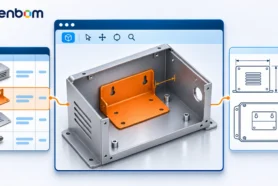
An NPI team needs more than a folder of CAD files. It needs named Items, the quantity of each Item in a specific BOM, applicable revisions, required properties, and the documents that explain how the product should be made and checked. An Item is a reusable engineering identity. It is not the file that represents it, and it is not a row in an exported spreadsheet.
At the start of an NPI project, engineering should identify the product record, the BOM that represents the intended configuration, and the acceptance information that purchasing, suppliers, and manufacturing will need. If a supplier uses a different manufacturer or supplier identifier, preserve that mapping instead of treating it as a replacement for the internal Item number.
Turn supplier feedback into a controlled decision
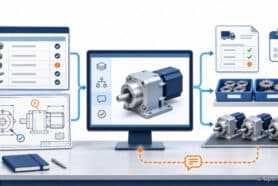
Supplier and contract-manufacturer feedback is useful when the team can connect it to a specific Item, BOM use, drawing or other product record, and proposed change. A request to enlarge a hole, substitute a material, or change a finish may improve manufacturability, but it is not automatically the new product definition. Engineering still needs to review the effect on fit, function, cost, quality requirements, and the applicable revision.
A change request or ECO provides a place to record the proposed action, participants, and decision. Review and approval are separate from editing a file or saving a new version. When the change is accepted, release the revision that applies to the build and make that state visible to the people who need it. That sequence helps the team avoid presenting an unapproved working change as production-ready data.
Prepare a build handoff that can be checked
A useful handoff lets another person answer simple questions without reconstructing the project from email: Which product configuration is this? Which revision applies? What quantity of each Item is used in this BOM? Which supplier or manufacturer identifier should be used? Which documents are instructions, and which are evidence from an earlier build?
An export can support a supplier or a receiving system, but Excel, PDF, and ZIP files are snapshots. A downloaded file does not update when the workspace changes. The owner of the receiving process must verify the result after an export or integration publishes mapped data. That check is part of the handoff, not an optional administrative step.
| NPI handoff question | Record to inspect | Action before the build |
|---|---|---|
| What is being built? | Product Item and BOM structure | Confirm the named configuration and the Item uses |
| Which definition applies? | Revision and release state | Confirm the revision approved for this build |
| What changed? | Change request or ECO history | Review the decision and affected records |
| What does the supplier need? | Supplier identifiers, documents, and mapped properties | Send the required snapshot and verify the receiving result |
| Can the result be checked? | Acceptance criteria and build feedback | Record the observation and route any change for review |
What slows the new product introduction process?
The same four roadblocks appear when a company moves from a promising prototype toward a repeatable product. They are not four extra software projects. They are four places where ownership, product data, and decisions can become disconnected.
Quality decisions arrive after the design moves on
Quality cannot be recovered by adding a final inspection note after the product definition has already moved through several revisions. If a team has not agreed which properties, documents, and tests matter for an Item or assembly, each participant may interpret the handoff differently. The result can be a build that is complete on paper but not ready for its intended use.
The practical response is to state acceptance information beside the product records that need it. A finish, material, tolerance, test, or assembly instruction should be specific enough for the receiving team to evaluate. When a quality concern leads to a design or process change, record the decision and its effect rather than replacing a file silently.
Cost grows when the BOM and supplier input diverge
A cost problem often begins before purchasing creates an order. Engineering may develop against one component, while a supplier quotes another identifier, quantity, or material assumption. A spreadsheet can calculate a total, but it does not by itself show whether the total came from the BOM revision that the team intends to build.
Keep the calculation connected to the BOM structure and its properties. OpenBOM supports formula-based cost rollups across BOM structures, which can help a team inspect the effect of a component or quantity change. The rollup is a calculation, not a target-cost or margin system, and the team still has to review the assumptions and supplier result.
A prototype is not yet a repeatable production definition
A prototype can succeed because one engineer knows which file to open, one supplier remembers a conversation, or one person performs a manual adjustment before assembly. Those conditions are not a production handoff. A repeatable build needs the applicable revision, quantities, supplier context, instructions, and a way to record what happened.
Use the prototype to expose missing information. Ask which Items were actually used, whether the BOM represents the intended product, which changes were accepted, and which documents describe the build. Then turn those answers into controlled records. Do not treat a successful prototype as proof that production planning, quality management, or inventory allocation has been automated; those activities may require configurable data models or integrated systems beyond the product definition.
Product data changes in too many places
The most visible NPI delay is often a stale drawing or BOM, but the underlying issue is ownership. A contract manufacturer requests a change, engineering edits a CAD file, purchasing has a quote, and another stakeholder continues working from a downloaded spreadsheet. Each artifact may look reasonable while the product definition as a whole has drifted.
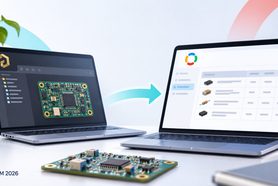
A cloud product-data workspace gives the team a shared place to inspect Items, BOMs, revisions, change requests, and releases. CAD connections can publish mapped data, but behavior varies by connector and the receiving result must be checked. SmartSync can connect local and cloud CAD project state through Workspace Manager, including synchronization, locking, versions, and revision context. It does not remove the need for a person to review a change or confirm that the applicable revision is released.
How can teams reduce NPI handoff risk?
The strongest NPI controls are small decisions made at the handoff, not a long list of documents created after the build. Give each decision an owner, connect it to the product record it affects, and make the accepted state visible before the next team acts.
Ask suppliers for record-level feedback
Instead of collecting a general comment such as “this part will be difficult to make,” ask the supplier to identify the Item, BOM use, feature, material, or document that needs attention. Engineering can then evaluate the request against the product’s function and the current revision. Purchasing can retain the supplier context without making a quote or an email the product definition.
This approach also protects the distinction between a reusable Item and its use in one assembly. A supplier may recommend changing the quantity in one BOM, replacing an Item, or changing the Item itself. Those are different decisions and should not be collapsed into one spreadsheet edit.
Review changes before releasing the next build
A release is a decision, not just a new version number. Before the build, the owner should review the change request or ECO, affected BOM structures, documents, supplier mappings, and acceptance information. If the change is rejected, preserve that decision and keep the released definition unchanged. If it is accepted, release the revision applicable to the build and communicate the decision through the shared workspace.
For purchasing, OpenBOM can create an Order BOM from a released revision. That supports a purchasing handoff from an accepted product definition. It does not make the system an MRP or ERP replacement, and it does not reserve inventory or automatically resolve every downstream planning decision.
Give every handoff a receiving check
When data leaves the workspace, define what the receiving team must confirm. For a supplier, the check may be the correct part and revision. For an ERP or another integrated system, it may be the mapped identifier, quantity, or document state. For a PDF or ZIP package, it may be the file list and revision label. The check should be recorded where the team can find it.
Use this four-step check before a prototype or production build:
- Identify the product Item, the BOM structure, and the quantity of each Item used in the build.
- Confirm the revision and release state that apply, and review open change requests or ECOs.
- Send or publish the required documents and mapped properties through the supported path.
- Verify the receiving result and record any new issue as feedback or a controlled change.
Keep the product definition usable for the next person
A shared system helps only when the records are named and maintained so that another person can follow the reasoning. Explain which record is authoritative, which documents are snapshots, and which participants can review or edit. If manufacturing needs a filtered view, do not call that view a new MBOM unless the organization has actually defined and maintained a separate manufacturing structure.
OpenBOM supports collaboration around product data, BOMs, changes, releases, and supplier or contractor participation. Access and integration behavior should be checked for the specific account and system. The goal is not to remove every existing tool. It is to keep the product definition and the decisions around it connected while teams continue using the systems that fit their work.
Where OpenBOM fits in the NPI process
OpenBOM is a cloud-native product data platform for engineering and manufacturing teams. In an NPI workflow, its native capabilities can organize Items and BOM structures, maintain revisions and releases, record change requests and sign-off, support item catalogs and supplier context, calculate formula-based rollups, and create an Order BOM from a released revision. Its collaborative workspace can give internal teams, suppliers, and contractors a common place to inspect the product definition, subject to the access model and integration in use.
The value is the connection between records and decisions. An engineer can relate a CAD representation to the Item it informs. A supplier can raise a manufacturability concern against the relevant product data. Engineering can review the effect, approve or reject the change, and release the applicable revision. Purchasing can work from the released definition and verify the resulting order or receiving information. The workflow still has human owners, and the platform does not claim that a complete BOM is automatically ready for production.
OpenBOM is not an MRP, ERP, production-scheduling, shop-floor, warehouse-management, accounting, or inventory-reservation system. Quality, compliance, production planning, and sourcing may be configured with the data model or connected to other systems, but they should not be described as dedicated native modules without current evidence. That boundary makes the handoff clearer: OpenBOM manages the product-data context and the decisions around it, while each connected process remains responsible for its own receiving and operating checks.
Frequently asked questions about the NPI process
What is the difference between NPI and a prototype build?
A prototype build demonstrates that a particular product instance can be made. NPI is the broader controlled process of moving the product definition toward a repeatable build. It includes product records, BOM uses and quantities, supplier and manufacturing feedback, revisions, changes, approvals, documentation, and the checks that confirm the receiving team has the intended definition.
Does an NPI process require a PLM or PDM platform?
The process requires controlled product information and clear ownership; the software choice depends on the team’s products, systems, and operating model. A cloud PDM or PLM platform can connect Items, CAD context, BOMs, revisions, changes, and releases. It does not replace every planning, quality, ERP, or shop-floor system, and integrations must be evaluated and verified for the specific workflow.
How should a team handle a supplier-requested design change during NPI?
Record the request against the affected product data, identify the proposed action and participants, and review fit, function, cost, quality, and the applicable revision. Keep the current released definition unchanged until the decision is accepted. If approved, release the revision that applies to the build and verify that purchasing, manufacturing, and the supplier received the intended result.
Can an exported BOM keep every stakeholder synchronized?
No. An Excel, PDF, or ZIP export is a snapshot. It can be a useful supported handoff, but it does not update when the workspace changes. The owner should label the applicable revision, send the required package, and verify the receiving result. For an integrated system, confirm the mapped identifiers, quantities, documents, and status in the receiving system.
A controlled NPI process gives the team a way to move from design intent to a build without losing the decisions that make the build meaningful. When product data, supplier feedback, revision control, and receiving checks stay connected, each handoff becomes easier to inspect and easier to correct.
Join our newsletter to receive a weekly portion of news, articles, and tips about OpenBOM and our community.