
A few days ago, I shared an article discussing why engineers continue to utilize Excel for data management. The article sparked a flurry of passionate comments from colleagues. Many praised Excel for its ease of use and its role as a common denominator for sending static views of data. While I acknowledge these points, there’s an underlying issue with this approach that’s becoming increasingly problematic for organizations: the focus on snapshots rather than ongoing data management.
Exporting data to Excel might be straightforward, but it results in a loss of control over the data and fails to ensure its currency. This method, while convenient for engineers, often falls short for other parts of an organization.

Moreover, the Excel-based method’s limitation extends to handling files. You can easily put a parts list into Excel, but you can’t embed files directly. This necessitates storing files separately, often in zip files, creating a disconnect in data management. In an era where digital transformation is paramount, thinking holistically about data is crucial.
Here are three compelling reasons why OpenBOM presents a more efficient way to share data compared to Excel:
Seamless Export of Data from CAD Systems
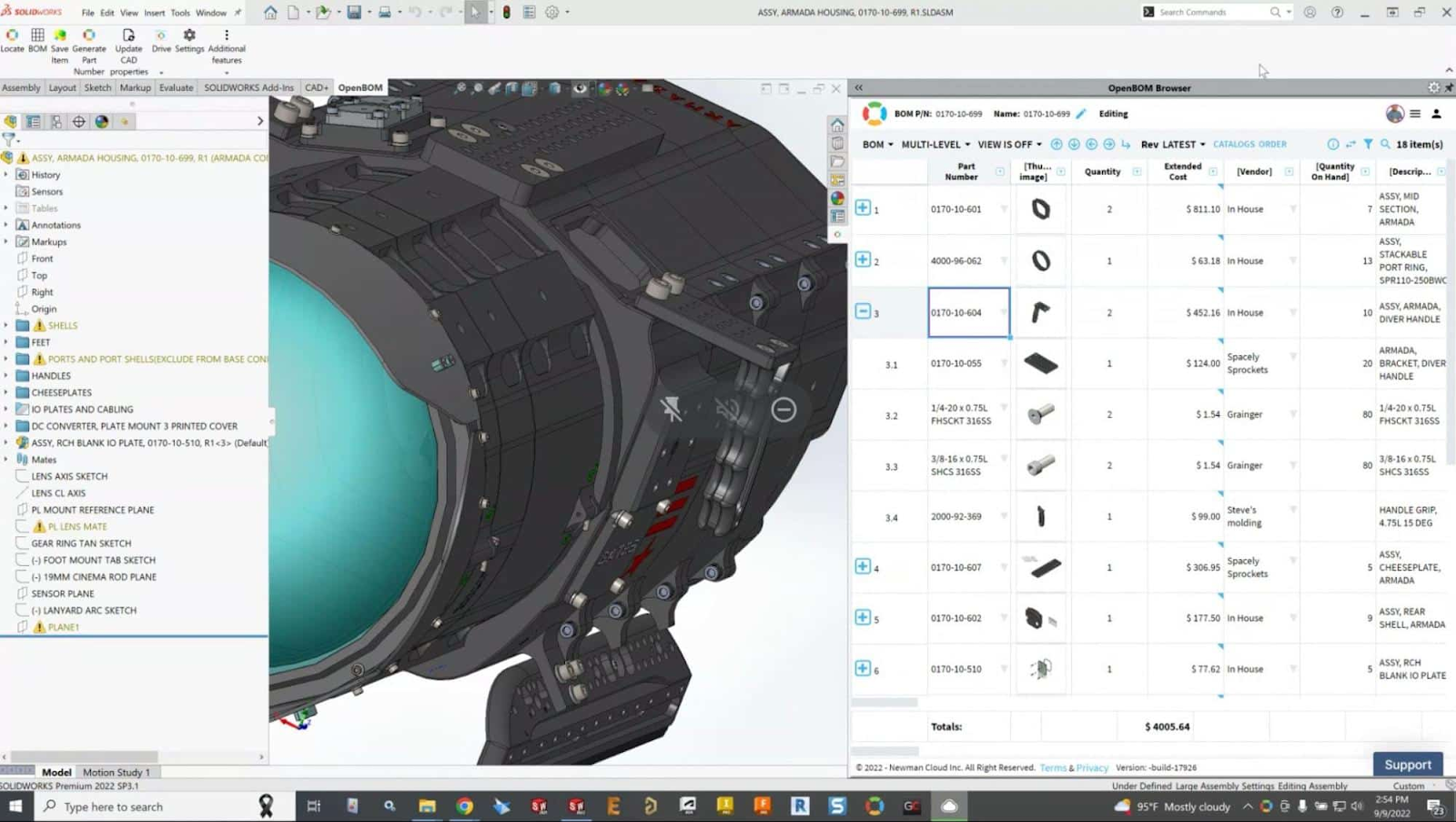
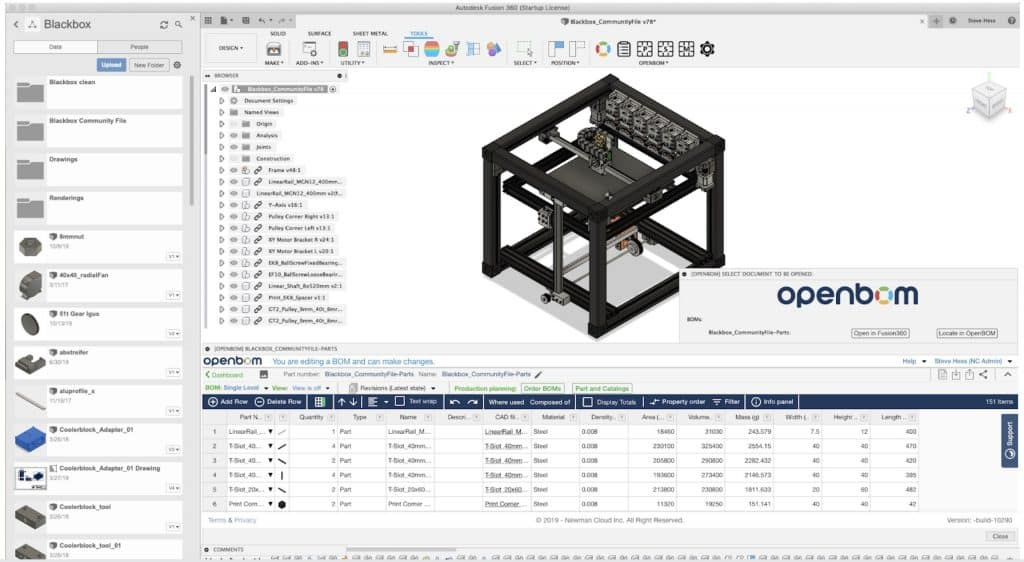
OpenBOM offers add-ins for various CAD systems, enabling the seamless export of data directly into OpenBOM. This functionality not only streamlines the process of transferring data but also ensures that CAD data and its derivatives are automatically linked. This integration simplifies the management of CAD files and related data, making it easily accessible and up-to-date.
In the picture below you can see a few examples of seamless CAD integrations between OpenBOM and different CAD systems. More information can be found here.
Merging Data from Multiple CAD Systems
Another advantage of OpenBOM is its ability to merge data from different CAD systems into a unified, multi-disciplinary structure. This capability allows for the creation of dynamic views that can be updated in real-time, ensuring that all stakeholders have access to the most current data, irrespective of the original CAD system used.
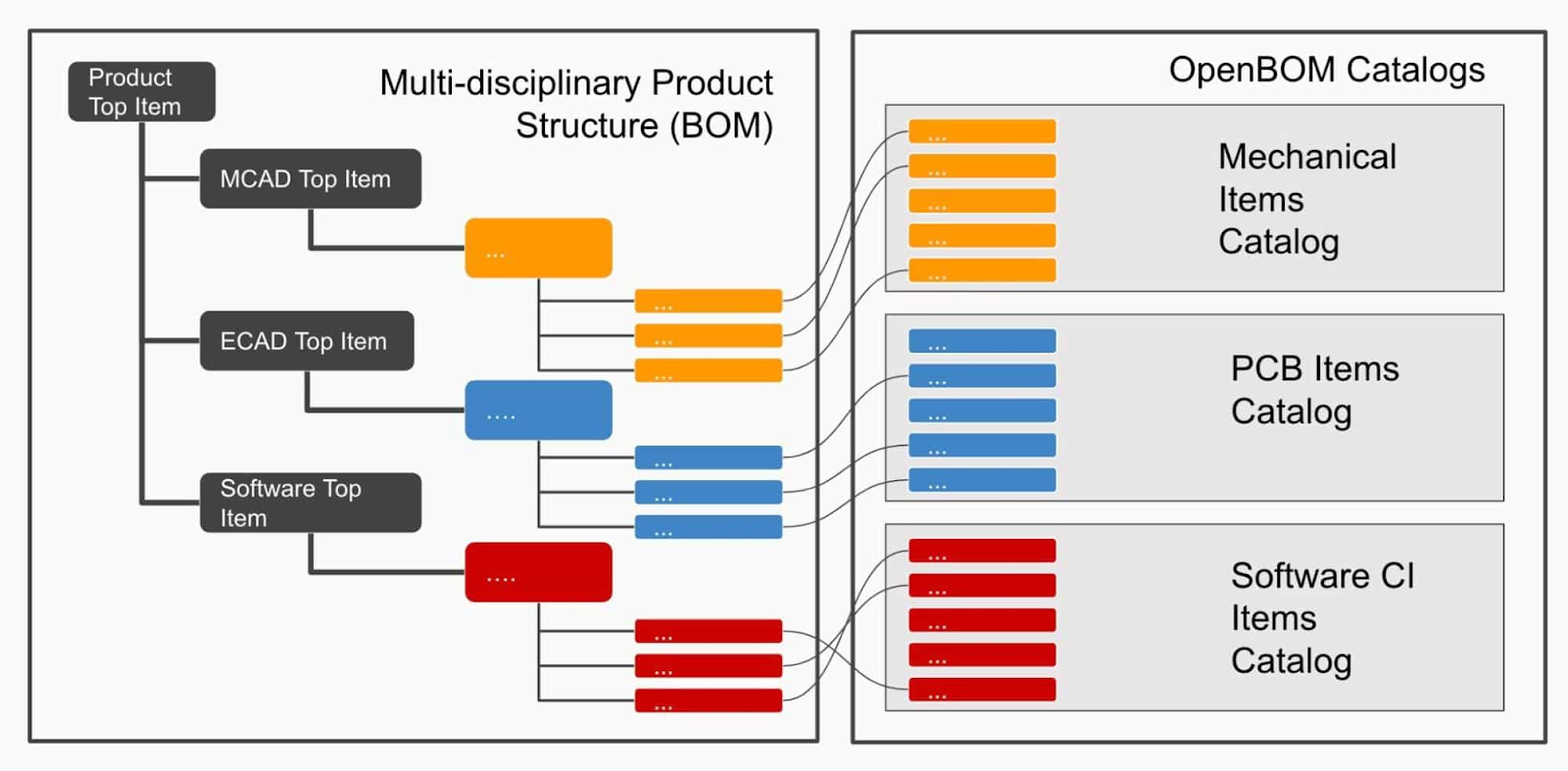
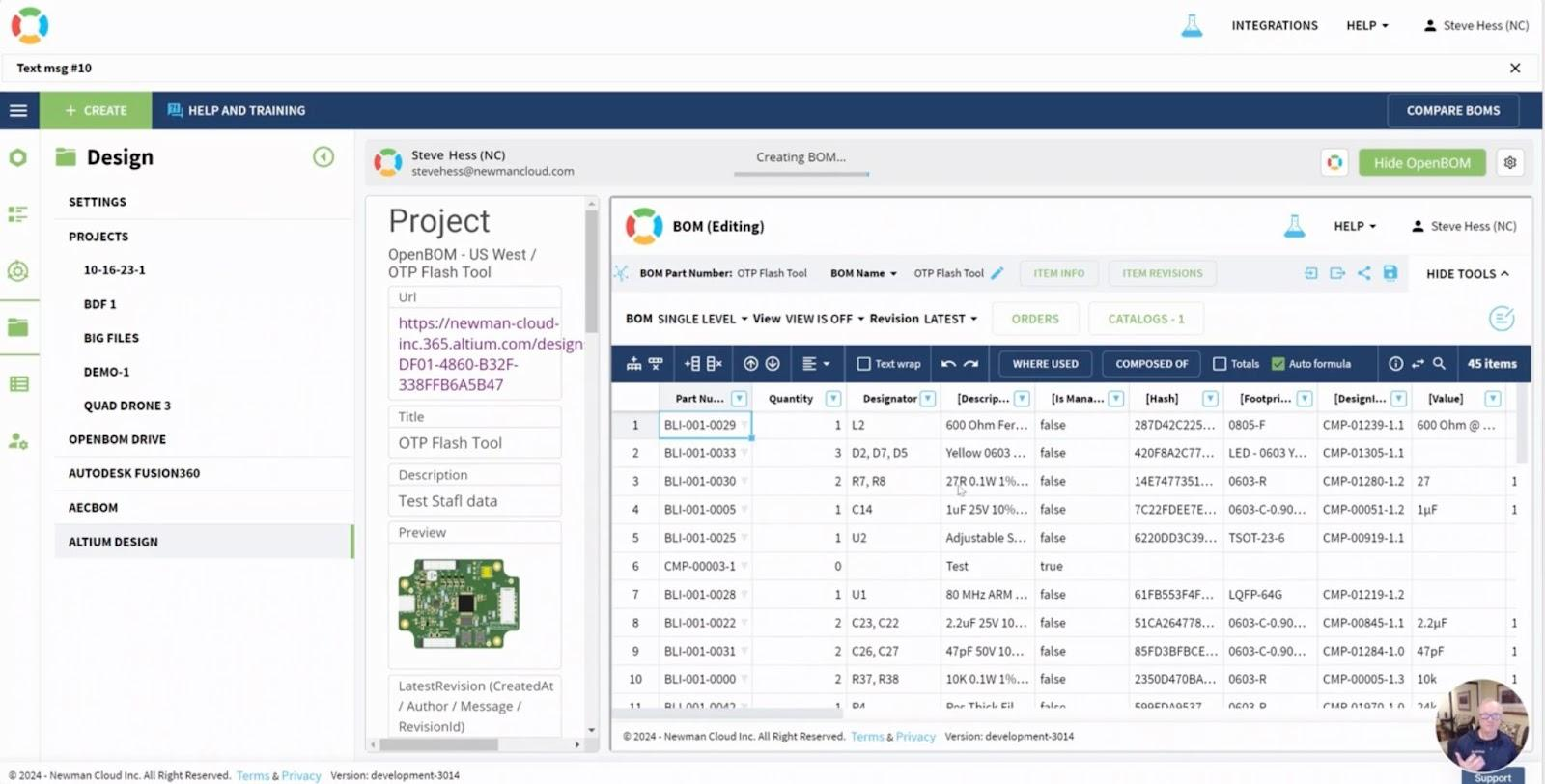
This feature is particularly beneficial in complex projects involving multiple engineering disciplines – mechanical, electrical, PCB, software. Here is an example of OpenBOM integration with Altium 365 Nexar.
Real-Time Tracking of Changes and Comments
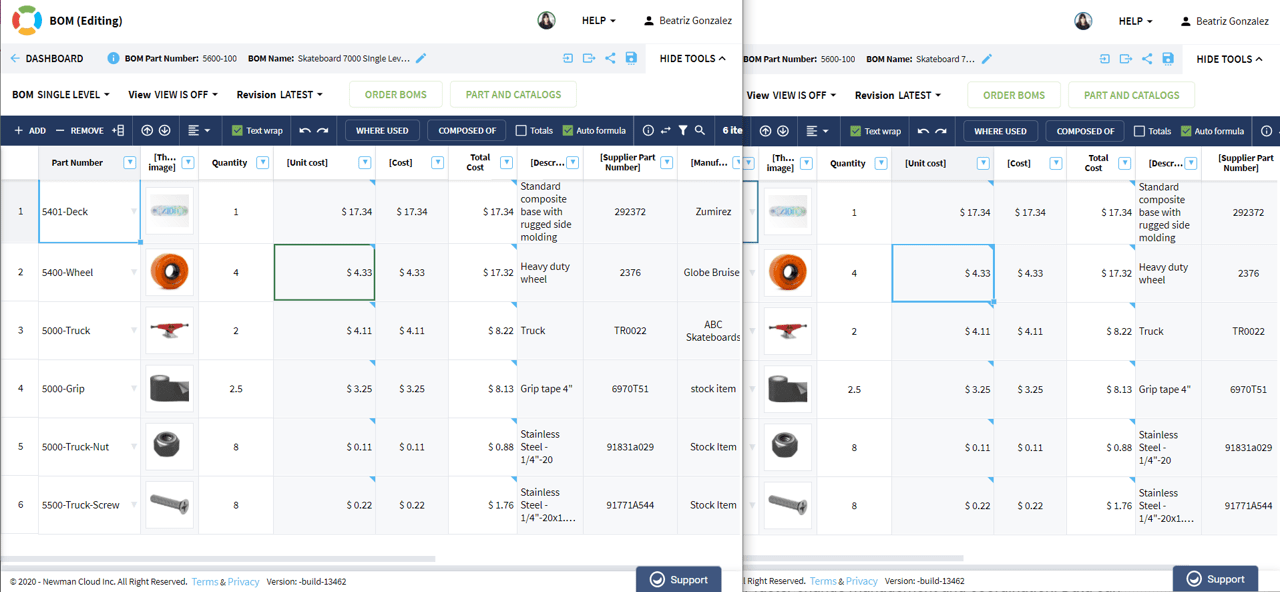
OpenBOM excels in facilitating real-time collaboration. It enables users to track changes, make comments, and adjust data instantly. This feature ensures that all team members are always working with the latest information, significantly reducing the risk of errors and misunderstandings that can arise from outdated data.
Bonus: Flexibility in Data Management and Excel/Zip Export
Despite its advanced capabilities, OpenBOM doesn’t lock you out of using Excel entirely. It offers the flexibility to slice and dice the data within OpenBOM and export it to Excel or zip files when needed.
This feature ensures that organizations can still leverage the familiarity and accessibility of Excel for specific tasks, while also benefiting from the advanced data management capabilities of OpenBOM.
Conclusion
OpenBOM represents a significant step forward in the way organizations manage and share data. Its integration with CAD systems, ability to consolidate data from multiple sources, and real-time collaboration features make it a powerful tool for any organization focused on digital transformation. OpenBOM simplifies the data management process, making it accessible and current for all stakeholders in real-time.
If you’re looking to experience these benefits firsthand, I encourage you to register for a free account and start your automatic 14-day trial today. Transform the way you manage data with OpenBOM.
Best, Oleg
Join our newsletter to receive a weekly portion of news, articles, and tips about OpenBOM and our community.