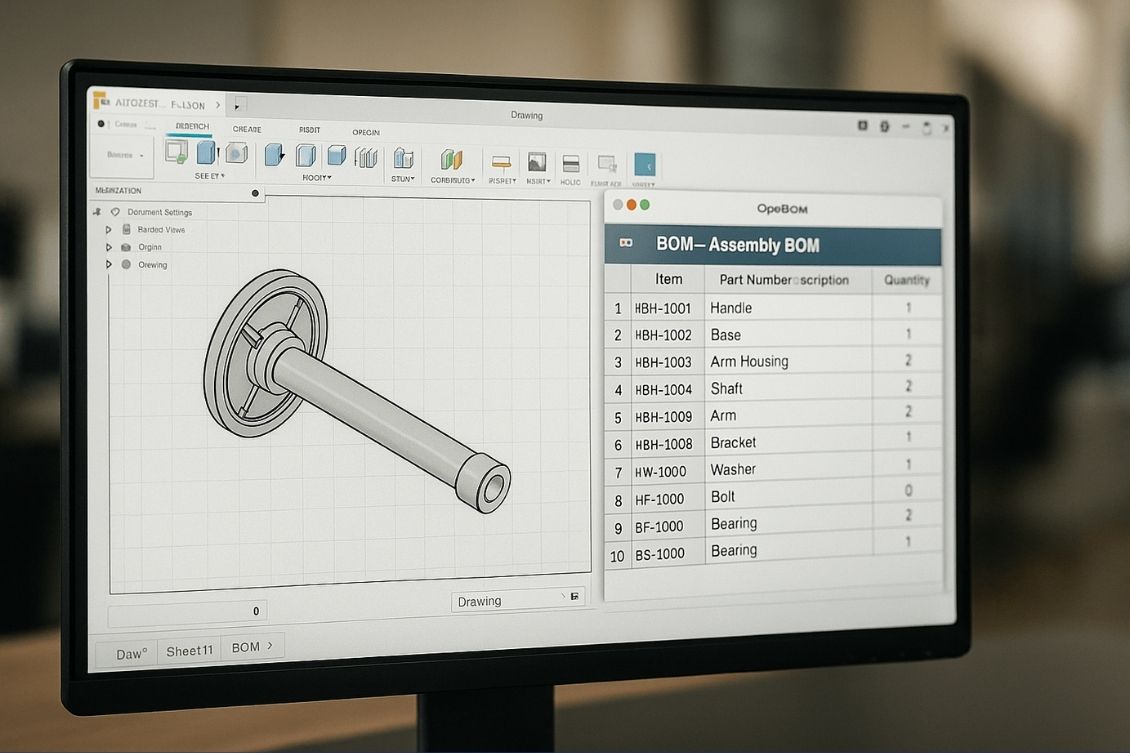
At OpenBOM, we’re excited to preview a new feature for users of Autodesk Fusion — the ability to insert a flattened Bill of Materials (BOM) directly into your Fusion drawing sheets.
This new capability brings the power of OpenBOM’s real-time, cloud-native BOMs directly into your design documentation workflow, making it easier than ever to create accurate and procurement-ready BOMs right from your CAD environment.

Why This Matters: The Need for a Flattened BOM in Drawings
If you’re an engineer working with complex assemblies in Fusion 360, you’ve likely faced this problem:
“I just need to show a flattened list of all the parts with quantities from my assembly on a drawing so that procurement can order what we need.”
Fusion’s drawing tools are great, but often don’t provide the structured, supply-chain-ready BOM output needed to drive real-world operations. Purchasing teams don’t think in subassemblies — they want a single, flat list of parts with total quantities.
That’s exactly what we’ve delivered.
How It Works
Using the OpenBOM for Fusion 360 add-in, you can now:
- Create your assembly BOM using OpenBOM’s “Create BOM” function.
- Move to the drawing workspace in Fusion.
- Use the Insert BOM command from the OpenBOM toolbar.
- Select Flattened BOM as your format.
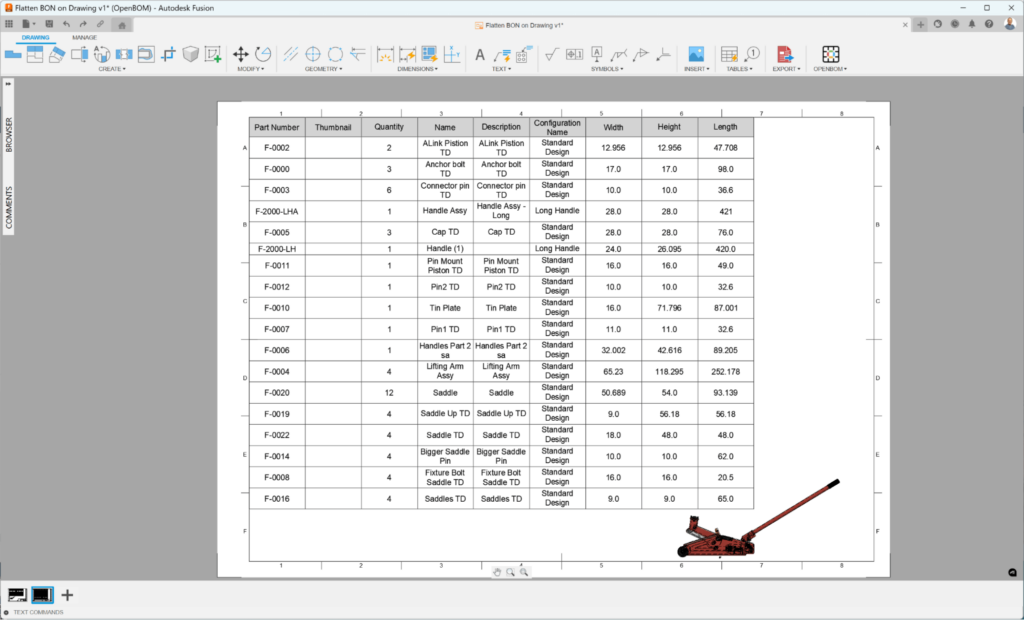
Done! The BOM is automatically formatted and inserted into the drawing sheet — exactly how your procurement team wants to see it.
This feature is simple, seamless, and powerful. Instead of building complicated hierarchies or exporting to Excel and reformatting BOMs manually, OpenBOM lets you generate the flattened view in seconds — directly inside Fusion 360.
It’s yet another step in our mission to connect design and operations without friction.
Faster Supply Chains, Fewer Mistakes
Providing purchasing and supply chain teams with a clean, flattened BOM helps eliminate miscommunications, ordering errors, and delays. It speeds up sourcing decisions and enables better planning, even for complex or nested assemblies.
In short, this new feature helps:
- Reduce BOM-related mistakes
- Accelerate the purchasing process
- Improve collaboration between engineering and procurement
Watch the video
Use this link to navigate to a video to demo this new feature.
Conclusion
At OpenBOM, we always strive to meet engineers where they work — inside tools like Autodesk Fusion 360 — and to build the seamless bridge between design and procurement. Flattened BOM in drawings is a small but powerful step in that direction.
If you’re using Autodesk Fusion, this feature is available now in the latest version of the OpenBOM Add-In.
👉 Register for your free OpenBOM trial and experience it yourself.
We hope you find it useful — and as always, we’d love to hear your feedback.
Best, Oleg
Join our newsletter to receive a weekly portion of news, articles, and tips about OpenBOM and our community.