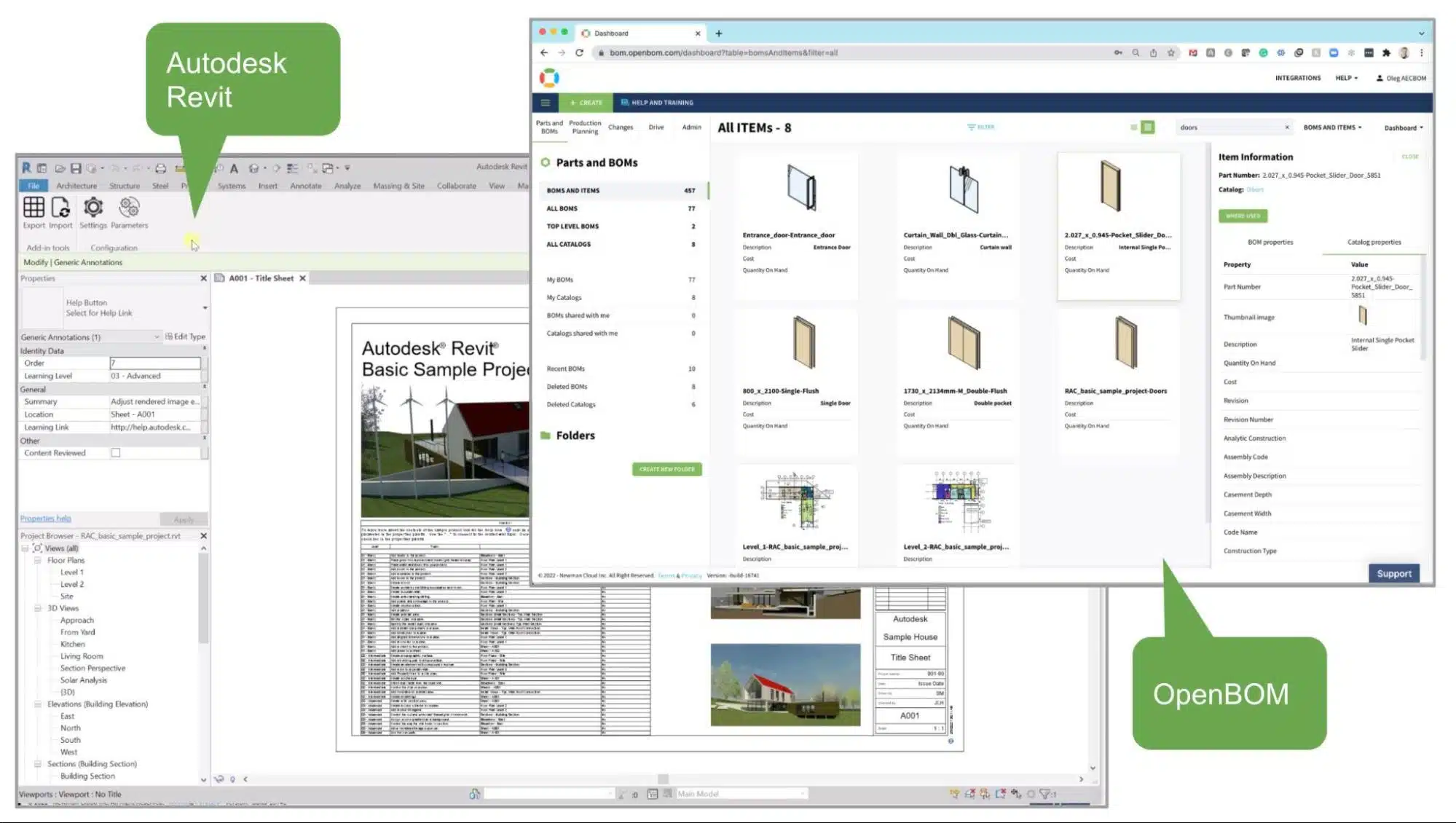
In today’s fast-paced, digital world, it’s more important than ever for businesses to keep up with the latest technology trends. Construction companies are no exception – in order to stay competitive and keep up with the latest industry advancements, they must embrace digital transformation. But what does that mean for construction businesses? And what tools can be used to support digital transformation in the AEC industry? Also, what business incentives can drive the adoption of digital tools in construction.
You probably heard about the OpenBOM AECBOM and about tools we’ve started to build to help construction companies move into the digital world. It all starts from data and how data can be captured and transformed into a digital format that can be managed, searched, gradually shared with relevant stakeholders, and also used for analytics and decision making.
In this article, I will demonstrate the latest update of OpenBOM for Autodesk Revit and will show you how you can create a Digital BOM in a single click from Revit.
Digital BOM & BOQ
Very often, companies think about BOM and BOQ as simple documents. In fact, this is so not true in the modern construction industry. While you can still think about dumping some data from AEC tools to Excel, that would be an oversimplification. Digital tools and platforms are coming to this place and starting to help companies to organize their digital journey from a simple hardcopy of BOM in Excel towards Digital BOM aggregating all information about the project, based on the inventory of GC, shared in real-time with all contractors and tracking cost and delivery statuses.
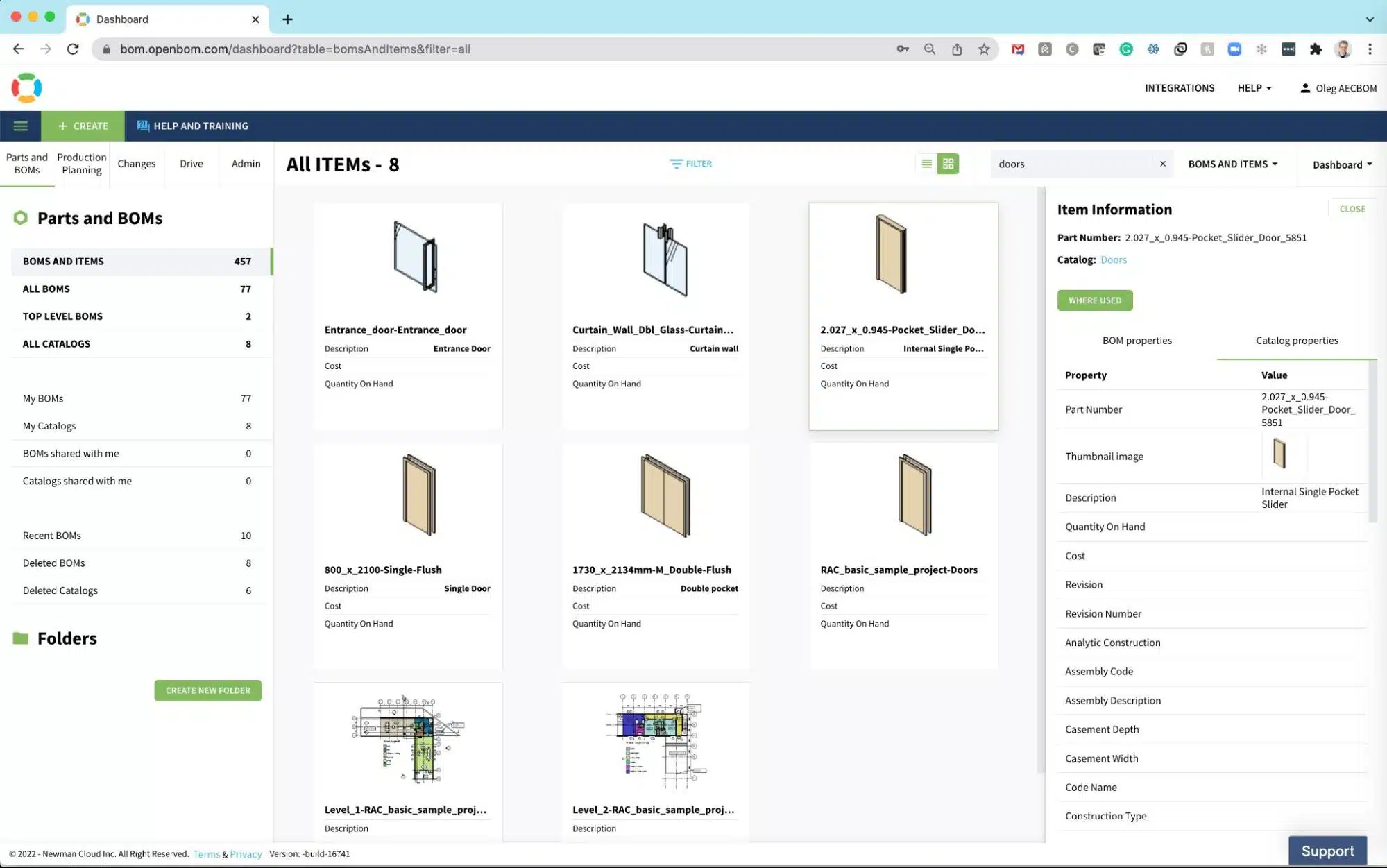
OpenBOM For Autodesk Revit – February/2022 Update
The newest update of OpenBOM For Autodesk Revit provides an easy and automated way to build an entire structure of the project (Revit file and linked files) based on a very small amount of settings.
After installation, the Settings screen provides some basic information about email, authentication, and data access.

The core element of our recent improvement was the development of automatically generated templates to perform data capture and the creation of Digital Construction BOM. Check this picture below.

Once, the settings are created, they can be adjusted. But the initial run of the AECBOM for Autodesk Revit produced a very interesting set of information with all levels, object types, and objects with a summary of quantities and other related information. The data is sharable and can be accessed by many different users based on the role-driven model.
A full representation of the Bill of Materials contains not only data (like Excel) but also some of the related information as well as tools to get access to data remotely.

Watch the video
In the following video, I’m capturing the process of setting and exporting data from Autodesk Revit to the OpenBOM platform.
Conclusion
I hope you enjoyed OpenBOM For Autodesk Revit progress. The current version of the tool includes a new mechanism of self-generated templates and extracting data using these templates. One-click Digital BOM from Autodesk Revit is the reality now and I’m asking you to check this out. The data in Digital BOM is accurate and sharable. This is a big deal for many companies.
REGISTER FOR FREE to try OpenBOM and let us know what you think.
Best, Oleg
Join our newsletter to receive a weekly portion of news, articles, and tips about OpenBOM and our community.