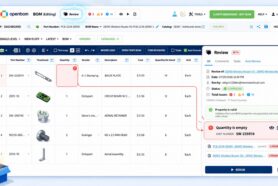
In today’s manufacturing world, most design work still happens in desktop CAD systems, while collaboration, planning, and production have already moved to the cloud. This creates a growing gap between powerful design tools and modern digital processes.
OpenBOM bridges that gap—bringing cloud-based file and data management, collaboration, and visibility to teams using traditional desktop CAD, enabling hybrid engineering environments to work as one connected system. Let’s talk about it.
Introduction — The CAD Cloud Dilemma
For more than a decade, the engineering and manufacturing industry has been living a coming full-scale transition to cloud CAD. Yet the reality is far more complex. Despite the rapid evolution of SaaS technologies (eg. Onshape, Fusion, etc) and the success of cloud-based collaboration tools, the majority of engineering design work still happens inside desktop CAD systems like SolidWorks, Autodesk Inventor, Creo, and Altium Designer.
The reason isn’t a lack of innovation — it’s inertia rooted in history, infrastructure, and practicality. Many companies have years (sometimes decades) of legacy designs, customized templates, macros, and internal workflows built around these desktop tools. Engineering teams have mastered them, suppliers depend on them, and re-training entire organizations for a new CAD platform can be disruptive and expensive.
Meanwhile, the rest of the enterprise — from procurement to operations and supply chain — has rapidly moved to the cloud. ERP, CRM, and PLM systems are increasingly SaaS-based. The result is a hybrid reality: engineering teams operate on desktop CAD, while the rest of the organization relies on cloud applications for everyday collaboration and execution. This disconnect creates friction, delays, and manual effort where data should flow seamlessly.
The Problem — Islands of CAD Data
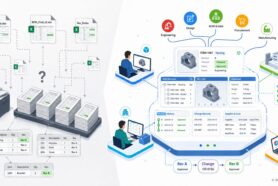
Every manufacturer knows this problem all too well. CAD files live on local drives, network shares, or on-premises servers — a situation that inevitably leads to “islands of CAD data.” Engineers can design products, but connecting those designs to the rest of the company becomes an exercise in exporting, emailing, and copying data between systems.
Version control becomes a nightmare: Which file is the latest? Which BOM is accurate? How do you ensure manufacturing and procurement are working from the same source of truth? Every manual export increases the risk of misalignment between design and production.
These challenges are magnified in multi-disciplinary products where mechanical, electrical, and software systems converge. Desktop CAD tools excel at geometry and design intent but were never meant to support connected, cross-functional collaboration. The result is siloed workflows that make it difficult for purchasing teams to get up-to-date BOMs, for manufacturing to plan assembly operations, or for managers to gain visibility into project status.
In short, desktop CAD remains powerful for design, but disconnected from the digital thread that modern manufacturing requires.
Three Possible Solutions (and Why Most Fail)
1. Force Migration to Cloud CAD
One theoretical solution is simple: move everything to the cloud. Cloud CAD platforms such as Onshape or Autodesk Fusion promise collaborative modeling, integrated data management, and cloud-native scalability. In practice, however, the journey is far from straightforward.
For most manufacturers, migrating to cloud CAD is a long and complex process. Legacy data migration, requalification of templates, IP concerns, and retraining staff all add significant friction. Many organizations operate in regulated environments where change must be validated or approved. For them, “just move to the cloud” is not a realistic short-term plan. As a result, the pace of migration is slower than vendors anticipated.
2. Deploy On-Prem PDM and Integrate with Cloud PLM/ERP
Another common approach is to manage CAD files locally with an on-premises PDM system (such as SolidWorks PDM or Vault) and then synchronize key information with cloud PLM or ERP. This can work — but often introduces complexity and cost.
Integrating file-based PDMs with cloud systems means building and maintaining custom connectors, managing file synchronization, and ensuring consistent metadata across platforms. These integrations are brittle, expensive, and require constant IT maintenance. In addition, on-prem PDM systems lack the scalability and accessibility modern companies need for remote collaboration.
3. Adopt a Modern Hybrid Platform — The OpenBOM Approach
A third — and increasingly popular — option is to bridge the gap rather than replace the system. Instead of forcing migration or adding layers of complexity, companies can adopt a cloud-native data management platform that integrates seamlessly with existing desktop CAD tools.
This is exactly where OpenBOM comes in.
OpenBOM is built to connect the engineering world of desktop CAD with the cloud-native ecosystem of manufacturing, procurement, and supply chain. It provides a hybrid architecture that allows companies to keep using their preferred CAD systems while benefiting from modern, cloud-based data sharing and collaboration.
Cloud-Native Data Management and Collaboration for Desktop CAD
OpenBOM directly integrates with leading CAD applications such as SolidWorks, Autodesk Inventor, Altium Designer, Autodesk Fusion, and others through purpose-built add-ins. These integrations allow engineers to stay within their familiar CAD environment while OpenBOM automatically captures design data — parts, assemblies, configurations, and metadata — and publishes it securely to the cloud.
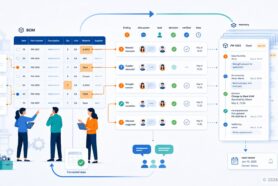
With a single click, users can create a Bill of Materials (BOM) directly from their CAD assembly, including quantities, properties, and references. The BOM is stored in OpenBOM’s cloud database, providing instant access for everyone in the organization — engineers, buyers, managers, and even suppliers.
The result is a real-time, shared source of truth for design and product data. No more spreadsheets, no more manual exports, no more “who has the latest version?” confusion.
Key OpenBOM Capabilities:
- Cloud-based file storage and synchronization, ensuring controlled access.
- Check-in/out, collaborative lock preventing overriding of CAD files by multiple people
- Version control for all CAD files
- Automatic property extraction from CAD models and drawings.
- Change tracking and versioning for items and BOMs.
- Real-time collaboration with sharing and commenting.
- Cost rollups and purchasing integrations, enabling immediate business insight.
In short, OpenBOM transforms desktop CAD from a closed environment into a connected, collaborative hub — all without forcing engineers to abandon the tools they love.
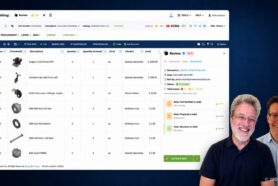
Watch the demon of OpenBOM environment integrated with SolidWorks.
Beyond CAD — Multi-Disciplinary and Connected Design
Modern products are no longer purely mechanical. They combine electronics, embedded software, and firmware into integrated systems. Managing such complexity requires more than just a mechanical BOM — it demands a multi-disciplinary, connected product structure.
OpenBOM’s xBOM model was designed exactly for this purpose. It allows organizations to represent not just mechanical assemblies, but also electrical, electronic, and software components within a unified data model. Each element — from a resistor in Altium to a subassembly in SolidWorks — becomes a node in a shared, cloud-based product graph.
This graph-based data model enables seamless linking across domains:
- Mechanical parts reference electronic components.
- Firmware versions are connected to hardware revisions.
- Procurement can track approved vendors across all disciplines.
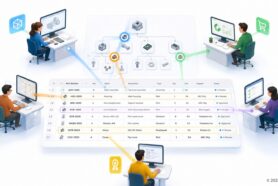
A typical use case: The mechanical team designs a housing in SolidWorks, while the electronics team works in Altium. Both publish their data to OpenBOM, where the system merges and synchronizes structures. The procurement team can instantly see a consolidated BOM, complete with cost rollups and supplier data, ready for purchasing or RFQs. No manual reconciliation. No email exchanges. No confusion.
This is how OpenBOM turns multi-disciplinary collaboration from a challenge into a streamlined process — all while desktop CAD remains at the heart of design.
Benefits — Immediate Value Without Disruption
Unlike traditional PDM or PLM deployments that can take months to implement and require IT infrastructure, OpenBOM delivers value from day one.
1. Cloud-Level Visibility with Desktop CAD
OpenBOM provides real-time visibility across engineering and manufacturing while your CAD data remains where it is. Teams can access and share design data through the browser — no VPNs, no file servers, no remote desktops.
2. Simplified Data Management
Forget about managing servers or maintaining local databases. OpenBOM’s cloud-native architecture eliminates the need for on-prem PDM installations while still providing structured data management, version control, and revision tracking.
3. Seamless Integration with ERP, Purchasing, and Supply Chain
Through standard APIs and connectors, OpenBOM integrates with ERP, MRP, and purchasing systems — ensuring that design intent flows directly into operational execution. Engineers create; operations act.
4. Foundation for the Digital Thread and Future AI Workflows
By connecting CAD, BOM, and operational data, OpenBOM builds a digital thread — a traceable connection between design decisions and business outcomes. This thread is the foundation for the next generation of AI-driven insights, cost optimization, and automation that will define manufacturing in the coming decade.
The beauty of this approach is its non-disruptive nature. Companies don’t have to re-platform or retrain their entire workforce. They can modernize gradually, achieving incremental wins while laying the groundwork for long-term digital transformation.
Conclusion — Embracing the Hybrid Future
The future of manufacturing is hybrid. While cloud-native CAD will continue to grow, desktop CAD isn’t going away anytime soon. Companies that wait for a “perfect migration moment” risk missing years of potential productivity and collaboration gains.
OpenBOM provides a pragmatic bridge between the old and the new — bringing the power of the cloud to existing desktop CAD workflows. It empowers teams to share data, collaborate in real time, and connect engineering with the rest of the business.
In essence, OpenBOM helps manufacturers get cloud value without abandoning their trusted CAD tools.
Because at the end of the day, digital transformation isn’t about replacing systems — it’s about connecting them.
You don’t have to move your CAD to the cloud to start getting cloud value.
REGISTER FOR FREE and check how OpenBOM can help you.
Best, Oleg
Join our newsletter to receive a weekly portion of news, articles, and tips about OpenBOM and our community.