Simplicity is the ultimate sophistication. From the first days of OpenBOM, we wanted to deliver a simple yet powerful solution for the Bill of Materials editing. As much as you think about BOMs as a simple list of items, in fact, this is not a simple list. Once data about is entered into a BOM, you’d like the “item” portion of data about it to be reused. This is a fundamental reference-instance (also known in the industry as part-usage). The Bill of Materials has a hierarchical structure and dependencies. To manage these structures and the inclusion of items isn’t a simple thing – OpenBOM recognizes parent-child relationships automatically based on Part Numbers.
If you want to learn more about OpenBOM data management, I can recommend you this article – OpenBOM Data Management Fundamentals. OpenBOM catalogs and BOMs are main elements of the OpenBOM data model.
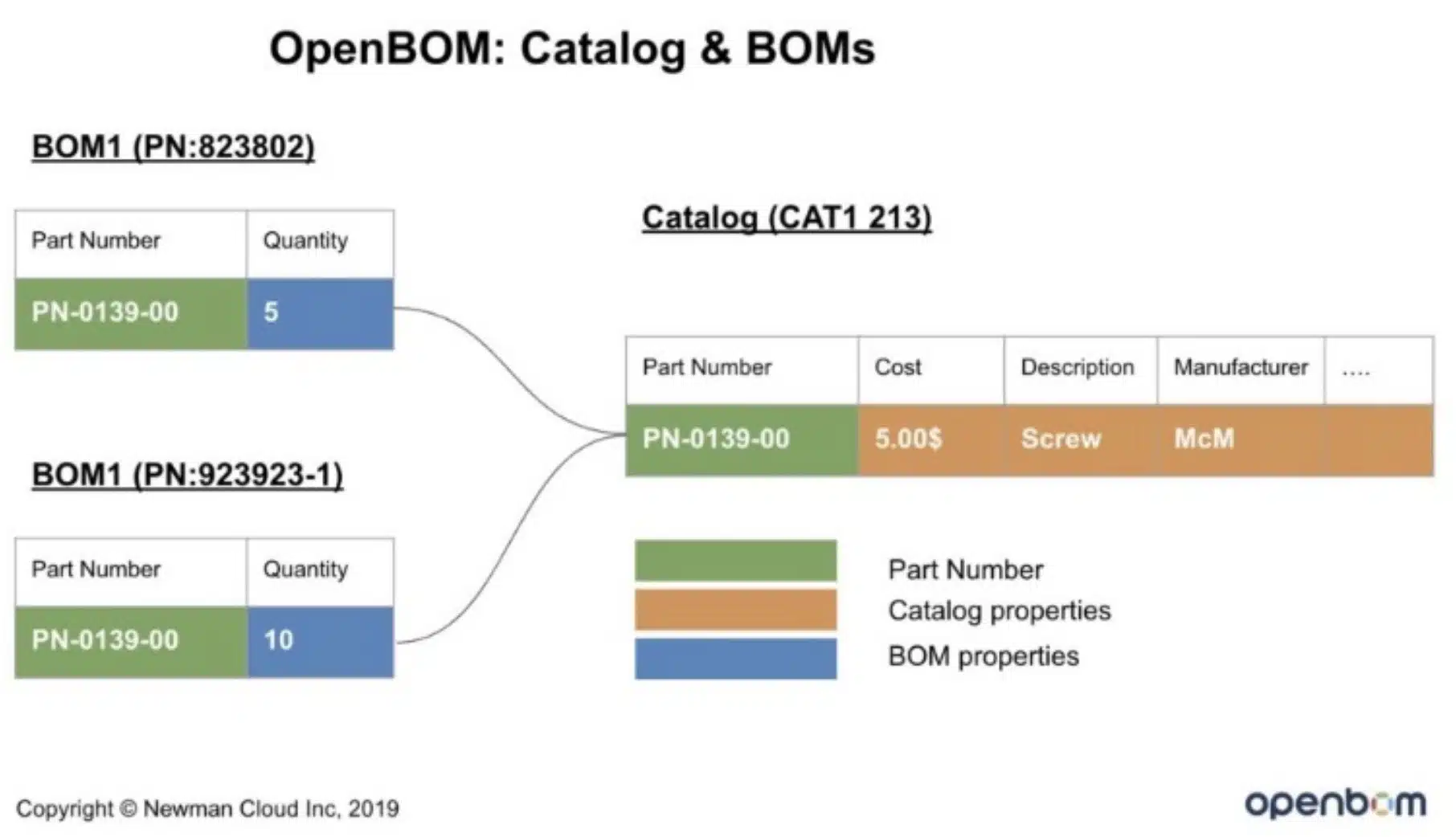
The OpenBOM reference-instance model is using a system of Catalogs and BOMs to manage data. For the last few months, we’ve been thinking about how to simplify the user experience in which the user needs to create an item in a catalog and then, later on, to use it in BOMs. Nothing wrong with this process, but we wanted to find a better way.
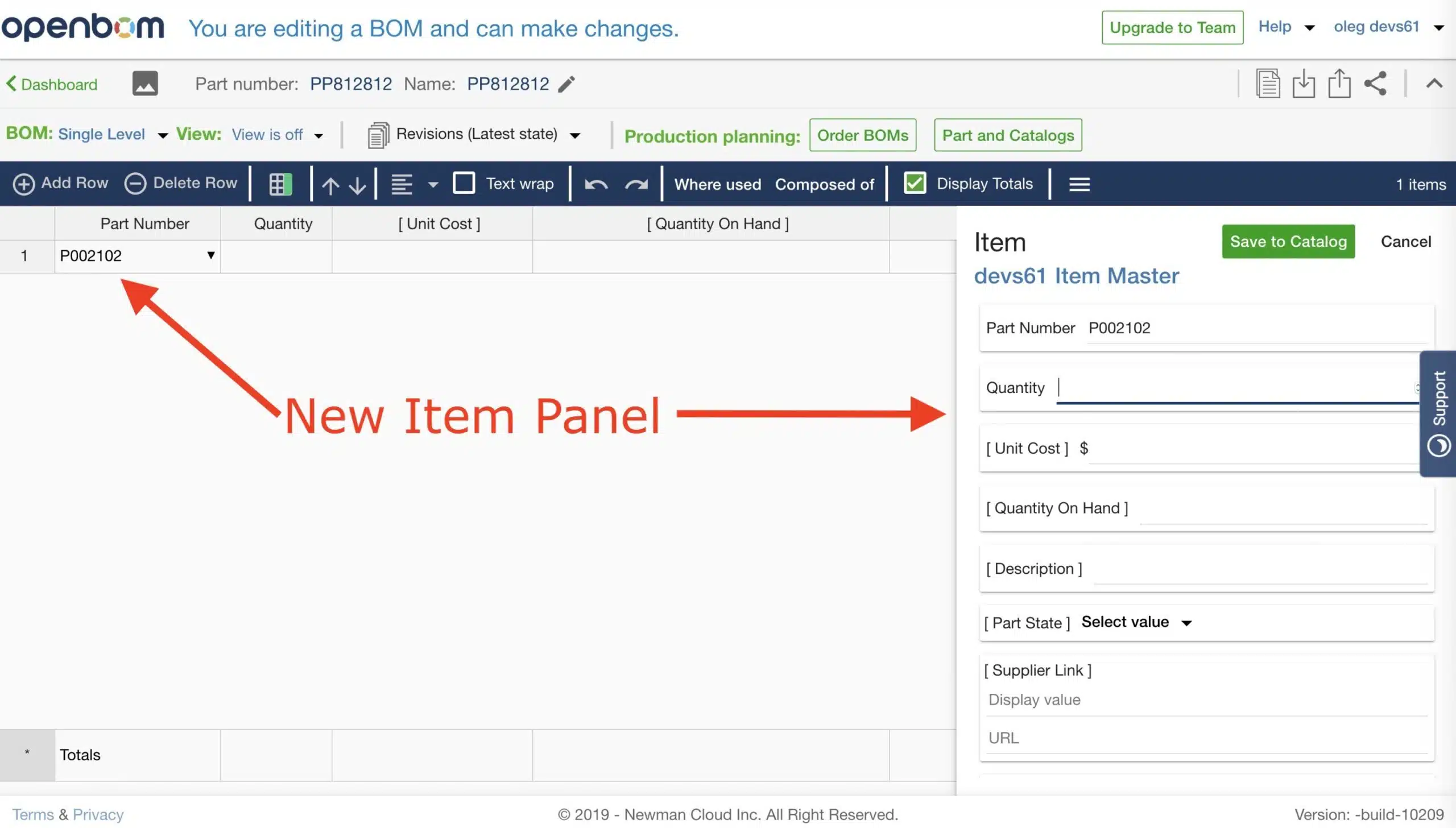
A new OpenBOM release will introduce you to a different “New Item” user experience that will be activated for free and professional single users first. The intention of this feature is to help users to simplify the process of the creation of the new item simultaneously with BOM creation.
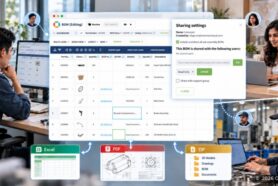
The following picture gives you an idea of the user interface. When you add new P/N, the New Item panel will pop-up and will allow you to enter item data in the catalog (and/or to create a new catalog item).
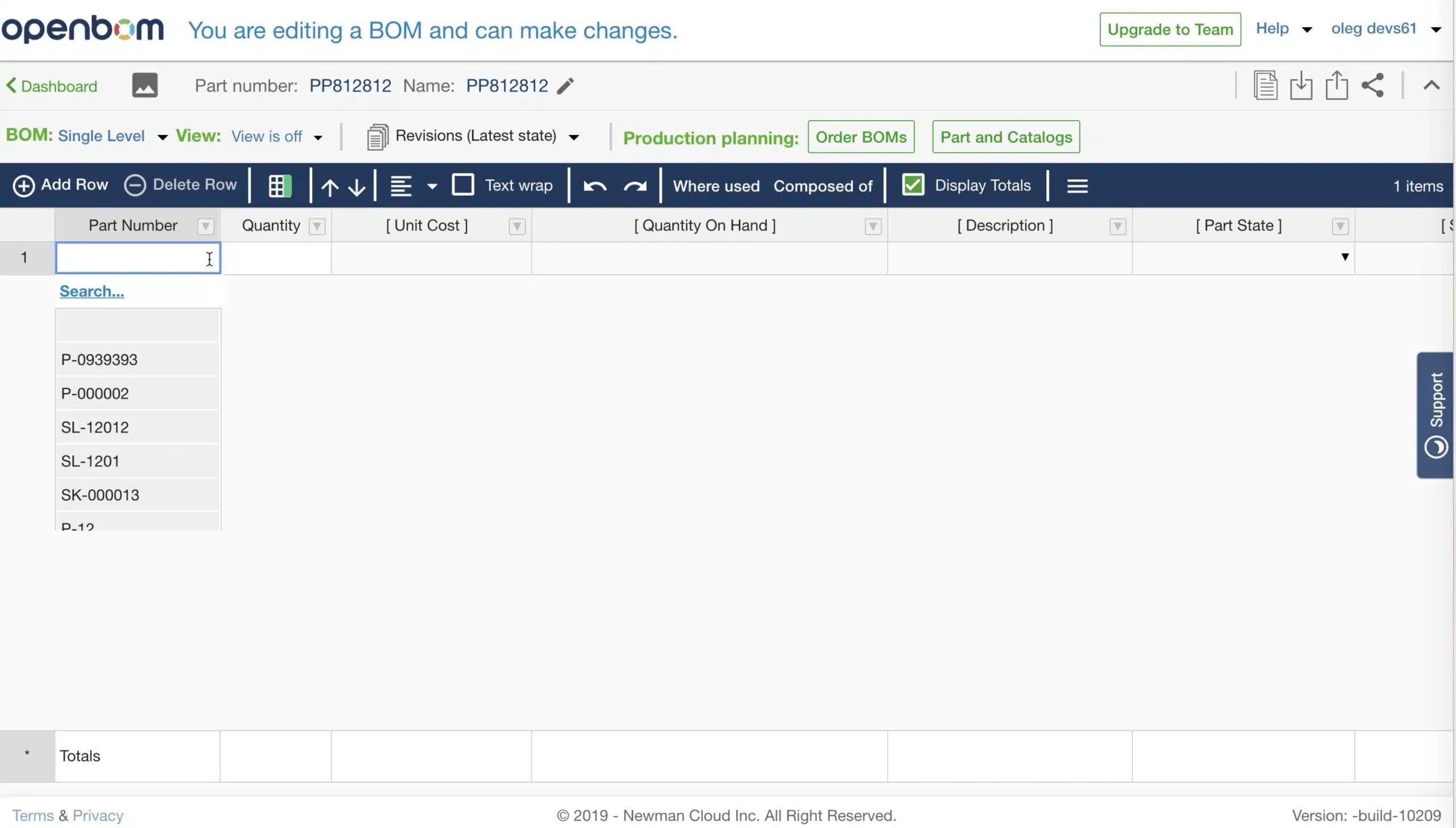
Also, we made a modification to main P/N type ahead control, which will be showing how to select and search for Parts.
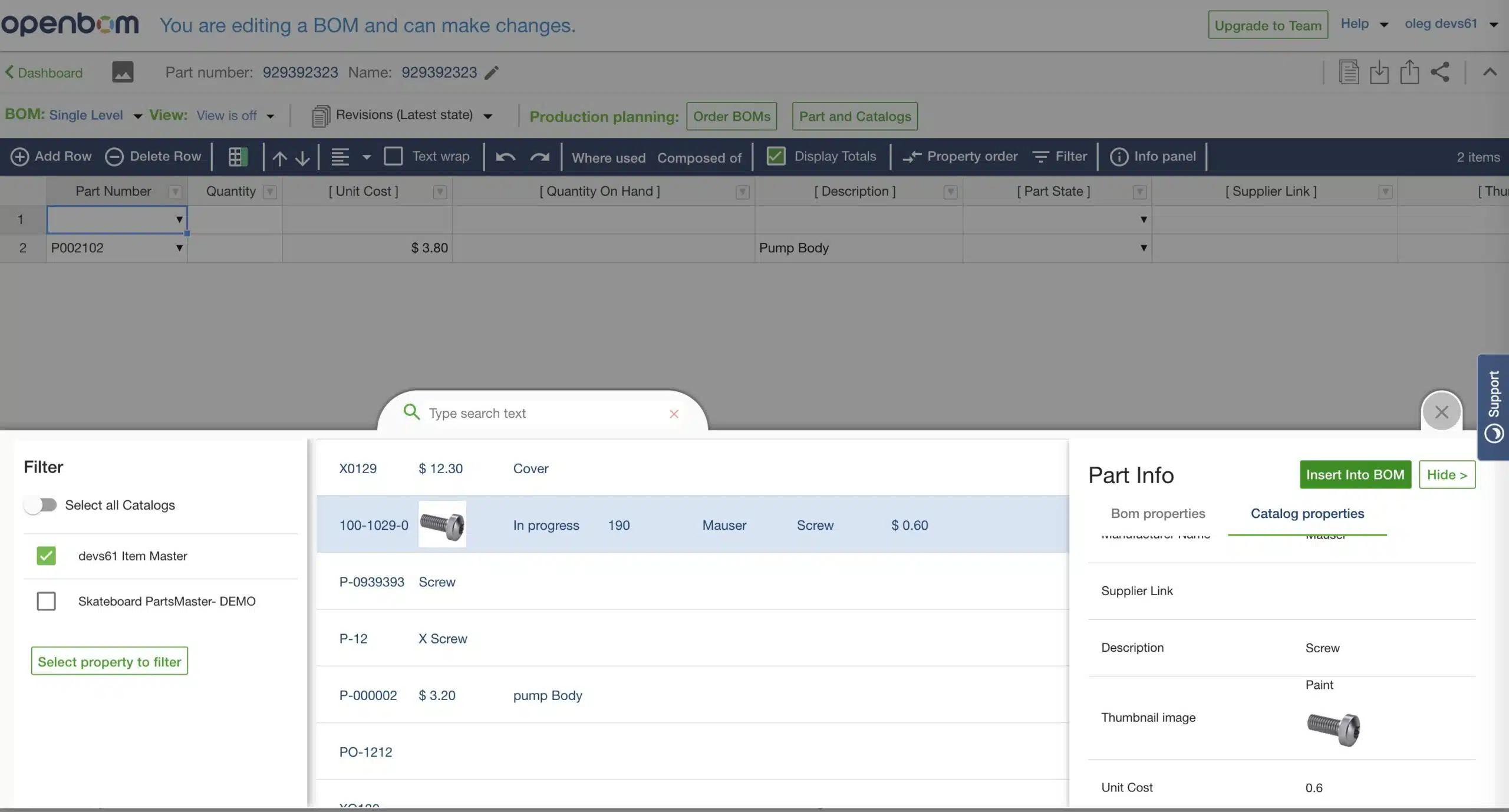
I recorded a very short video in which I make a quick demo of the new Item user experience.
Conclusion
A new Item panel will be streamlining the process of seamless data creation for both part (catalog) and its usage (BOM). It will help OpenBOM users to maintain an easy and not interrupted workflow of creating BOMs and Items at the same time.
I hope you will like it. Let me know what do you think so far?
Best, Oleg @ openbom dot com.
Let’s get to know each other better. If you live in the Greater Boston area, I invite you for a coffee together (coffee is on me). If not nearby, let’s have a virtual coffee session — I will figure out how to send you a real coffee.
Want to learn more about PLM? Check out my Beyond PLM blog and PLM Book website
Join our newsletter to receive a weekly portion of news, articles, and tips about OpenBOM and our community.