


You probably heard about OpenBOM Reference-Instance Model already. If you missed that, this is a link to catch up. In a nutshell, Reference-Instance model is an abstraction model allowing to model product structure information combined from references of parts (abstract objects) and their instances (specific instances in a BOM)
In the picture below, you can see Wheel, Board, Axel, Screw are examples of references, while “Wheel 1”, “Wheel 2”, “Board 1”, etc are examples of instances.
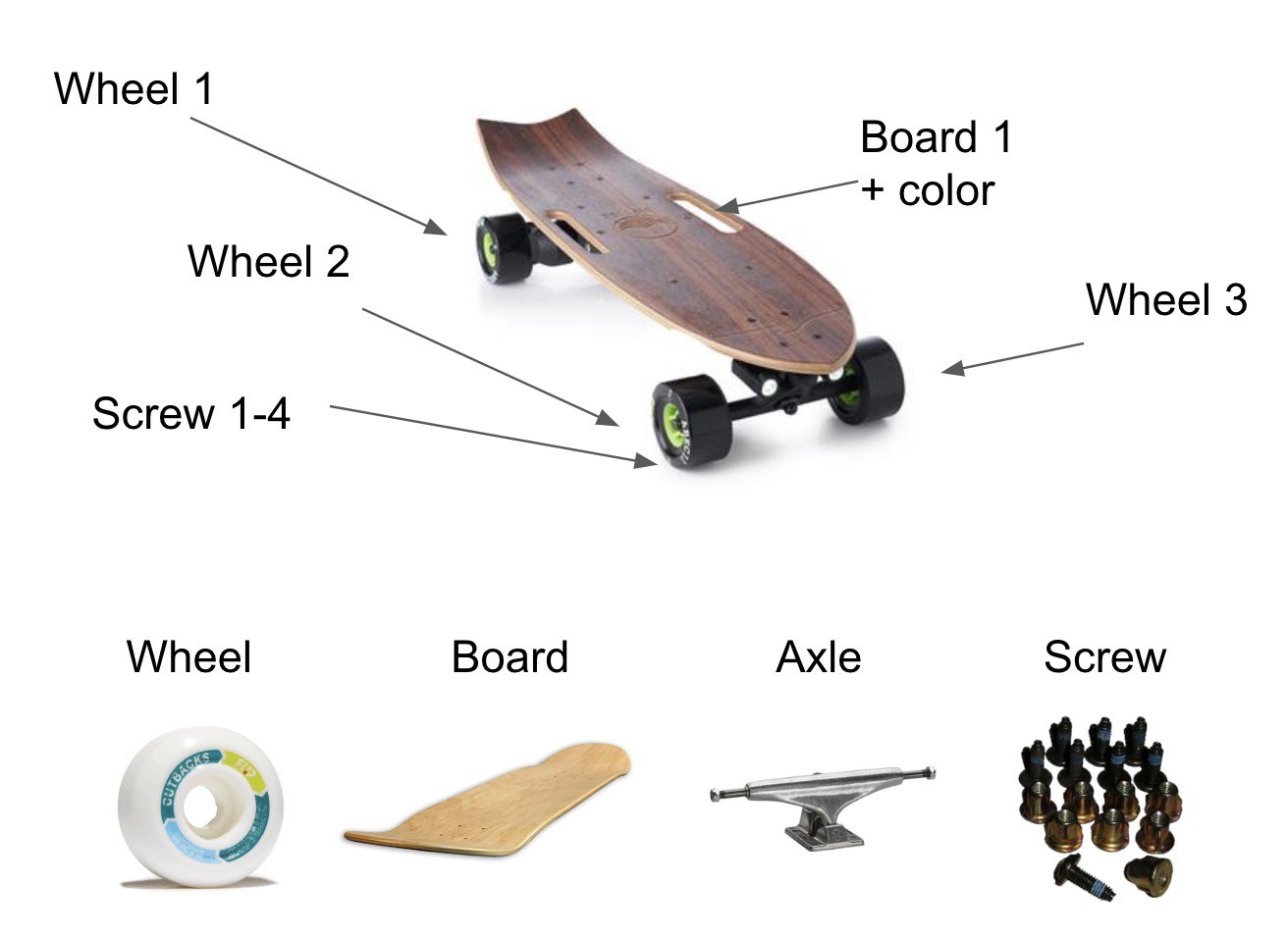
Reference instance model was not invented in OpenBOM. You can find similar abstraction model used in other software as well. However, OpenBOM is providing a very unique and flexible multi-tenant sharable data modeling implementation of a reference-instance model.
The fundamental elements of OpenBOM implementation are two abstract OpenBOM types (BOM and Catalog). The data model organization in OpenBOM is done in a way that makes Catalog to play the role of a reference object and BOM to play a role of instances.
Think about this picture
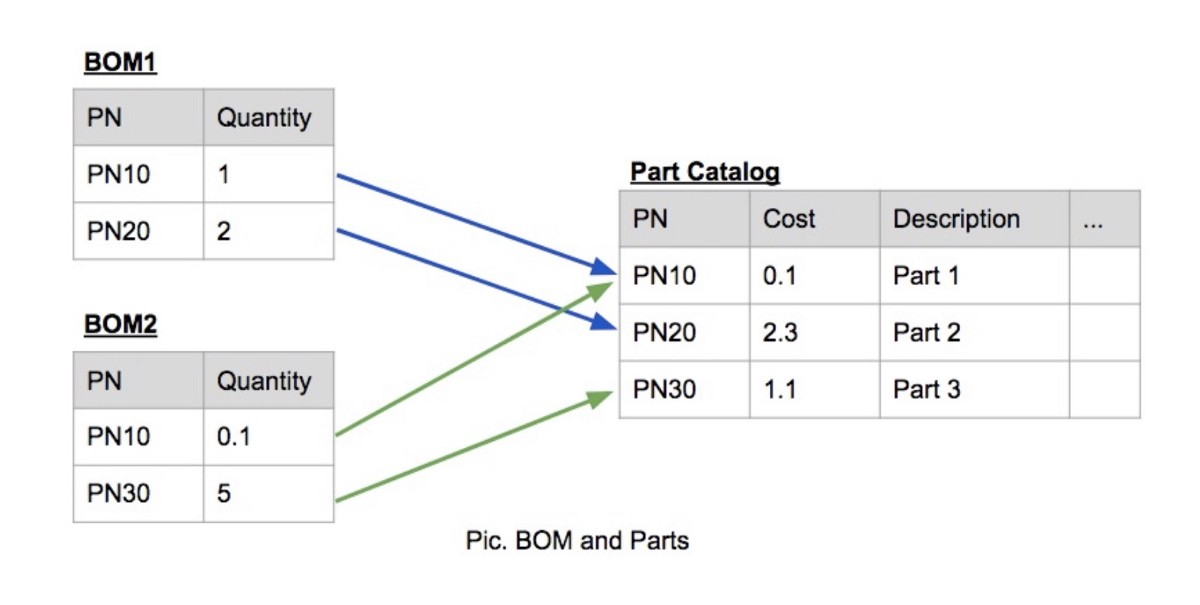
In this picture, Part Catalog is representing References (eg. Wheel, Axle, Board from my skateboard example) and BOMs are representing possibly two types of skateboards.
The following video shows you basic steps on how to create catalog and BOM (parts)
Your next step is to read more about OpenBOM key concepts – Parts, BOMs and Views. Check it out this article – OpenBOM Key Concepts.
Conclusion.
OpenBOM data management foundation is relying on simple, but very powerful abstraction – Reference-Instance Model. This model allows you to create an information model of products including catalogs (eg. database of all parts) and specific products (BOM). In my next article, I will speak about how OpenBOM reference-instance model can scale to provide a distributed shared model of information between manufacturing companies and their contractors and suppliers.
Best, Oleg
PS. Let’s get to know each other better. If you live in the Greater Boston area, I invite you for a coffee together (coffee is on me). If not nearby, let’s have a virtual coffee session — I will figure out how to send you a real coffee.
Want to learn more about PLM? Check out my Beyond PLM blog and PLM Book website
Join our newsletter to receive a weekly portion of news, articles, and tips about OpenBOM and our community.








