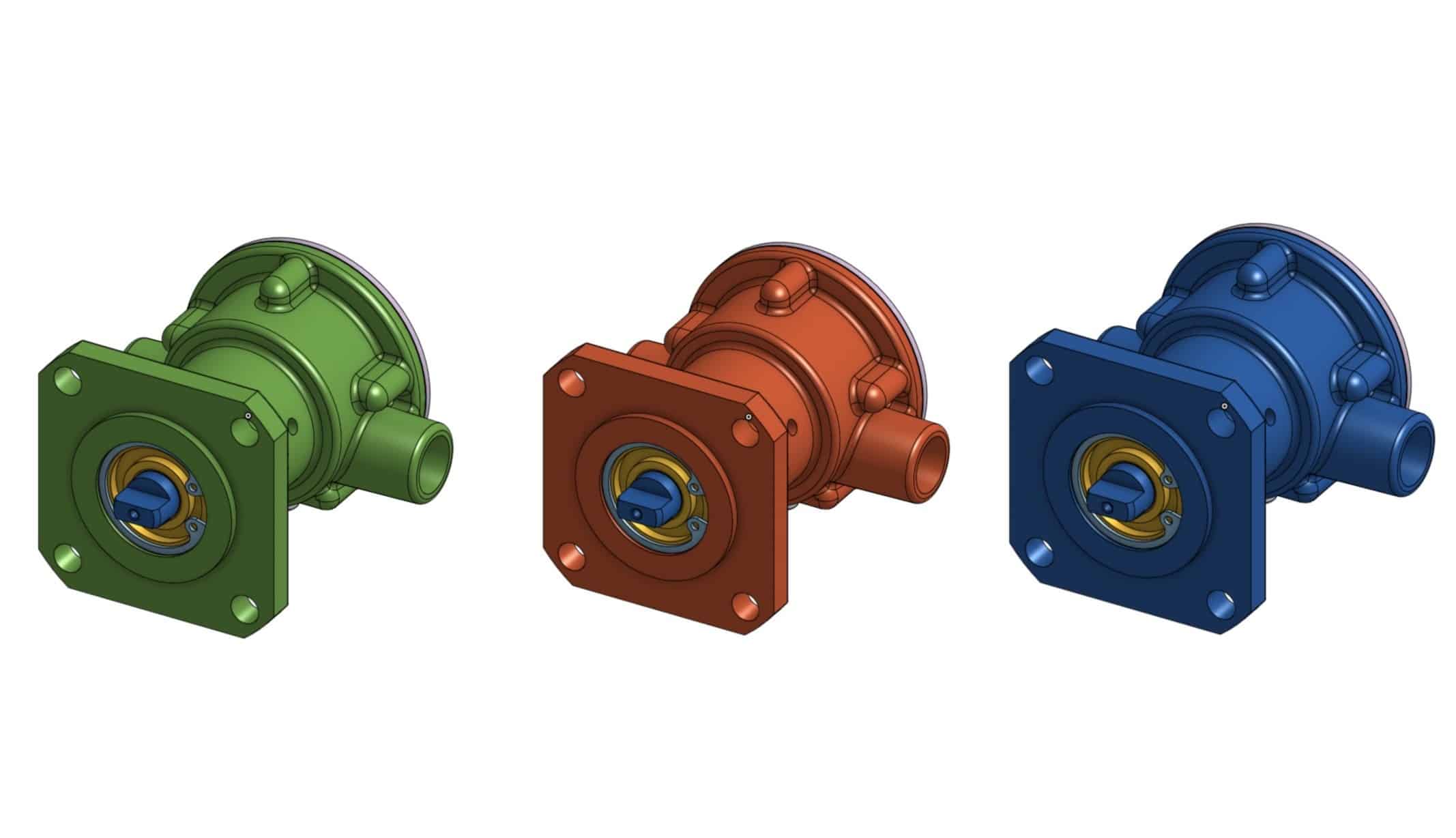
Colored parts often represent some level of difficulties when you attempt to manage it in Bill of Materials and inventory. Imagine that your company is manufacturing pumps that can be ordered in different colors. You don’t know upfront what color of the pump will be ordered. You can, of course, to define Part Number for each colored part, but it will create many additional levels of complexity.
OpenBOM gives you a level of flexibility in Bill of Materials by introducing flexible properties for part instance in Bill of Materials. The following picture shows you data model of how OpenBOM manages reference and instance properties.
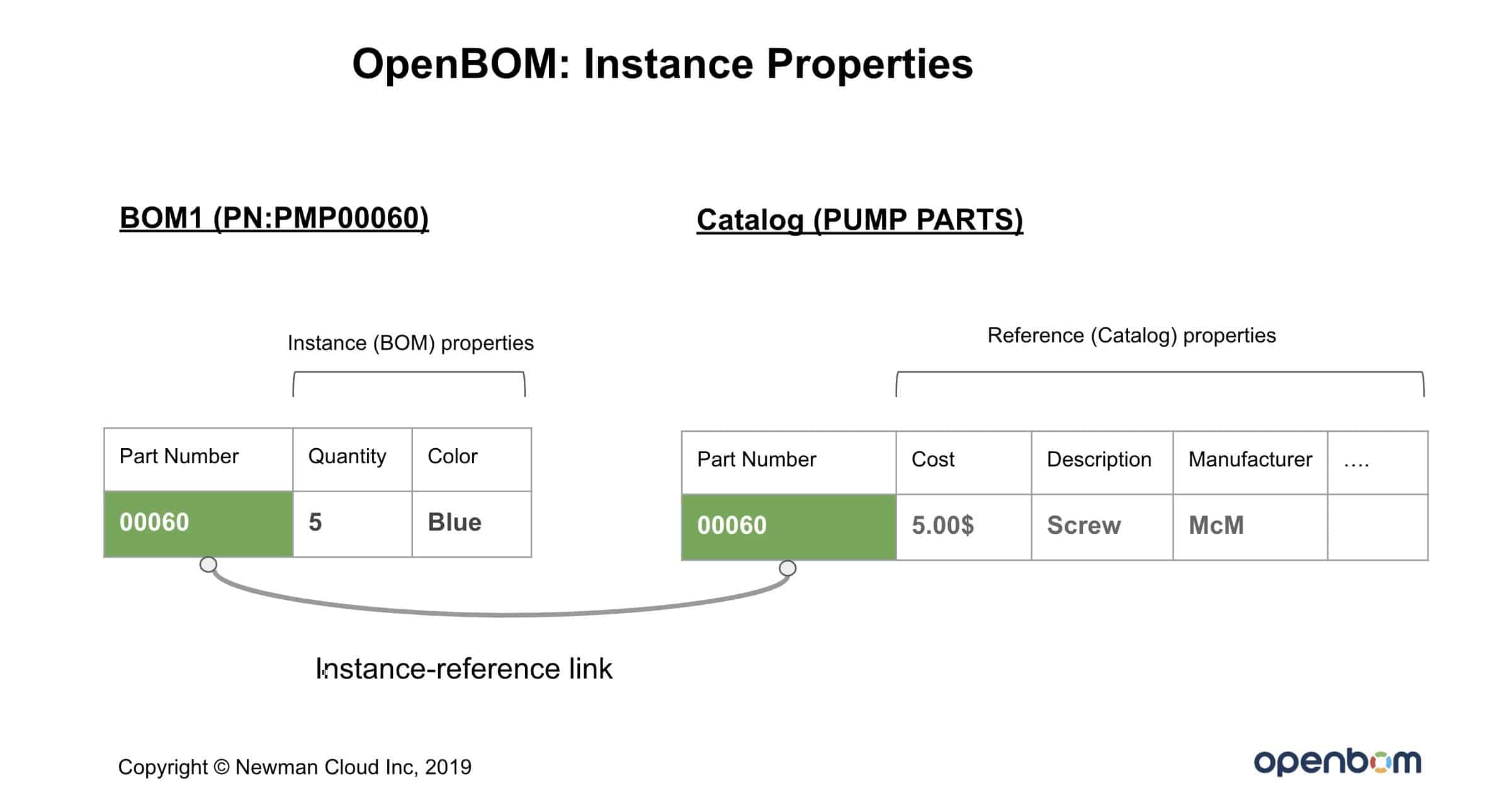
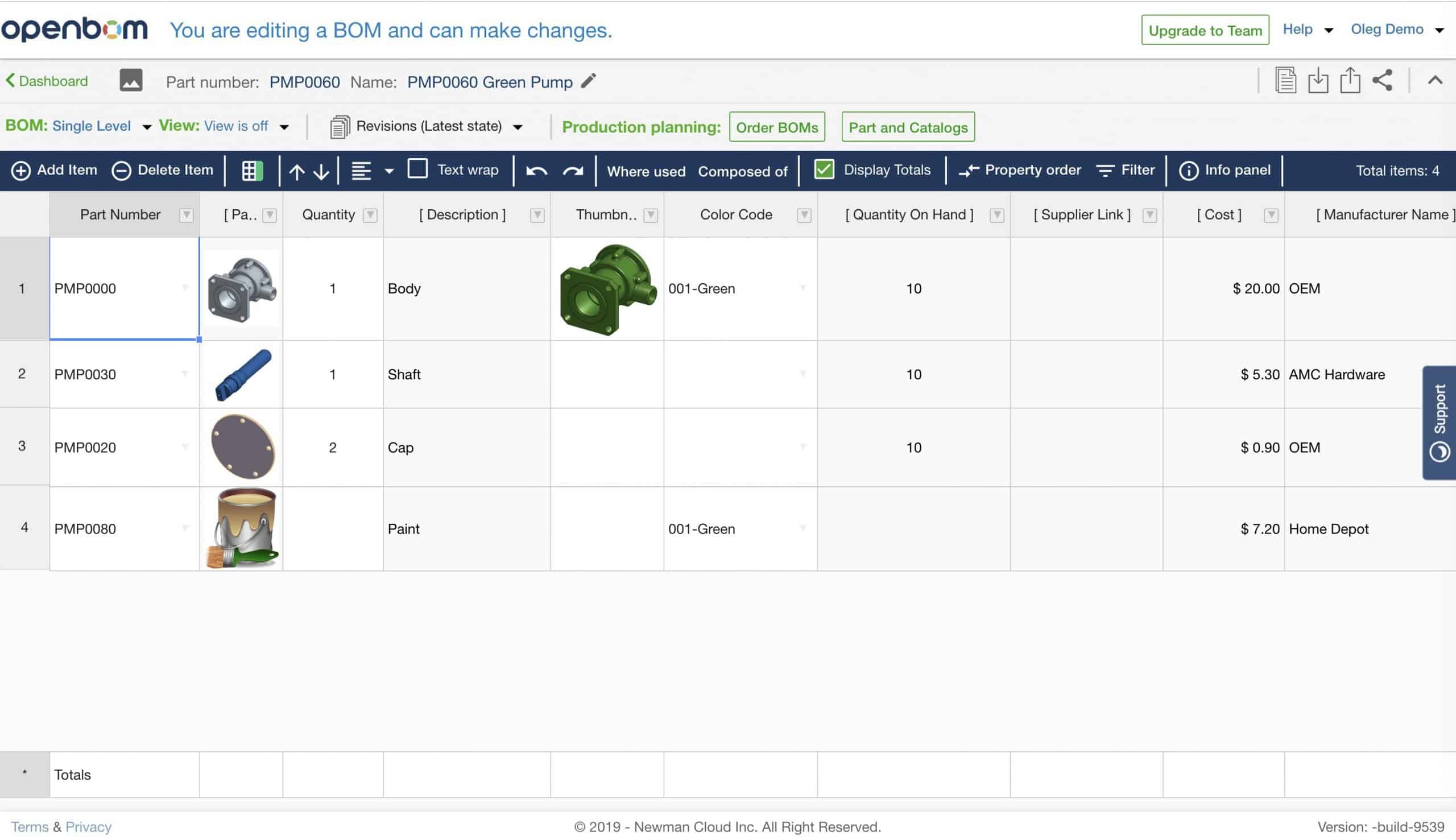
This data model allows you to define part reference and instance properties in a flexible way and adapt it to any solution. In my example below such model is adapted to define part color already on the BOM level.
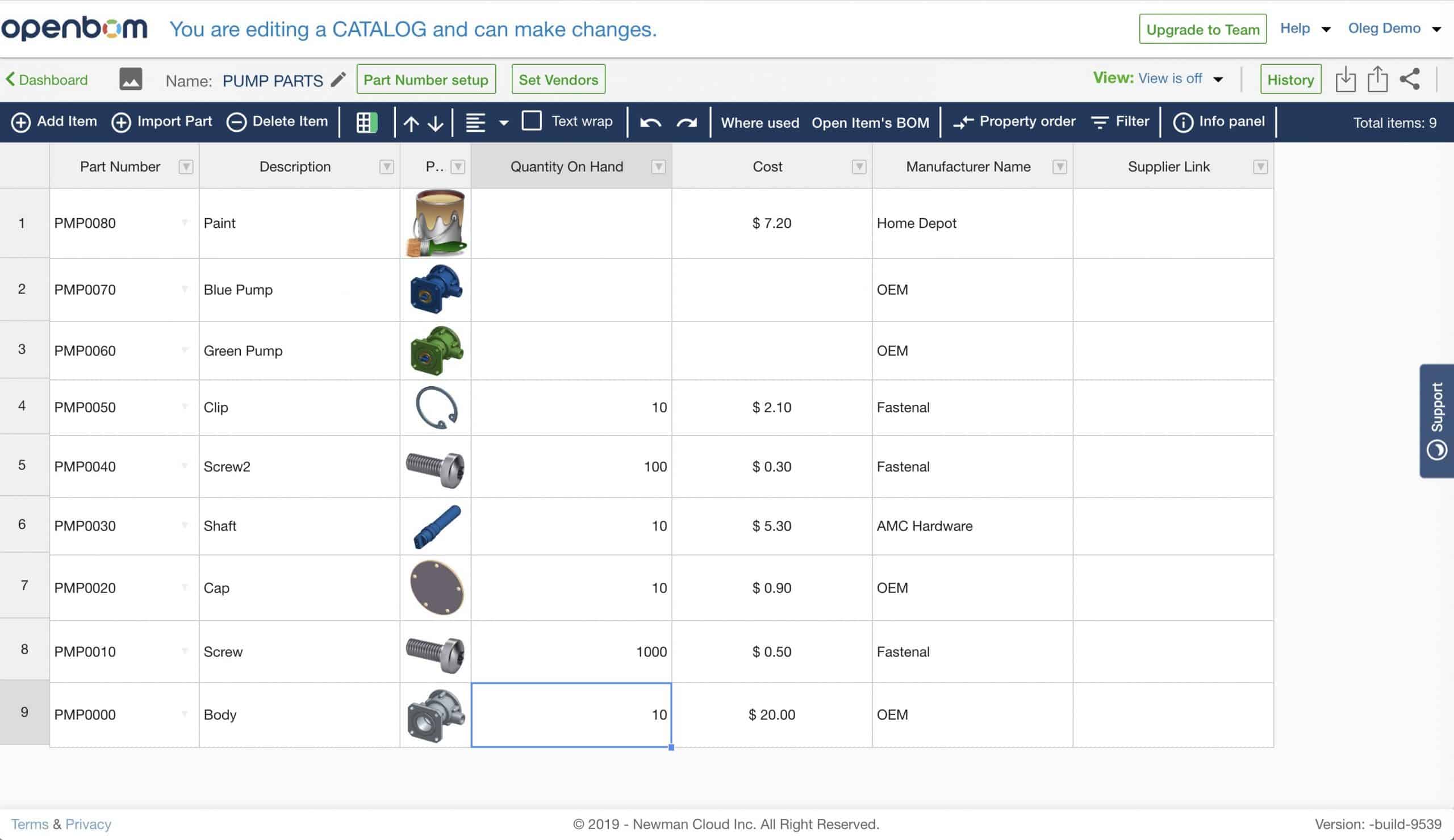
OpenBOM Catalog contains only part data. As you can see Body is not colored and have part number which will be the same for all BOMs.
The following picture shows you BOM for Green Pump. As you can see instance properties used to add color information on the instance (BOM) level.
I created a short video that can give you an idea of how to pull all these elements together.
Conclusion.
OpenBOM data model is flexible and allows you to create part instance properties in a BOM to manage specific instance information. I picked an example of color. However, exactly the same model can be used for many other modeling scenarios in mechanical and electrical BOMs.
If you have questions, please reach out to me to discuss.
Best, Oleg @ openbom.
Let’s get to know each other better. If you live in the Greater Boston area, I invite you for a coffee together (coffee is on me). If not nearby, let’s have a virtual coffee session — I will figure out how to send you a real coffee.
Want to learn more about PLM? Check out my Beyond PLM blog and PLM Book website
Join our newsletter to receive a weekly portion of news, articles, and tips about OpenBOM and our community.