In this video, I’d like to introduce you to BOM types. There are three fundamental BOM types – Single Level BOM, Multi-level BOM and Flattened BOM (report). Here is a picture that gives you an idea of OpenBOM types.
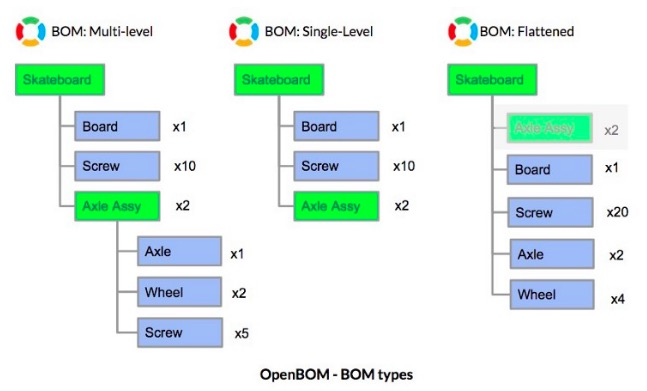
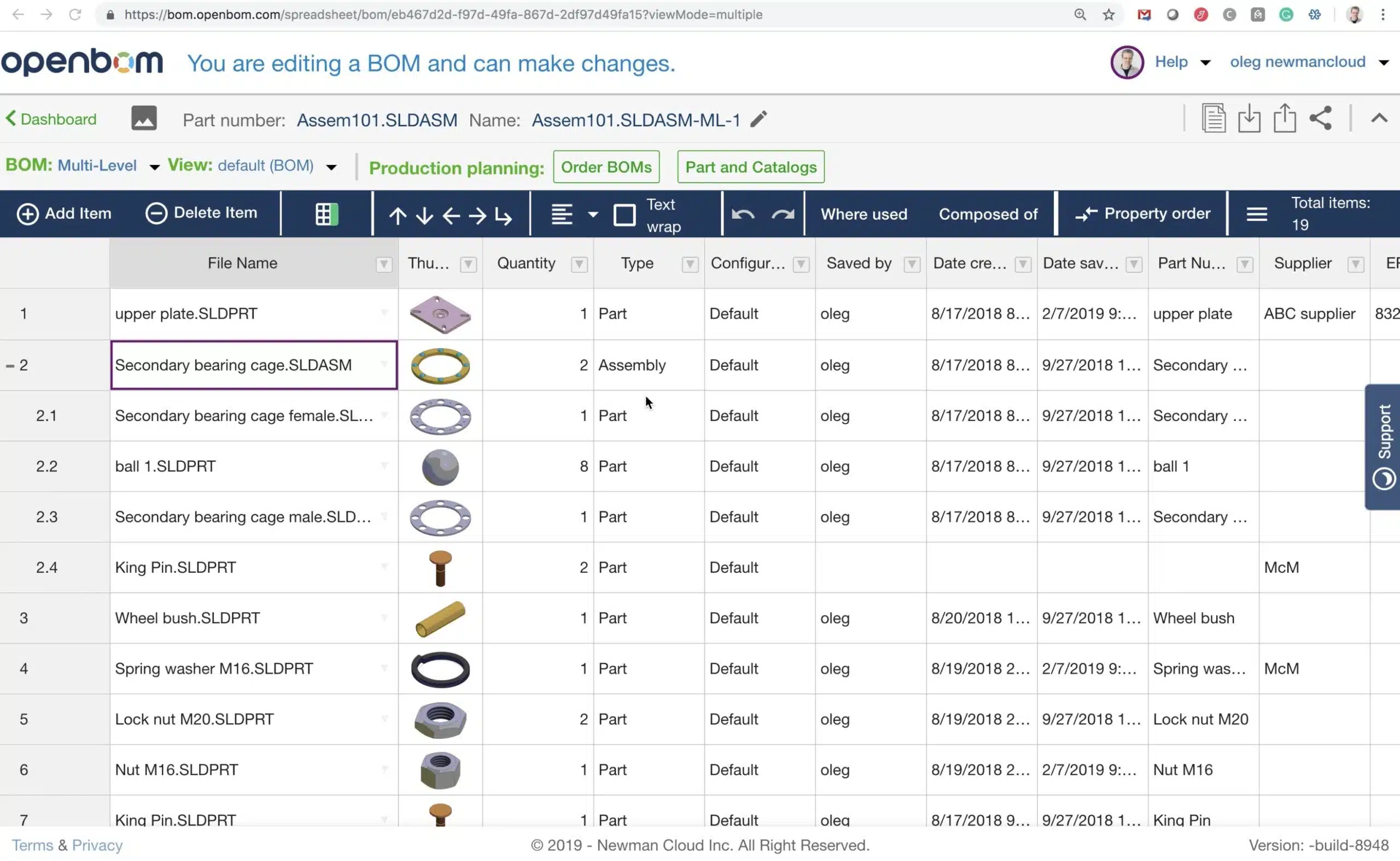
Single BOM is the basic of OpenBOM data model. It is a flat list of items with a set of attributes (properties). It has mandatory ID property called Part Number, which can be renamed. List of properties can be custom, so you can add any properties.
Mult-level BOM is a structure that OpenBOM creates by visualizing single level BOMs and Parent-Child relationships.
Finally, Flattened BOM is a read-only flat list that contains all parts and assemblies in top-level structure with rolled up quantities.
OpenBOM model allows you to create and manage any types of bill of materials from very simple part lists to very complex multi-disciplinary structures with a diverse sett of properties in each level.
OpenBOM connects structure on demand regardless of what order of definition. You can first create sub-levels and later top-level BOMs. You can also do it in the opposite mode – top down.
Watch this video for basic demonstration of OpenBOM BOM types.
Conclusion.
Three fundamental BOM types give you a full range of flexibility when it comes to the definition of simple part lists and complex structures.
In the next video, I will show how easy create new BOM structures from scratch.
Best, Oleg
PS. Let’s get to know each other better. If you live in the Greater Boston area, I invite you for a coffee together (coffee is on me). If not nearby, let’s have a virtual coffee session — I will figure out how to send you a real coffee.
Want to learn more about PLM? Check out my Beyond PLM blog and PLM Book website
Join our newsletter to receive a weekly portion of news, articles, and tips about OpenBOM and our community.