
Rethink Process for AI: Capture, Review, Flow
OpenBOM helps you rethink your workflows by using data and introducing a new type of collaborative process across engineering, design, change management, and procurement.
OpenBOM is a cloud-native product data platform for modern engineering and manufacturing teams. It connects CAD, BOM, PDM, PLM, ECO, procurement, and ERP workflows in one collaborative workspace, giving growing manufacturers a simpler way to manage product data from design to production.
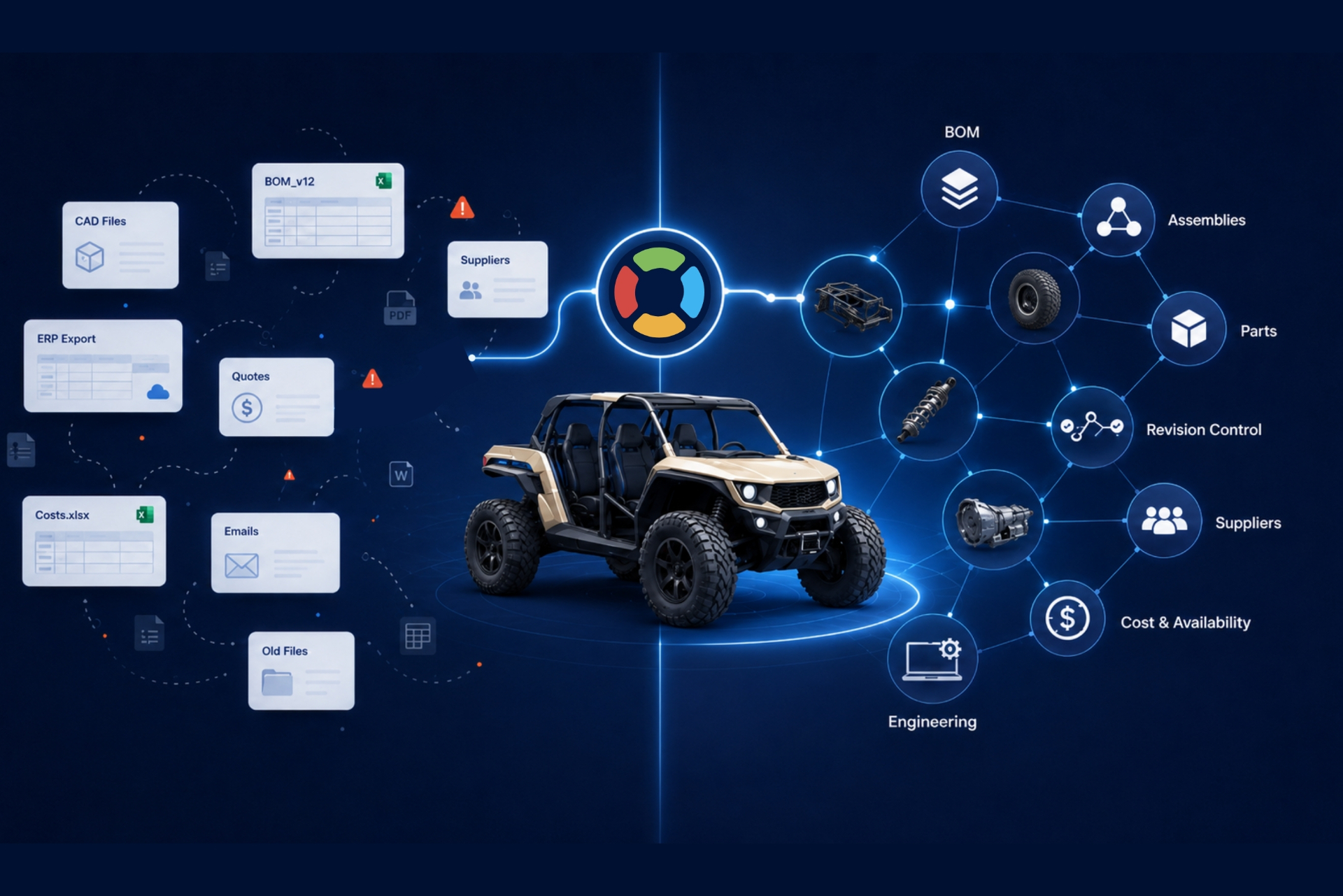
Five short videos. Five problems every engineering team recognizes.
OpenBOM helps you rethink your workflows by using data and introducing a new type of collaborative process across engineering, design, change management, and procurement.

Check-in and check-out from your desktop CAD, keep local and cloud in step with SmartSync, cut formal releases with full revision history, and let OpenBOM extract the BOM automatically. Design Projects group the CAD, drawings, and derivatives together, and every major CAD system your teams already use is supported.
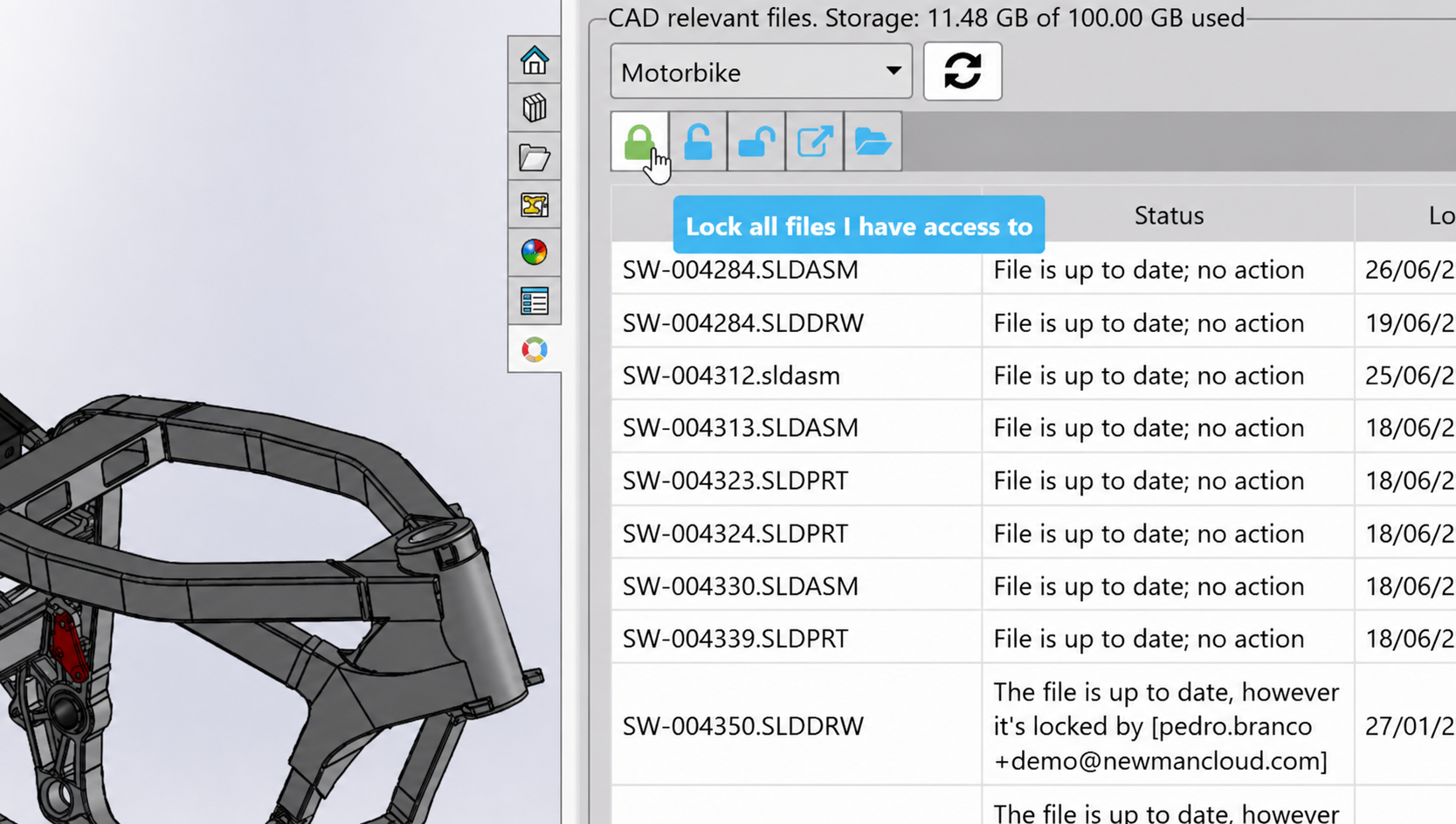
The CAD File Agent runs alongside your CAD application and handles check-in, check-out, and background sync so engineers stop babysitting file transfers. It watches the working folder, resolves references, and keeps the cloud copy authoritative. It is available now for SOLIDWORKS in limited availability.

“OpenBOM easily saves us 2 hours a day in engineering time.”
Read the story →
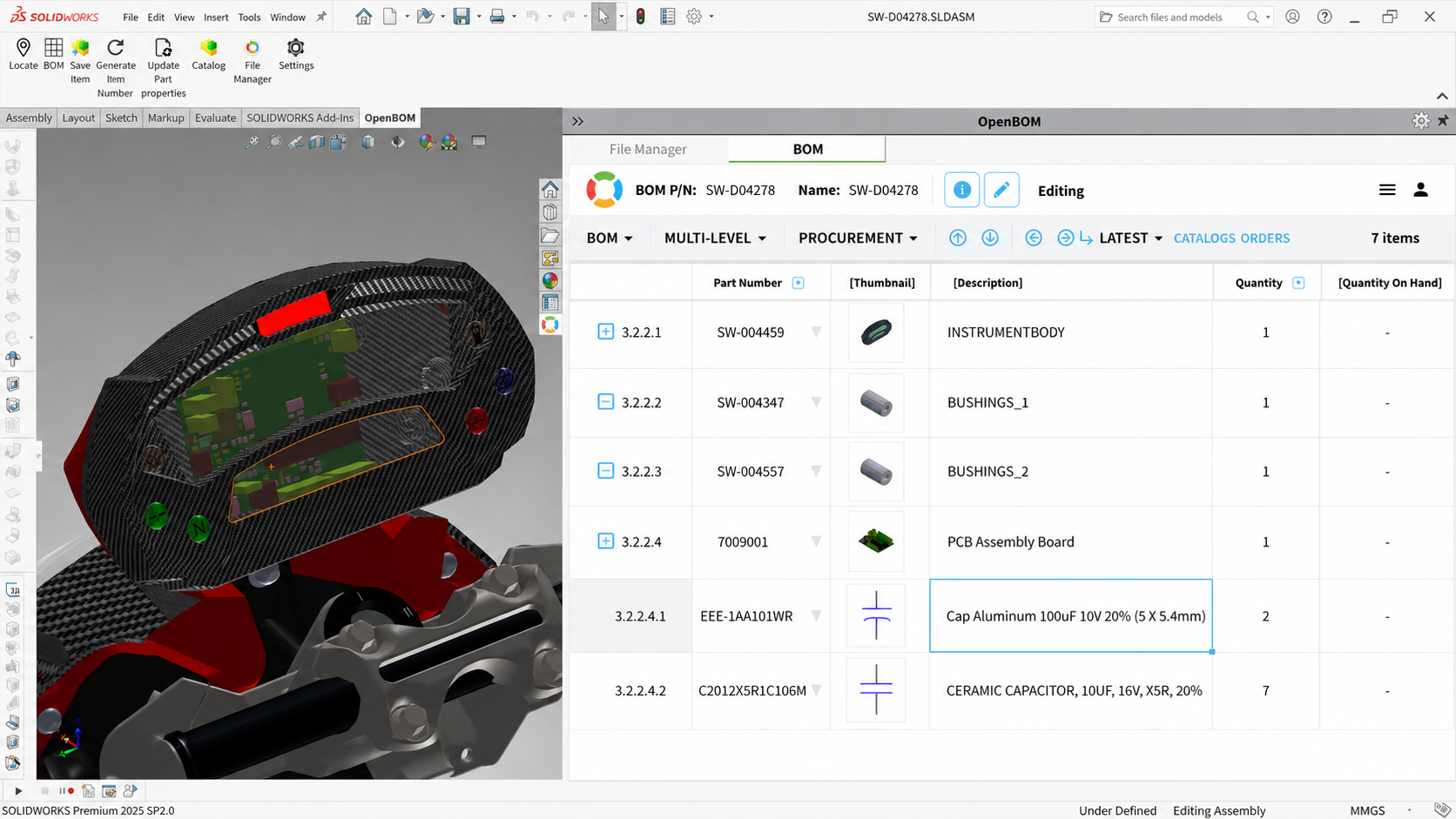
Move from static spreadsheets to a live digital BOM with EBOM and MBOM views, single-level, multi-level, and flattened structures, catalogs and an item master, formulas across properties, and cost rollups you can trust across the whole assembly.

Combine mechanical, electrical, and PCB data into a single multi-disciplinary xBOM so the whole product is visible in one structure — components, assemblies, harnesses, boards, and firmware, side by side.
“Our products include mechanical parts, electronics, and software, so the product structure can be complex. OpenBOM provides essential BOM and configuration management functions at a reasonable cost — and the Excel-like interface makes it easy for teams to adopt.”
Read the story →
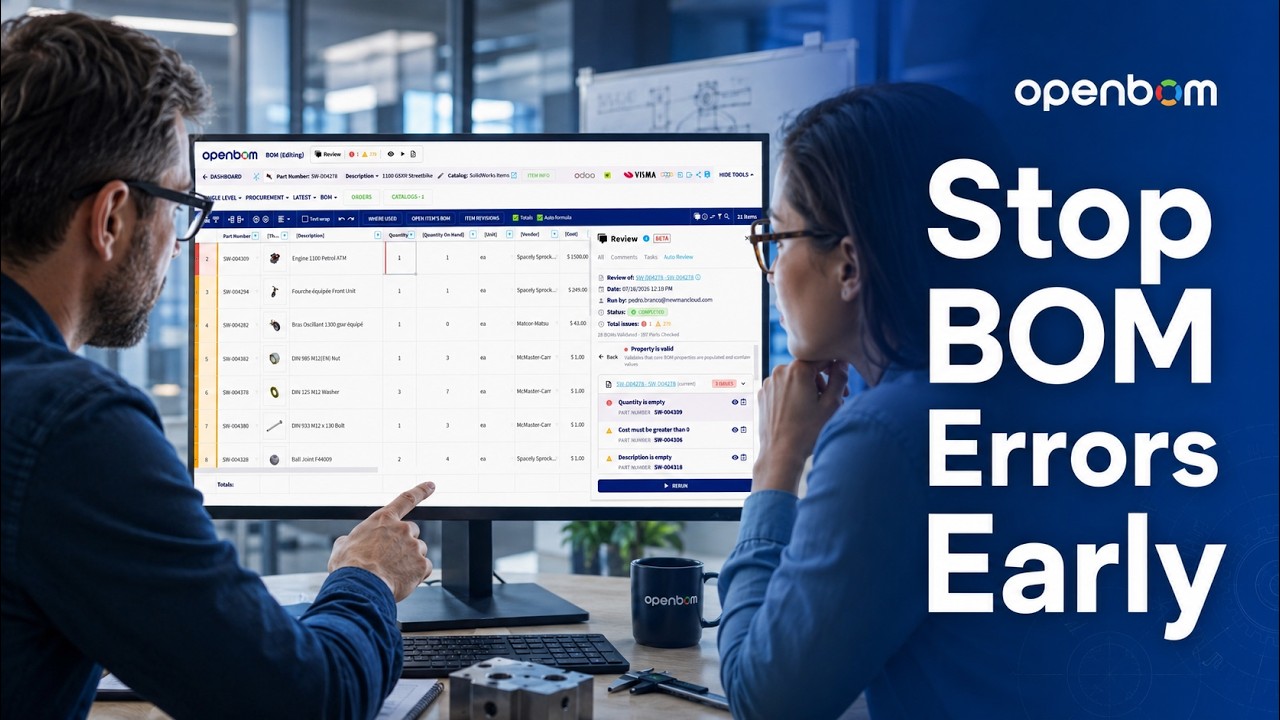
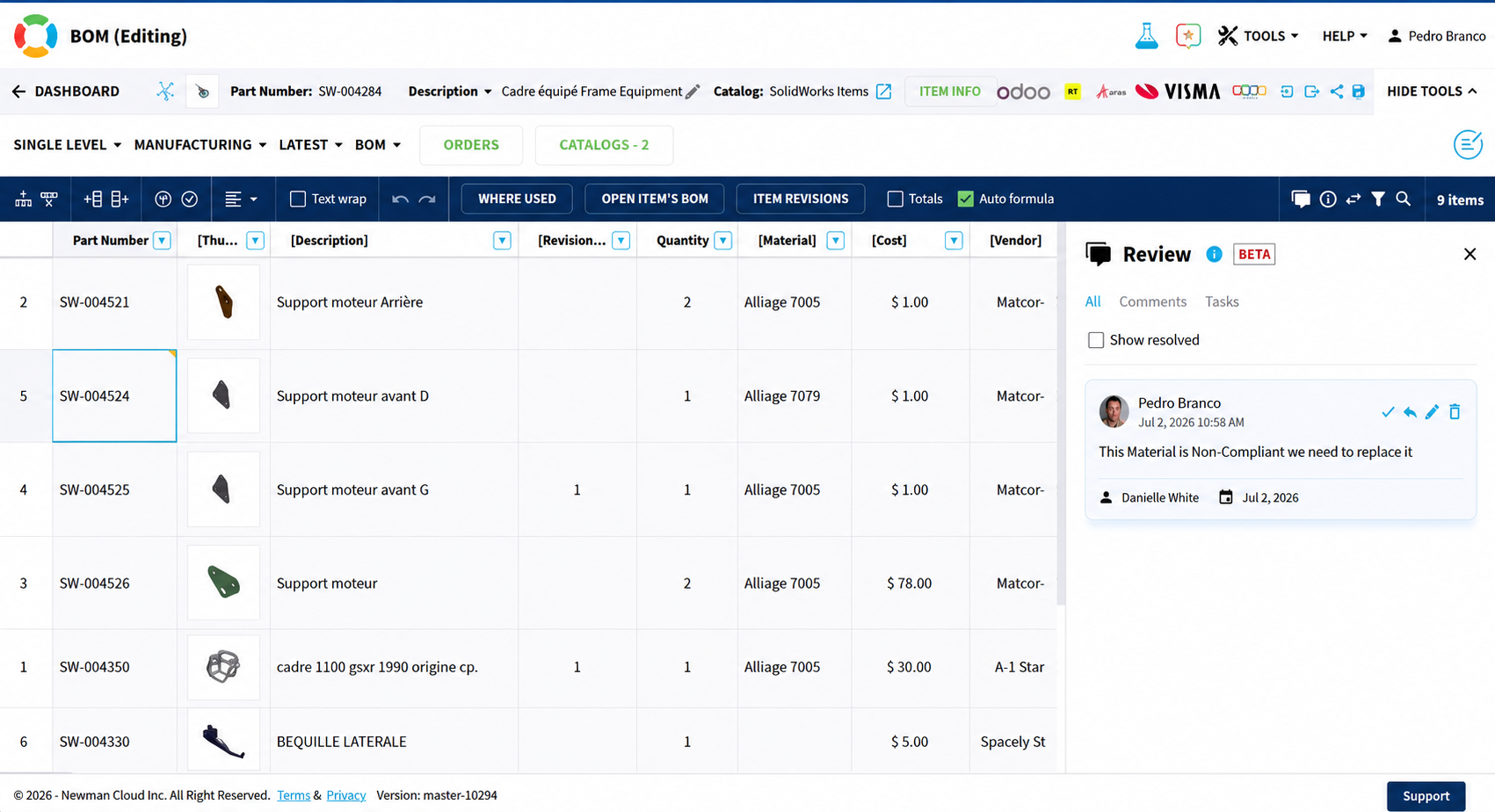
Bring the whole team to the same BOM instead of sending spreadsheets back and forth: patented real-time collaboration lets multiple engineers work on the same data at once, while comments, tasks, and @mentions attach the conversation directly to the items that need attention, so a question about a part, the answer, and the person responsible all stay in one place. The BOM Review Agent — the next step on the OpenBOM agent roadmap, built on the same foundation as the CAD File Agent — will take this further by reviewing BOM changes automatically and flagging issues for the team.
Track revisions, raise change requests, and run ECO workflows with approvals, so every modification follows a defined path and lands with an explainable history behind it — anyone joining the project later can see what changed, when, by whom, and why, without reconstructing it from memory or old email threads.
“We rely on OpenBOM to help us manage a wide range of inputs from our internal customers and quickly deliver an accurate product BOM to our manufacturing floor.”
Read the story →
Turn a BOM into RFQs and purchase orders, run gap analysis between what you need and what you have, track inventory movements, and collaborate with suppliers on the same records your engineers use.

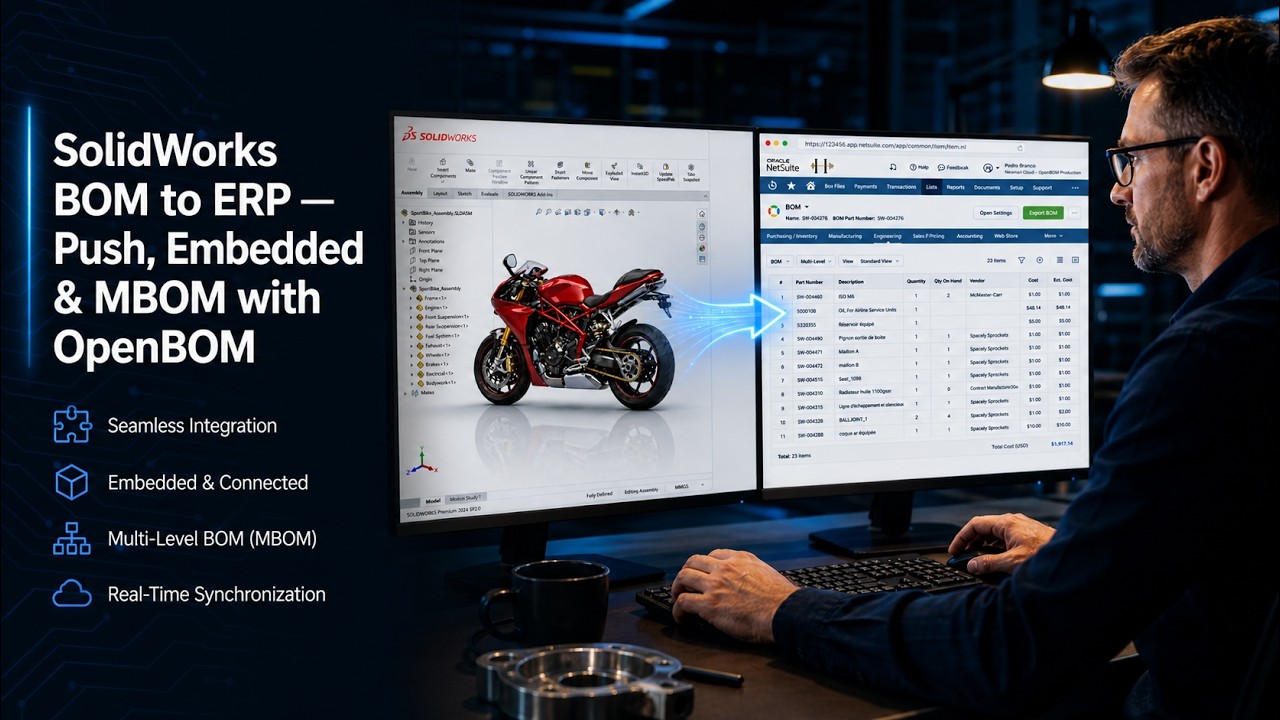
OpenBOM connects to the tools finance and operations already run: QuickBooks, Xero, NetSuite, Odoo, Dynamics 365 Business Central, and Katana MRP. Engineering data flows out cleanly, without hand re-keying.
“From the first couple of videos I watched, I thought, 'It simply can't be this easy.' And one of the few times I can remember being wrong — it actually is that easy.”
Read the story →
Every file, BOM, revision, comment, supplier, cost, and change you saw in this tour did double duty: it also built Product Memory — a persistent layer of product context that explains what changed, why it changed, and how decisions connect across the lifecycle.

OpenBOM is a true multi-tenant SaaS platform with a graph-based data model and role-based access that spans companies, suppliers, and contractors. Your data model grows with the business instead of forcing it into rigid tables.
Automate anything with a REST API, and connect AI agents through the Model Context Protocol (MCP). Build your own dashboards, automations, and integrations on top of the same data engineering and manufacturing use every day.
OpenBOM includes cloud PDM capabilities — check-in/check-out, versioning, releases, and revision history for CAD files — and combines them with BOM management, change control, and procurement in one platform. You get PDM without running a separate PDM server.
OpenBOM connects to every major CAD system used by mechanical and electrical teams, including SOLIDWORKS, Autodesk Inventor and Fusion 360, PTC Creo, Onshape, Siemens Solid Edge, and Altium Designer, among others. BOM extraction, properties, and file management work across all of them.
Yes. OpenBOM replaces static spreadsheet BOMs with a live, multi-level digital BOM shared by the whole team, with catalogs, an item master, formulas, and cost rollups. You can import existing Excel BOMs to get started in a single step.
The Engineering BOM (EBOM) captures the product as designed in CAD, while the Manufacturing BOM (MBOM) reflects how it is actually built, sourced, and assembled. OpenBOM lets you maintain both views on the same underlying item master and move data between them without re-keying.
OpenBOM has direct integrations with QuickBooks, Xero, NetSuite, Odoo, Microsoft Dynamics 365 Business Central, and Katana MRP. A REST API is available for connecting to any other system your operations team uses.
Yes. The CAD File Agent is available now for SOLIDWORKS in limited availability, with additional CAD systems on the roadmap. It runs alongside your CAD application and automates check-in, check-out, and background sync.
Product Memory is the persistent layer of product context OpenBOM builds as you work — files, BOMs, revisions, comments, suppliers, costs, and change history — explaining what changed, why it changed, and how decisions connect across the product lifecycle.
Most teams import their first CAD file or Excel BOM and invite collaborators the same day. There is no six-month rollout: procurement and ERP integration are added later, only when they earn their place in the workflow.
Five minutes was the tour. Getting started takes about the same.


