One more feature request and the way to streamline the process of part creation in OpenBOM. Catalogs are the way to manage Item Masters for all types of parts you have in your company. Think about standard, engineering and any other items.
When you create a BOM you can make a selection of existing parts. It works just fine using the OpenBOM search.
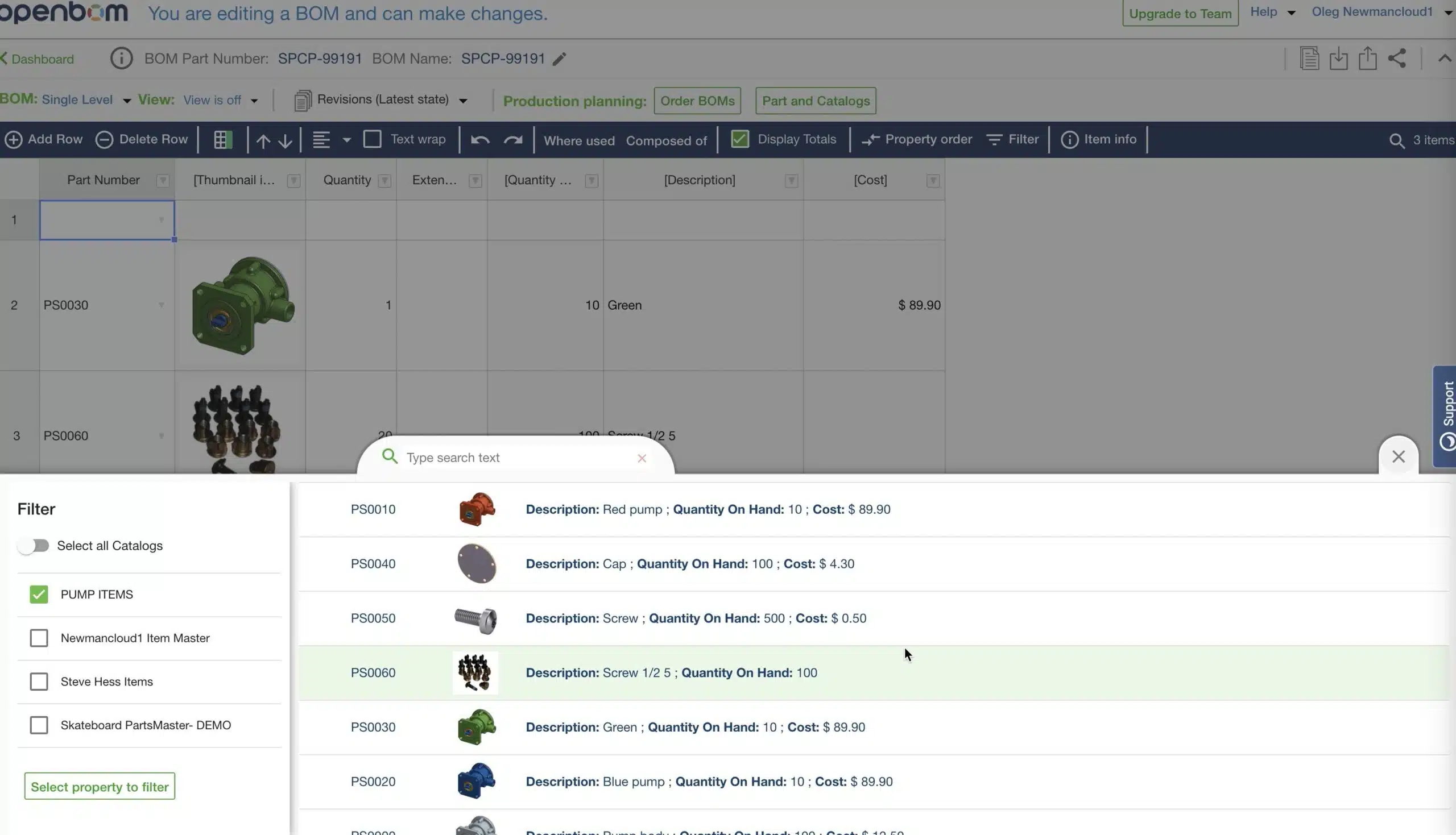
However, what if you need to create a new Item?
Recently we introduced the way to create a new Item Master in Catalog directly from BOM. If you missed that, please check our earlier blog – New Item Master panel.
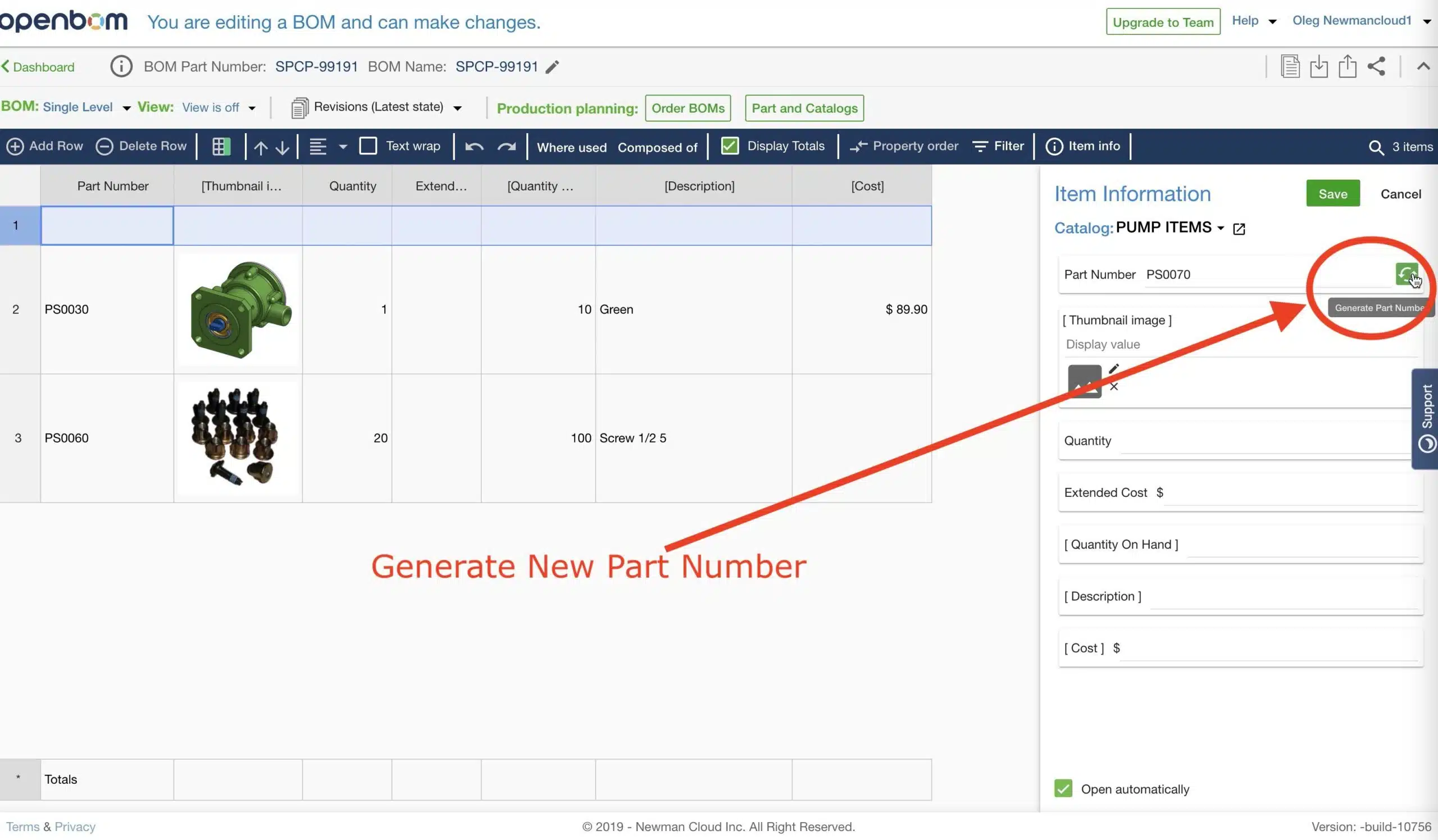
One of the additional requirements was to allow to generate Part Number from the catalog when you create a new part. Doing it transparently helps to streamline the process of new item creation and to speed the work of an engineer on a BOM.
The following video shows you a short preview of the feature coming soon.
Conclusion.
At OpenBOM, we are working hard to help you to streamline processes. In fact, very often, streamline processes is about to reduce the amount of clicks and improve operations that help you with everyday tasks. To generate P/N from the catalog when you add a new item to the BOM is one of these smalls, but important steps.
Try OpenBOM today by registering to FREE OpenBOM User Subscription.
Best, Oleg @ openbom dot com.
Let’s get to know each other better. If you live in the Greater Boston area, I invite you for a coffee together (coffee is on me). If not nearby, let’s have a virtual coffee session — I will figure out how to send you a real coffee.
Want to learn more about PLM? Check out my Beyond PLM blog and PLM Book website
Join our newsletter to receive a weekly portion of news, articles, and tips about OpenBOM and our community.