Ease of navigation between data is somewhat very important when you work with such complex data as the Bill of Materials, Catalogs, and other related information. How to make it easy is not a simple task. Existing data paradigms are part of the challenge when you’re coming to a new tool. Folders and document lists are those that we remember and use in our everyday life. However, the last decades of web product development open new ways to explore data – search drive. We can “google” everything these days. So, we think about OpenBOM.
Early versions of OpenBOM introduced an easy way to list BOMs and Catalogs – BOM and Catalog Dashboards gave you a way to list all BOMs, Catalogs, Vendors, POs and other elements of data.
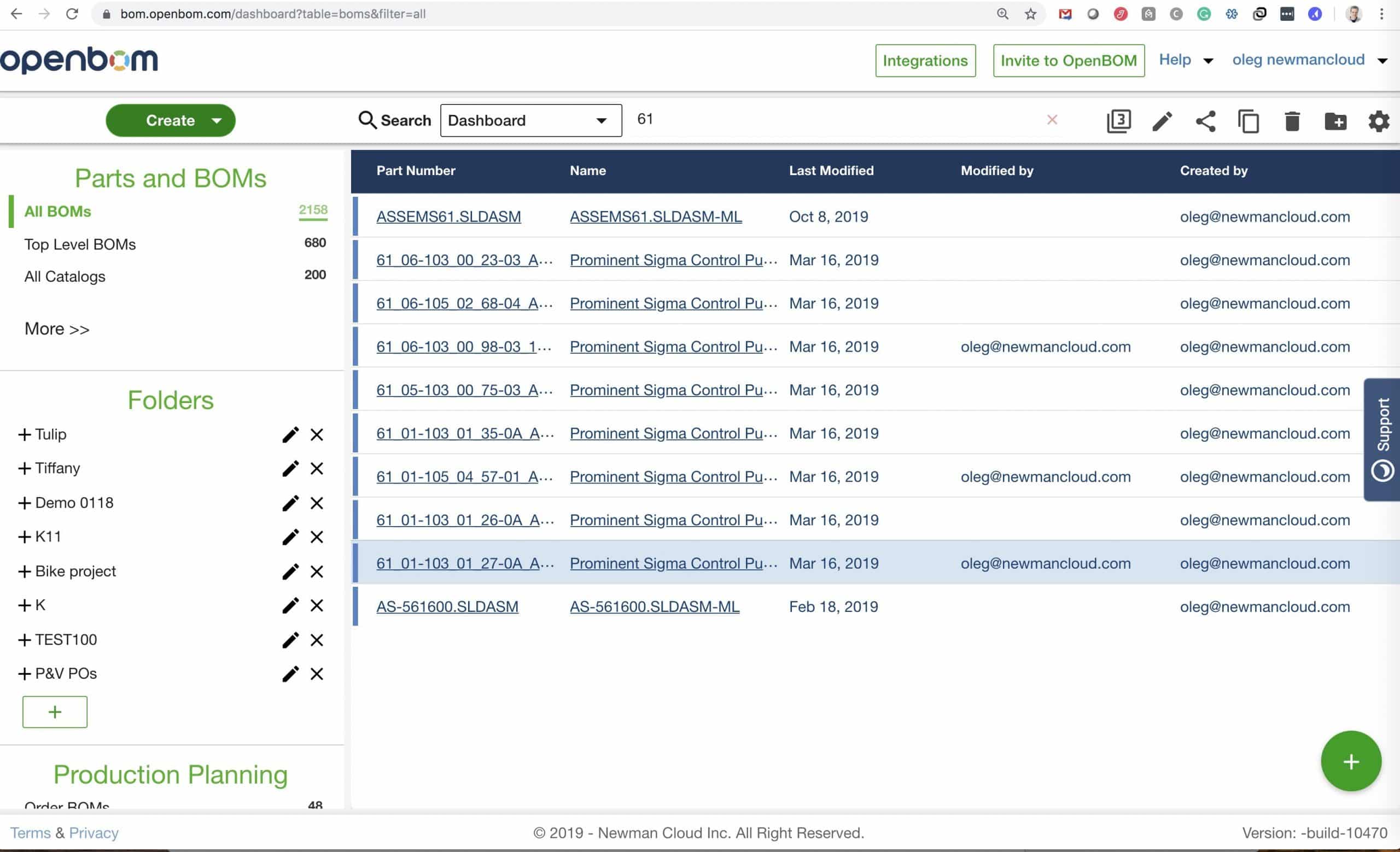
However, the search paradigm is another direction we’ve started to be taking recently. We experimented with the search for the last year and here is the last version of our improved search dashboard with elements of structured navigation.
After all, everything in the product is somehow connected to parts (or assemblies). Therefore, to start from a part is a good idea always. This is how we came to a search for part paradigm.
The dashboard itself gives you a way to search for part – full-text search with parametric filters gives you a way to easily find any parts.
This is how it looks.
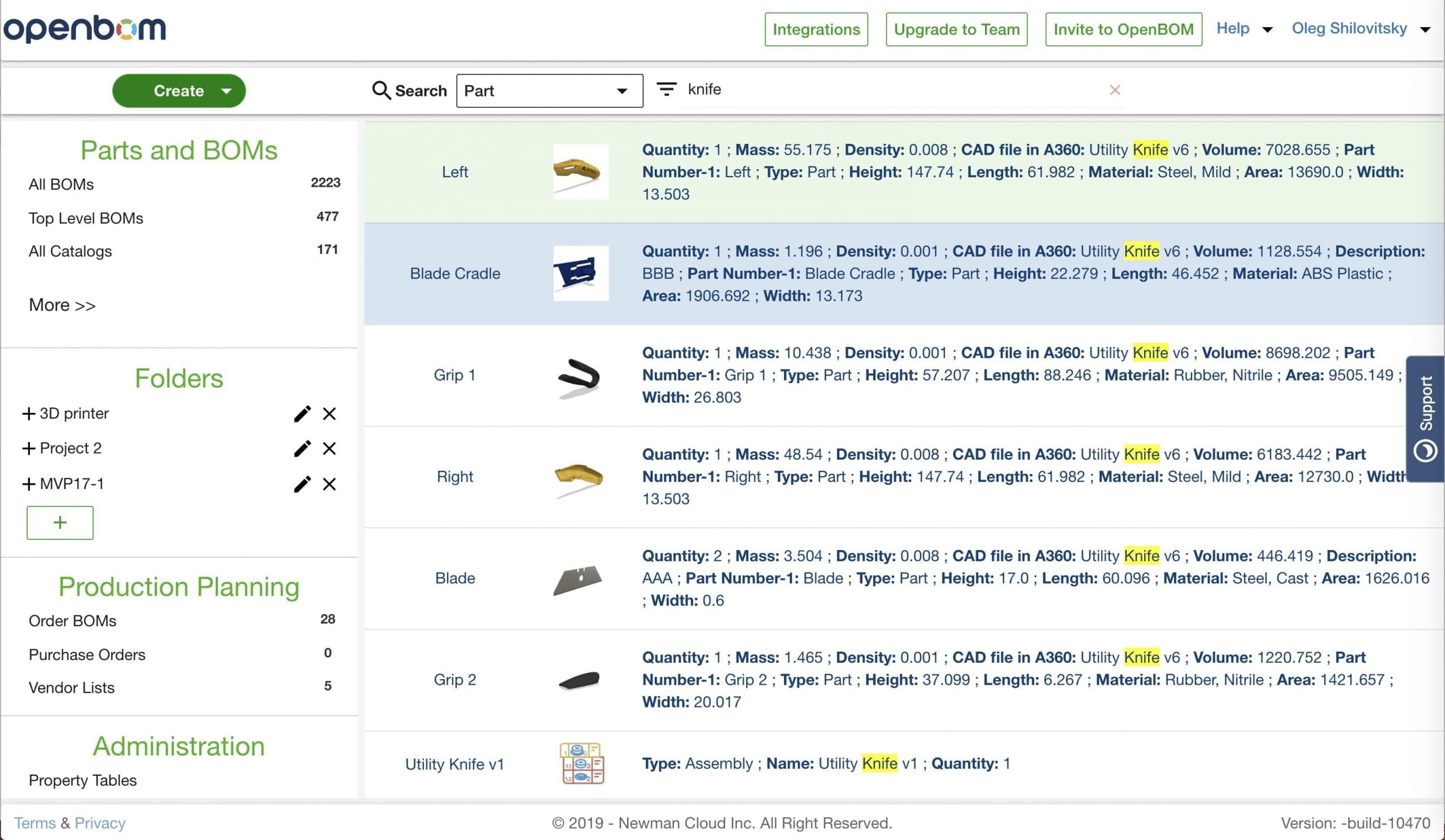
A parametric filter can be applied.
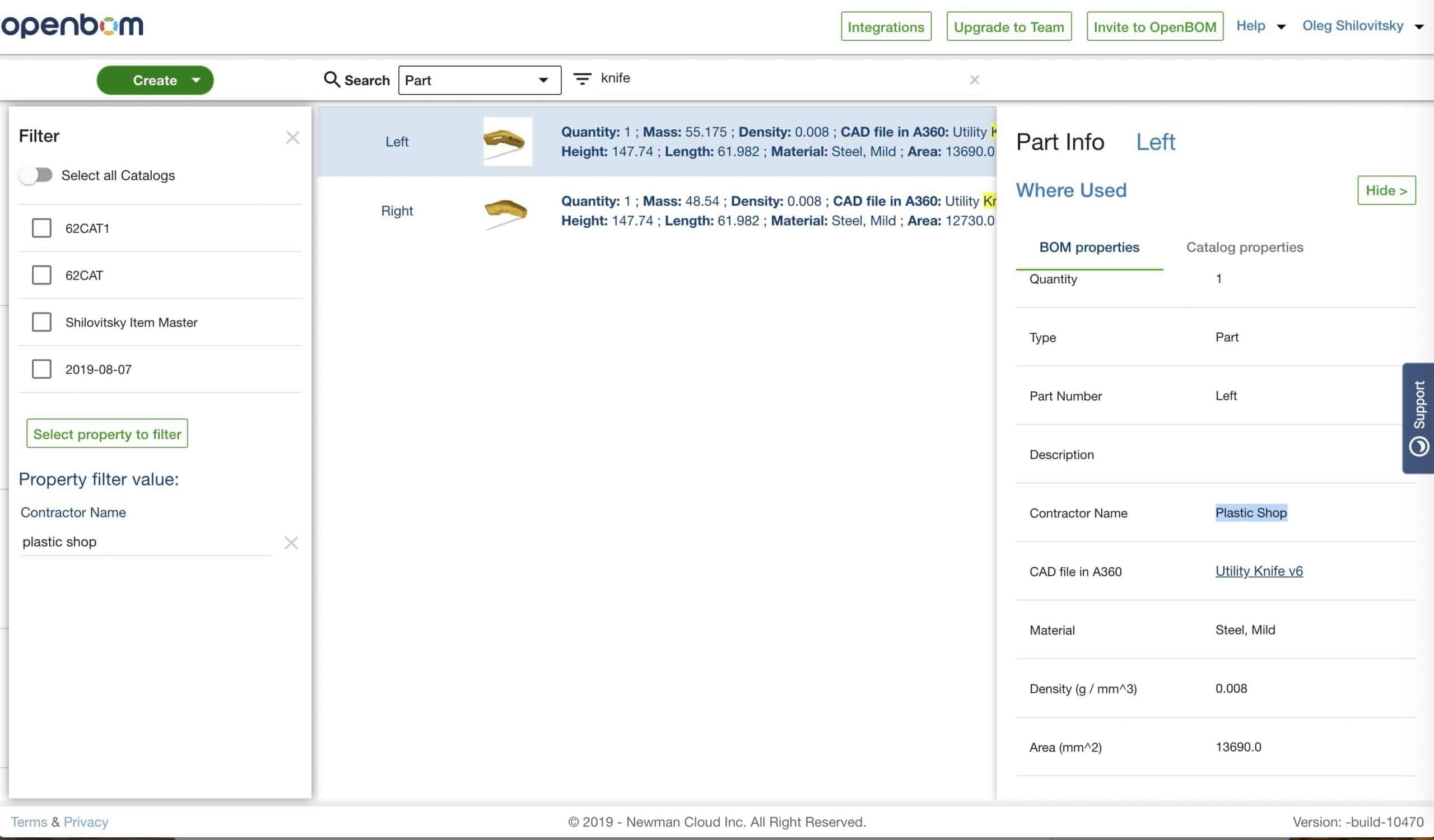
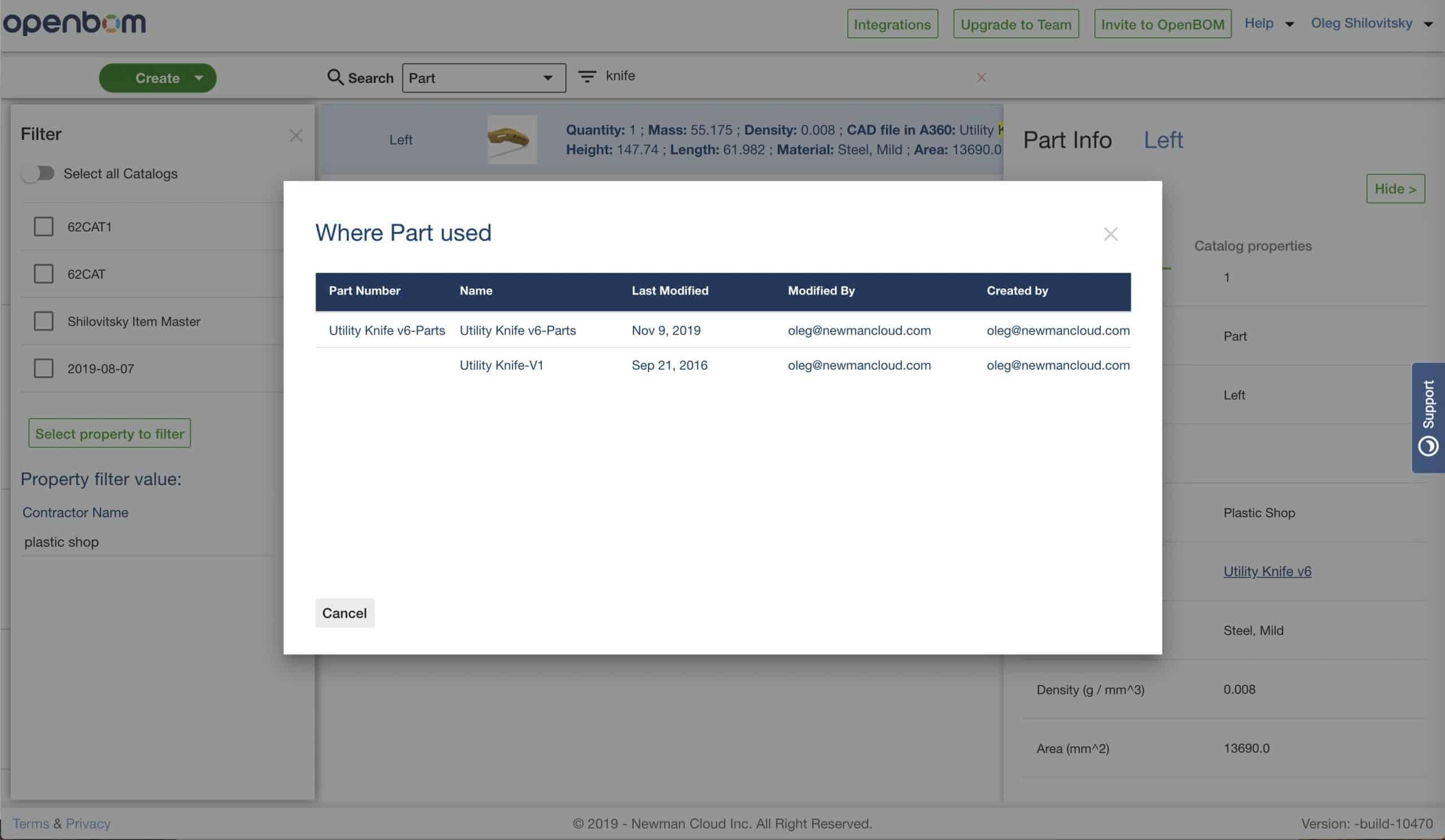
The results can lead you to navigation options such as finding “Where used” for selected parts or to navigate to a catalog where the part is defined.
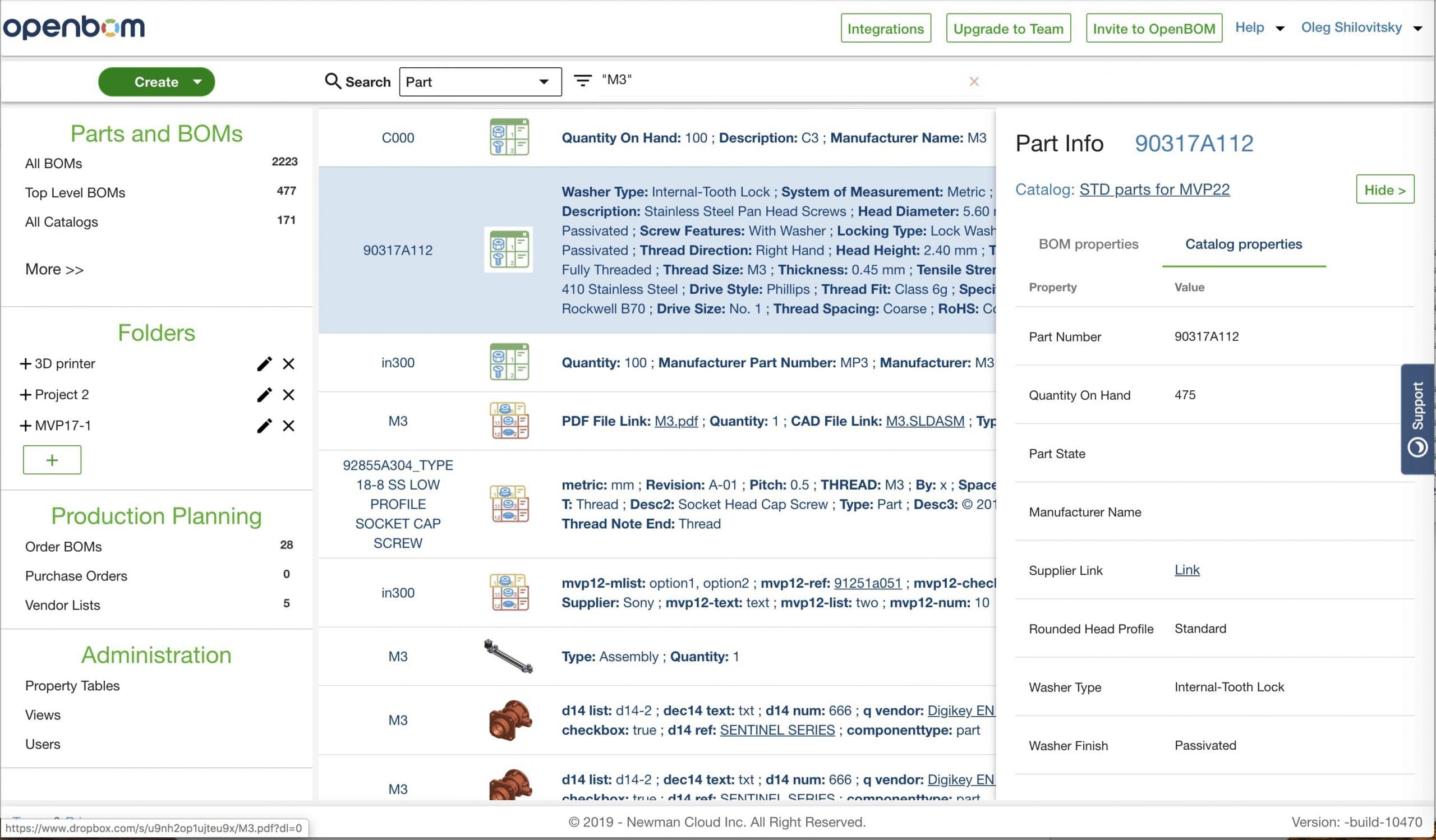
Below you can find a short video demonstrating the functions of OpenBOM part search dashboard including navigation options.
Conclusion.
OpenBOM search dashboard gives you an easy way to navigate your product information starting from part data and then following to were used and related catalogs, planning BOMs and Orders.
Best, Oleg @ openbom dot com.
Let’s get to know each other better. If you live in the Greater Boston area, I invite you for a coffee together (coffee is on me). If not nearby, let’s have a virtual coffee session — I will figure out how to send you a real coffee.
Want to learn more about PLM? Check out my Beyond PLM blog and PLM Book website
Join our newsletter to receive a weekly portion of news, articles, and tips about OpenBOM and our community.