Autodesk Fusion360 plug-in for OpenBOM is going through the series of enhancements and improvements based on your feedback and requirements we collected.
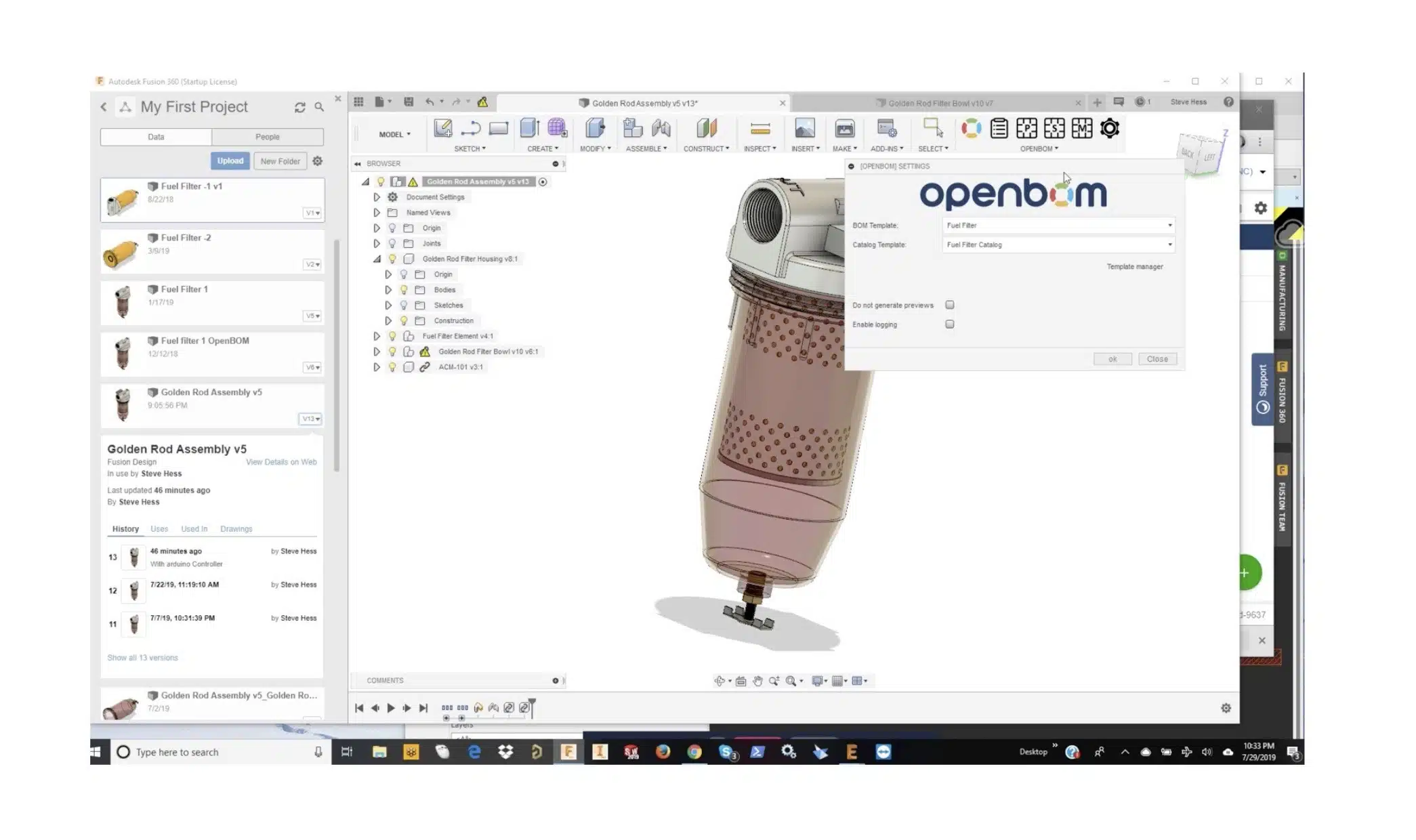
Today, I want to show you one of my favorites new features in Fusion360 plug-in and this is Template support. It allows you to create a template for both BOM and Catalog. You can select what data (properties) to extract from Fusion360 and also to add OpenBOM properties to the same BOM.
So, if you want each Fusion360 BOM to include Cost, you can do it now just by adding Cost property in the template. Other enhancements are including optional preview image generation and additional logging option.
I also have a surprise. Remember, my yesterday blog about new Autodesk Eagle plug-in for OpenBOM? At the end of the video, you will see how BOM created in OpenBOM using Autodesk Eagle plug-in can be connected to Fusion360 BOM. Thanks for OpenBOM flexible data model – it is actually possible and very easy to do.
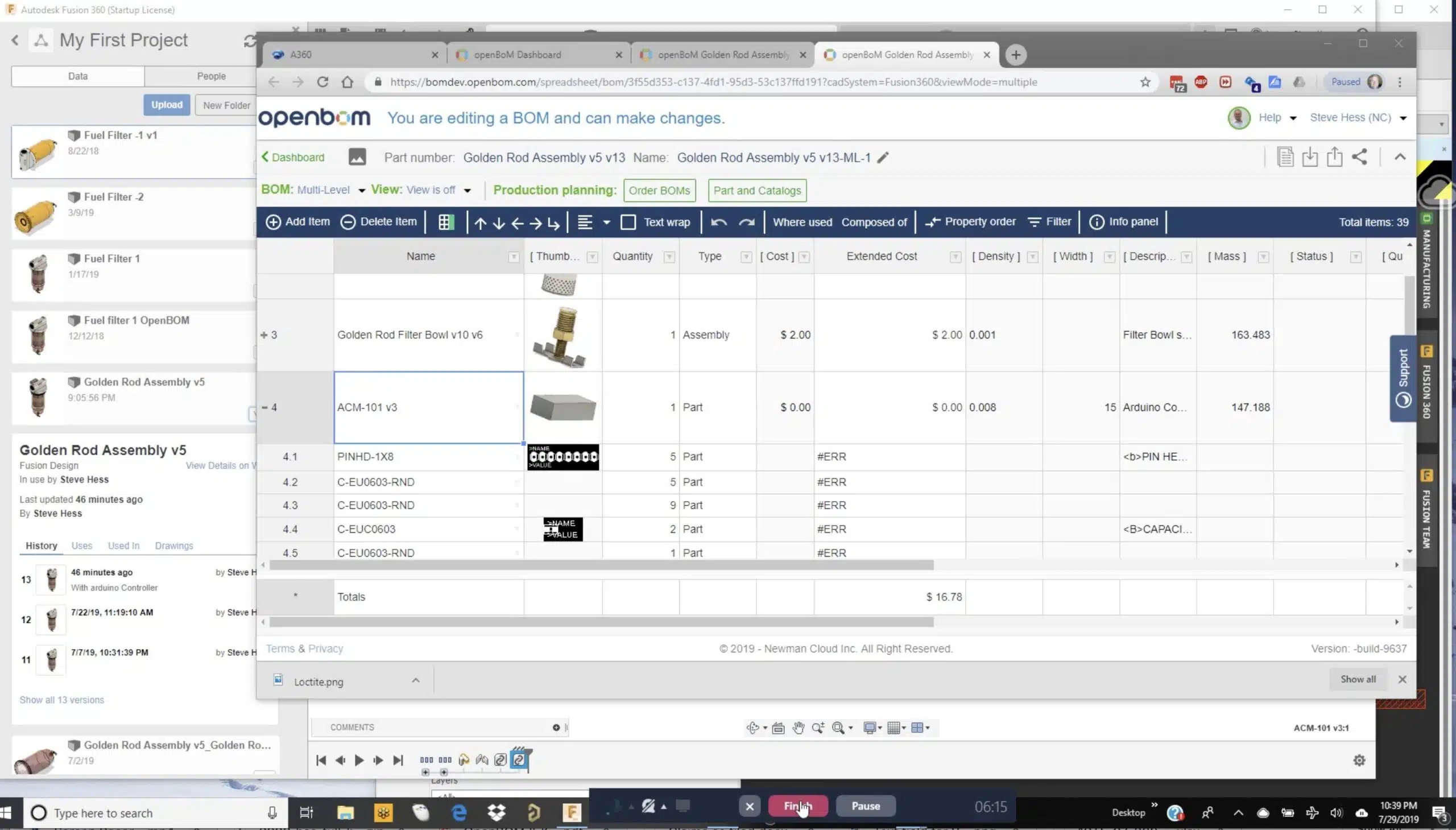
Check this video and you get some impression about what is coming.
Conclusion
By providing both Autodesk Fusion360 and Autodesk Eagle integration, OpenBOM introduces the support for total BOM management solution for all three Autodesk design system in manufacturing – Autodesk Inventor, Autodesk Fusion360 and Autodesk Eagle.
Want to discuss how all these three are working together? Please register for OpenBOM user subscription here (https://www.openbom.com/pricing) and use it tomorrow.
Note: Some functionality demonstrated in this video such as production planning and purchase order requires a professional subscription.
Best, Oleg @ openbom.
Let’s get to know each other better. If you live in the Greater Boston area, I invite you for a coffee together (coffee is on me). If not nearby, let’s have a virtual coffee session — I will figure out how to send you a real coffee.
Want to learn more about PLM? Check out my Beyond PLM blog and PLM Book website
Join our newsletter to receive a weekly portion of news, articles, and tips about OpenBOM and our community.